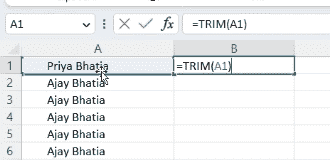
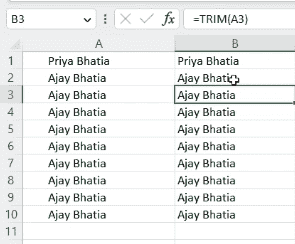
TRIM is a text-cleaning function used to remove extra spaces from text strings. TRIM keeps one space between words it does not remove all spaces between words.
The TRIM function:
Removes leading spaces (spaces before text)
Removes trailing spaces (spaces after text)
Reduces multiple spaces between words to a single space
Syntax:
=TRIM(text)
Parameter: text → The text string or cell reference containing extra spaces.
Step-by-Step: Using the TRIM Function
Step 1: Enter Text Data
Enter text values containing extra spaces in a column
Step 2: Select Result Cell
Select the cell where you want the cleaned (trimmed) result to appear.