|
VOOZH | about |
|
VOOZH | about |
A block quote in Google Docs is a formatting style used to highlight longer quotes or excerpts by indenting them and sometimes changing font style or size. This makes important passages stand out and easy to identify.
Here is how you can manually format a piece of text in Google Docs to turn it into a block quote:
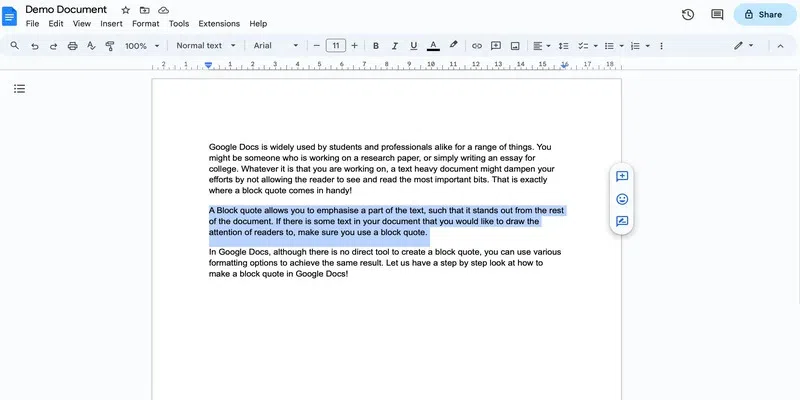
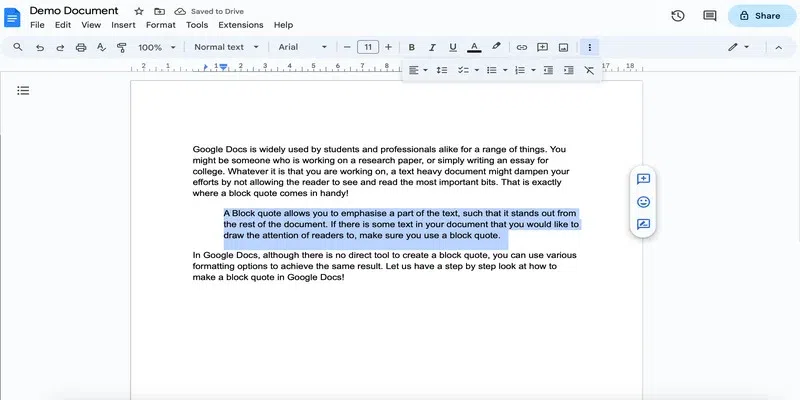
Select the text that you wish to turn into a block quote.
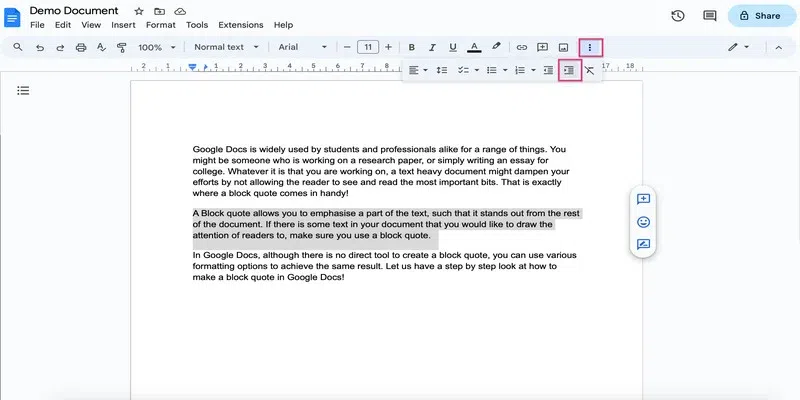
Go to the three dots in the menu bar and select the Increase Indent button to increase the indentation. Further, you can use Ctrl + ] (On Windows) or Cmd +] (on Mac).
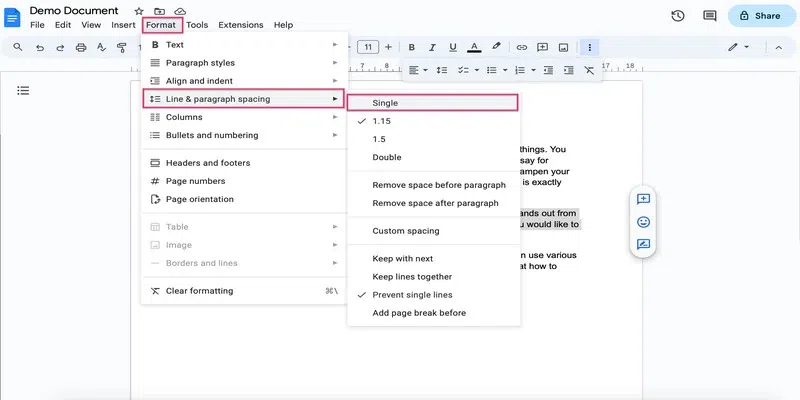
By default, the spacing is that is 1.15 but you can change that if needed. Go to the Format tab and Click on Line & paragraph spacing. Choose the desired spacing.
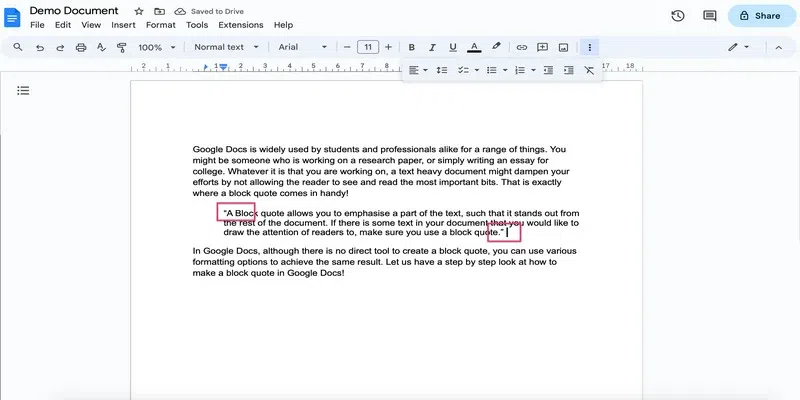
Place the cursor at the beginning of the block quote and press the quotation(") key on the keyboard. Do the same for the end of the block quote.
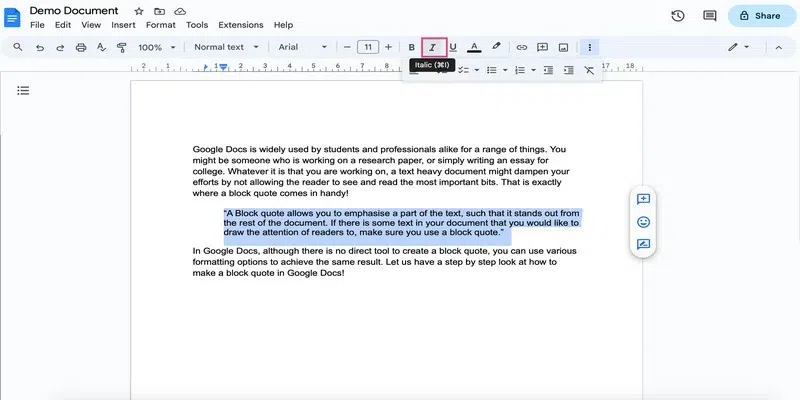
Select the block quote along with the quotation marks and click on the Italics button in the menu.
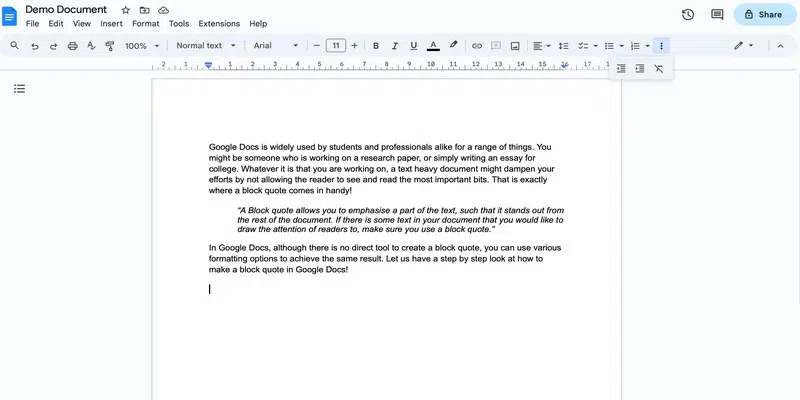
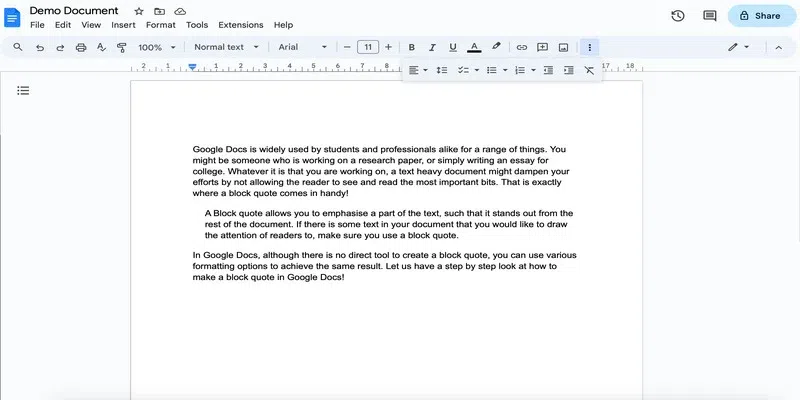
Here you have your block quote:
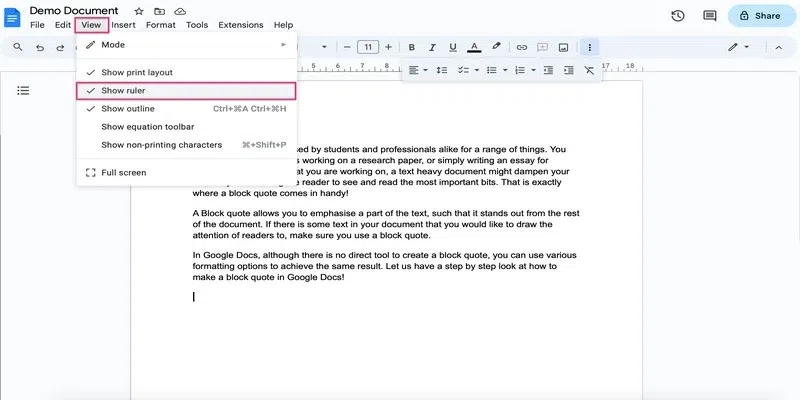
Note that the ruler might already be present on top of your page in Google Docs. If it is, then you can skip to step 2.
Click on the View tab and go to the Show Ruler option.
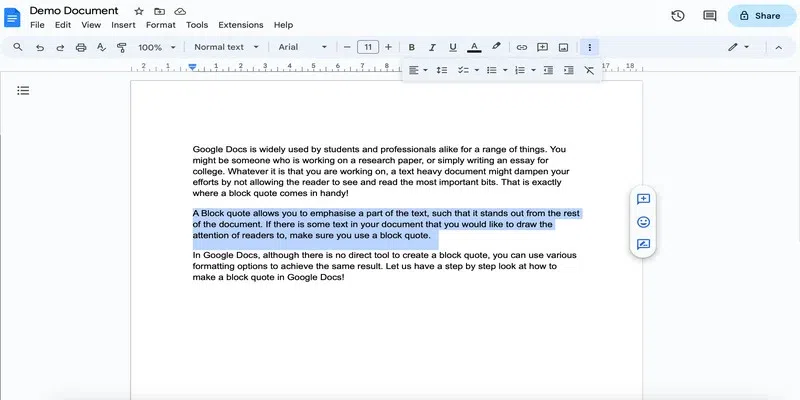
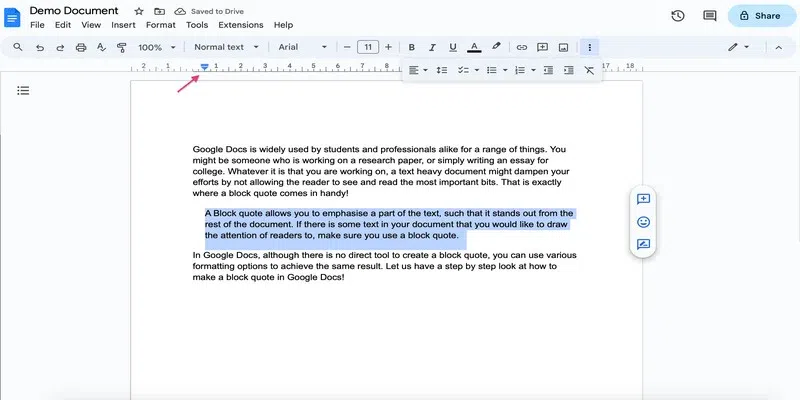
Select the text that you wish to change into a Block quote.
Hold and drag the left indent marker in the ruler to 0.5 inches to the right.
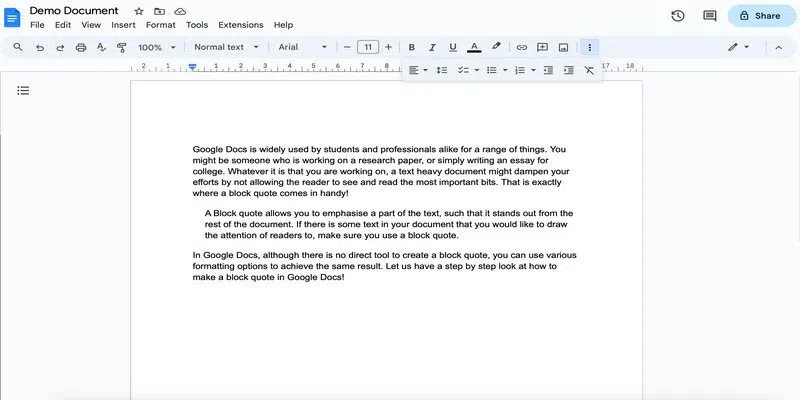
Here is the result:
Note: That's it for setting the indentation. You can now follow the above steps from Step 3 to format the block quote further.
Using the tab key is the simplest method to add a block quote in Google Docs, once you set it up.
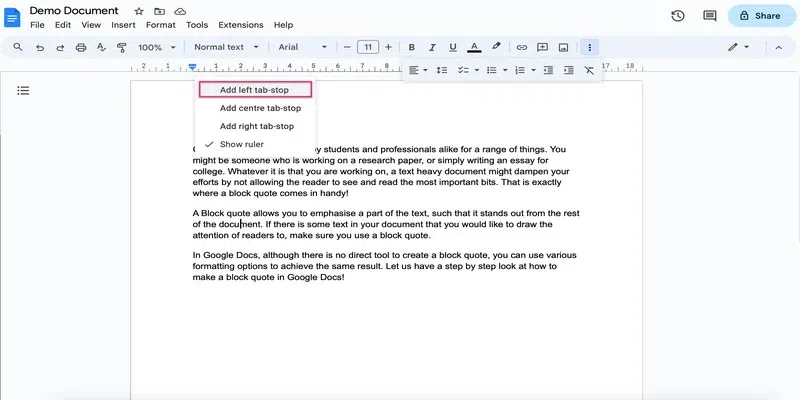
Right-click the ruler and select the add left tab stop option.
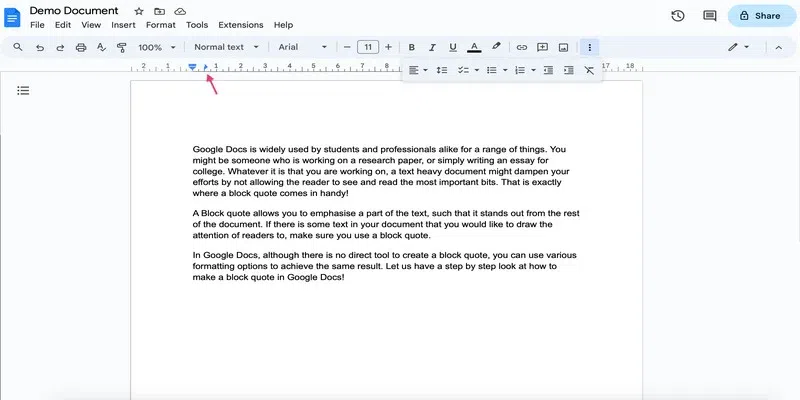
You must see a blue triangle-shaped marker, pointing right. Drag it and drop it to 0.5 inches in the right direction.
Select the text that you wish to turn into a block quote and click the Tab key on your keyboard.
Here is the result:
Note: That's it for setting the indentation. You can now follow the above steps from Step 3 to format the block quote further.
The above method of creating a block quote is well suited to creating a standard block quote. But if you are required to work according to a grammar style, then you must format the block quote as per the particular style guide.
Here are a few basic styles and their corresponding formatting rules: