|
VOOZH | about |
|
VOOZH | about |
APA format in Google Docs means setting up your document according to American Psychological Association guidelines. It ensures a consistent, professional look and makes your paper easier to read and understand.
This includes things like:
Google Docs offers many templates that automatically format your documents. To set up the APA template in Google Docs,
Open a new document and select File > New > From template.
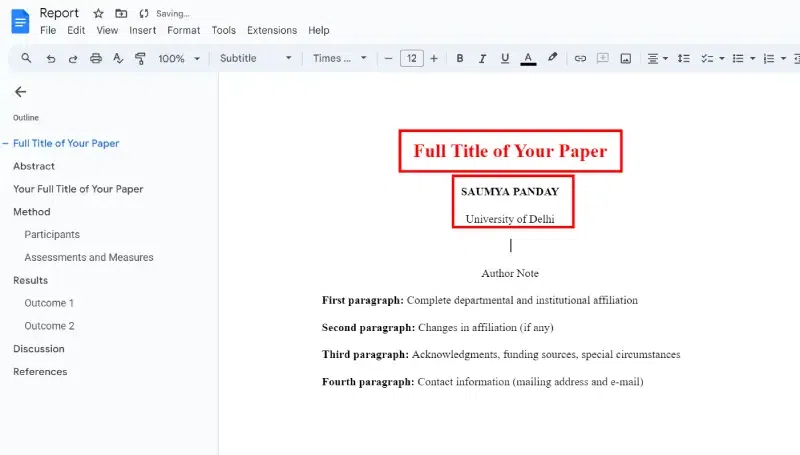
The template gallery will open in a separate browser tab. Scroll down to the Education section and select Report APA.
A new document will open containing dummy text in APA format. With the proper formatting already in place, you need to change the words. If there are sections you don't need, delete them.
This template can be a little confusing, you should understand how to set up the APA style in Google Docs step-by-step. Once you format your paper, you can save it to use as your template for the future. here's how you can do the same,
Google Docs uses 1-inch margins all around by default, so you don't need to change the margins.
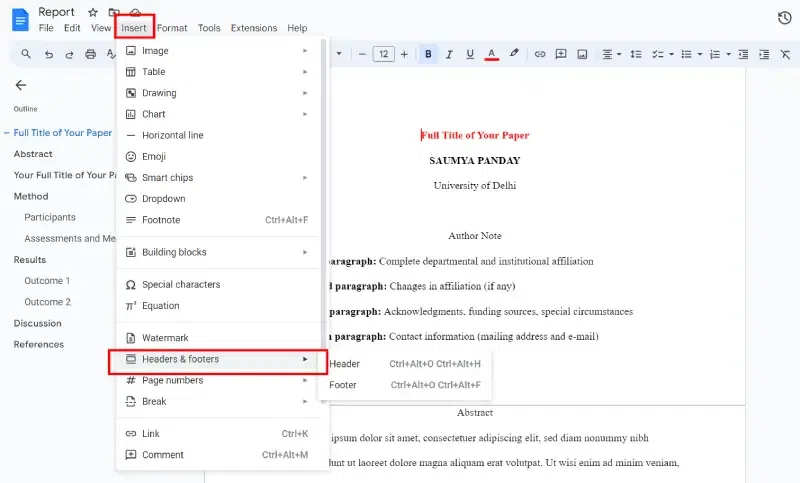
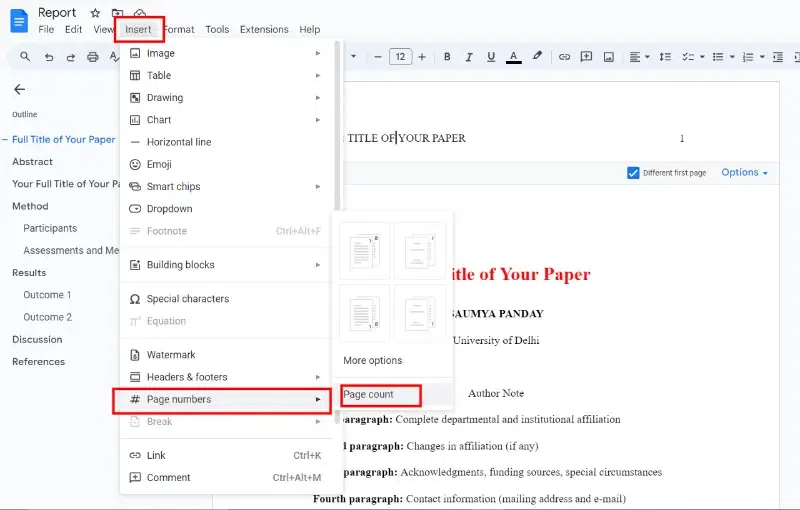
The Google Docs Insert menu shows how to add a header. You can easily change and remove headers on Google Docs at any time.
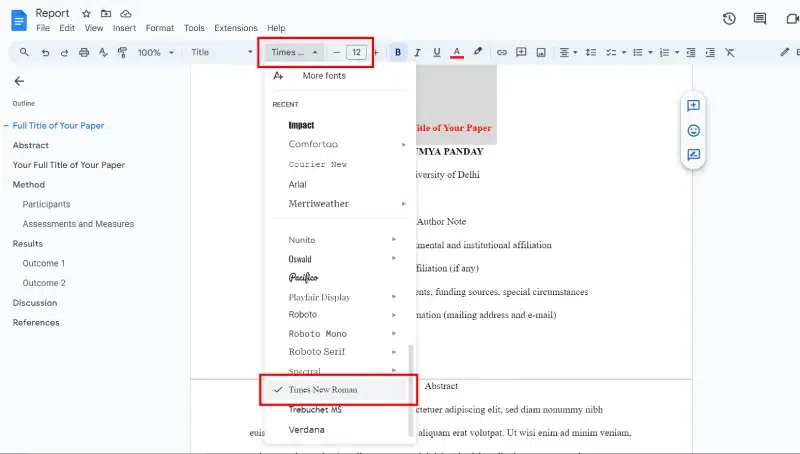
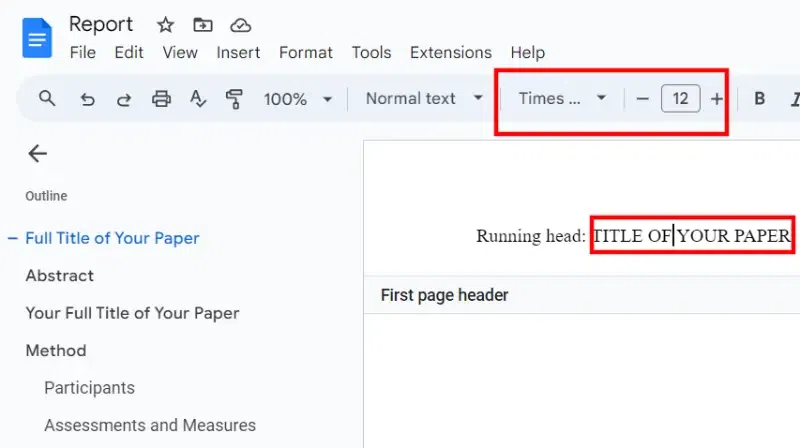
The font for the header will revert to the default, so change it to 12-point Times New Roman and type the title of your paper in all caps.
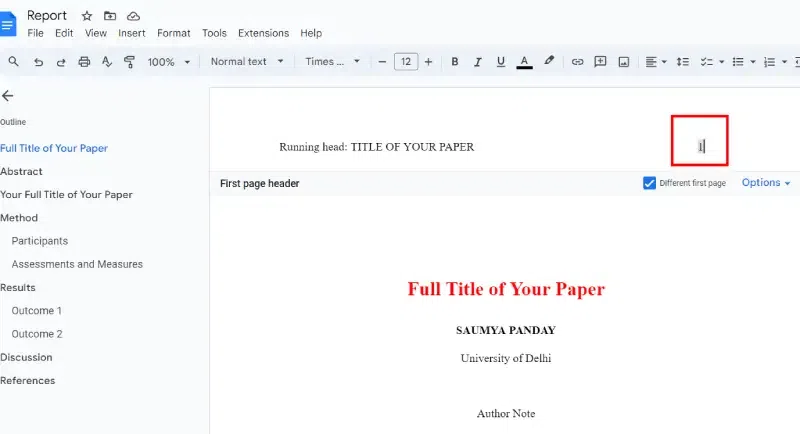
Move the text cursor to the left side of the page number and press the spacebar or tab key until it is aligned with the top-right margin, then check the box under Different first page.
The text you entered will disappear from the first page, but it will appear on subsequent pages. Type anything: followed by a space, then type your title in all caps.
Please type the number 1, then move the text cursor to the left side of the page number and press the spacebar or tab key until it is aligned with the top-right margin.
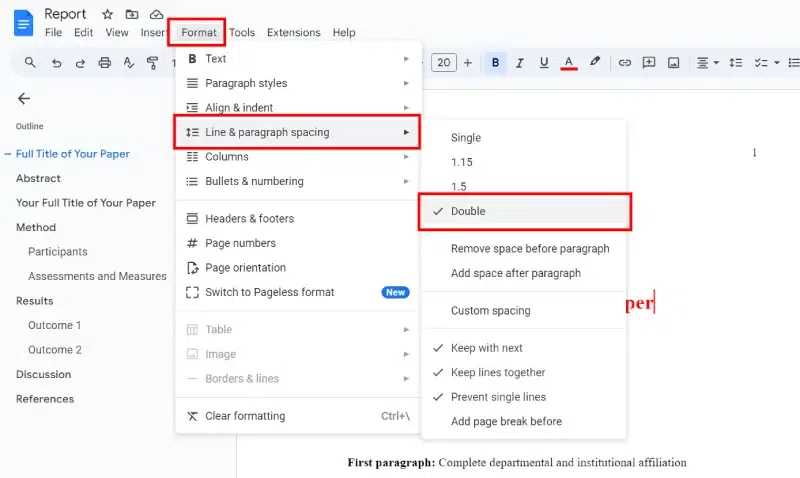
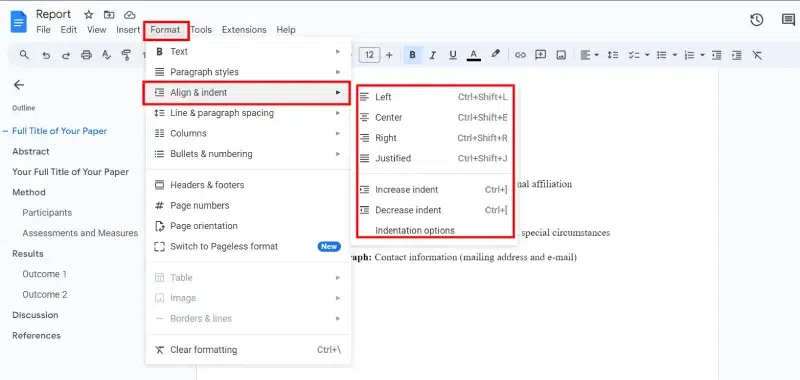
Click or tap anywhere below the header, then select Format > Line Spacing > Double.
Press the Enter key until the text cursor is about mid-way down the page and select Center Align.
Type the paper’s full title, full name, and school’s name on separate lines.
Press Enter, and select Left Align. Then, Select Tab to indent, then type your abstract.
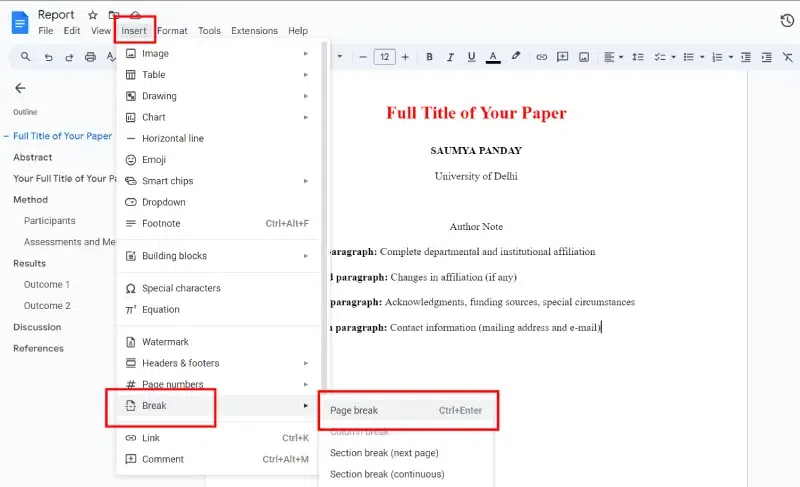
Select Page Break to start a new page, then press the Tab key and begin typing the body of your paper. Begin each new paragraph with an indent.
When you're finished with the body of your paper, select the same again to create a new page for your references.

-768.webp)