|
VOOZH | about |
|
VOOZH | about |
The Equation Editor in Google Docs lets users create and insert mathematical equations and symbols directly into documents, providing an easy visual interface for adding complex expressions without external tools.
Now, here are the steps on how to insert an equation in Google Docs
Open your preferred web browser, then open Google on it. After opening Google, you will see a nine-dot menu bar in the right corner. Click on it.
After scrolling, you will see Google Docs with a blue icon. Click on it.
Click on blank documents in Google Docs.
Click where you want to insert the Equation.
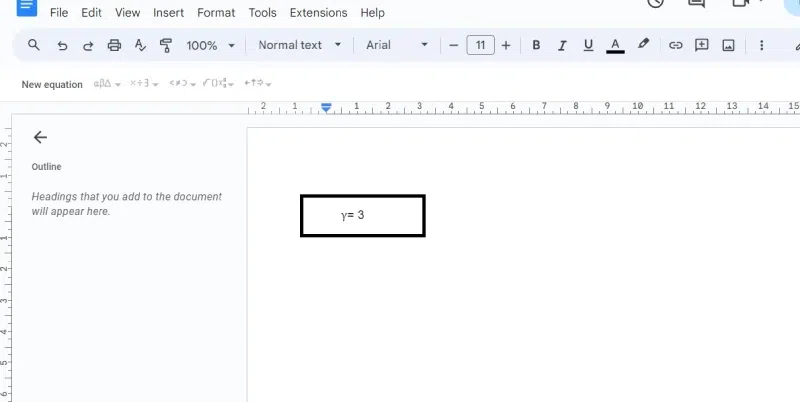
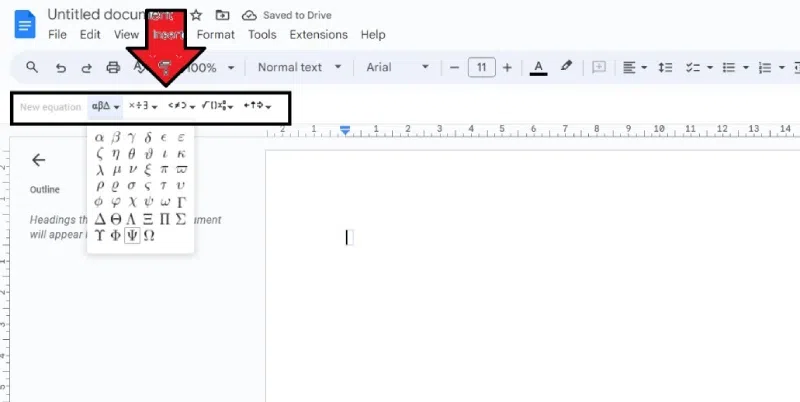
Go to the top menu and click Insert > Equation. A box will appear where you can write your Equation.
Click on the menus to find Greek letters (Σ for sigma!), math operations (+, -, *, /), arrows, and more.
Click on the symbols you want to add to build your Equation. You can also type numbers in between the symbols.
Are you finished with your equations? Click View > Show Equation Toolbar (on the top menu) to make the toolbox disappear.
Finalize the Equation you want to prepare and save.
Here we will learn how to create inline mathematical formulas:
Open your preferred web browser, then Open Google on it. After opening Google, you will see a nine-dot menu bar in the right corner. Click on it.
After scrolling, you will see Google Docs with a blue icon. Click on it.
Click on blank documents in Google Docs.
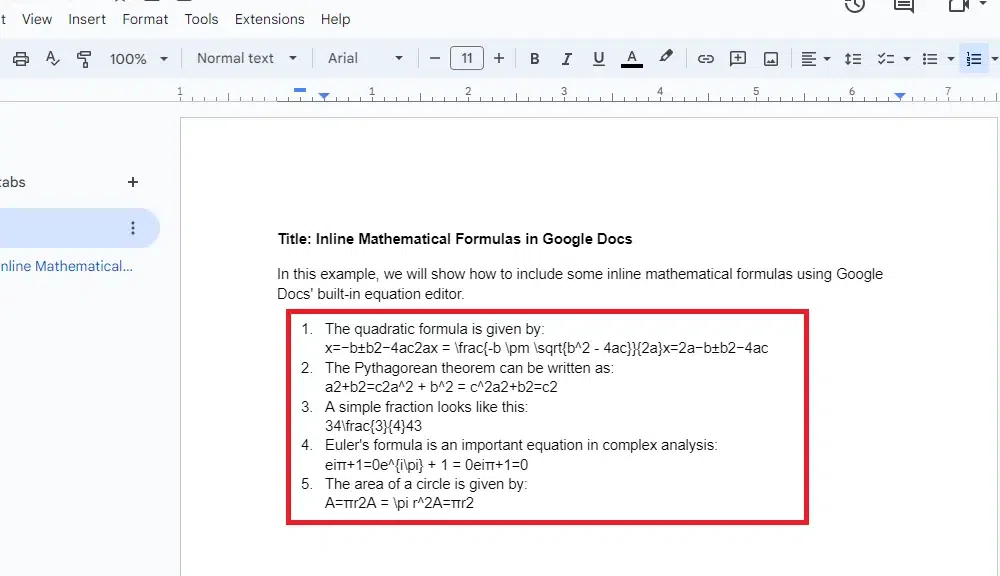
Enclose the unique LaTeX code for your Equation with two dollar signs ($$). For instance, you might enter E=mc2 to write the well-known Equation E=mc².
You must instruct Google Docs to handle these inline equations before you can export your manuscript to LaTeX. You will see them in the final code if you notice this step.
Here are the Google Docs equation shortcuts which will help you to use equation in Google Docs.
Symbol | Command |
|---|---|
← | \leftarrow |
↑ | \uparrow |
→ | \rightarrow |
↓ | \downarrow |
↔ | \leftrightarrow |
↕ | \updownarrow |
⇐ | \Leftarrow |
⇑ | \Uparrow |
⇒ | \Rightarrow |
⇓ | \Downarrow |
⇕ | \Updownarrow |
⇔ | \Leftrightarrow |
| Symbol | Command |
|---|---|
| α | \alpha |
| σ | \sigma |
| β | \beta |
| ς | \varsigma |
| γ | \gamma |
| τ | \tau |
| δ | \delta |
| υ | \upsilon |
| ε | \epsilon |
| φ | \phi |
| ϵ | \varepsilon |
| ϕ | \varphi |
| ζ | \zeta |
| χ | \chi |
| η | \eta |
| ψ | \psi |
| θ | \theta |
| ω | \omega |
| Γ | \Gamma |