|
VOOZH | about |
|
VOOZH | about |
GraphQL is an open-source query language for APIs that allows clients to request only the specific data they need from the server. Unlike traditional REST APIs that return entire resources, GraphQL enables precise and flexible data retrieval.
React applications commonly use Apollo Client to fetch and manage GraphQL data efficiently.
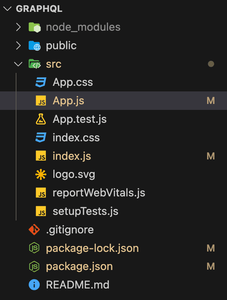
Create a new React project using the following command.
npx create-react-app graphqlNavigate to the created project directory.
cd graphqlApollo Client connects the React application to a GraphQL API and manages queries along with caching of data.
Create Apollo Client:
Wrap the Application with ApolloProvider:
ApolloProvider wraps the main App component and provides access to the GraphQL client across all components in the application.
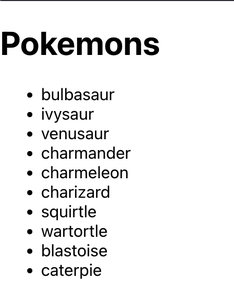
The following query retrieves a list of Pokémon with selected fields.
Apollo provides the useQuery hook to execute queries and handle loading and error states.
Output:
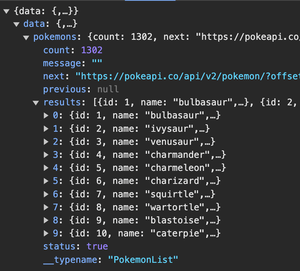
The Fetch API can be used to send GraphQL queries directly to a GraphQL endpoint using HTTP requests. It allows developers to retrieve data from a GraphQL server without using additional client libraries.
Define the GraphQL endpoint and write the query to request the required data.
Set the HTTP request method and include the GraphQL query in the request body.
Use the Fetch API to send the query to the GraphQL server and process the response.
Output:
GraphiQL is an interactive in-browser IDE used to explore and test GraphQL APIs. It allows developers to write queries, execute them, and view responses with helpful features like auto-completion and syntax highlighting.
Create a simple Node.js server that exposes a GraphQL endpoint and enables the GraphiQL interface.
Filename: server.js
Run the following command in the terminal to start the Node.js server.
node server.jsOutput:
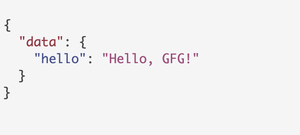
Server running on http://localhost:4000/graphqlOpen the GraphiQL interface in the browser and run the following query.
query {
 hello
}
Output: