|
VOOZH | about |
|
VOOZH | about |
GraphQL Playground is an interactive in-browser IDE used to explore and test GraphQL APIs. It allows developers to write and execute GraphQL queries, inspect API schemas, and view responses from a GraphQL server.
GraphQL Playground can be used in several ways depending on your development environment. It can be installed as a desktop application, integrated into frontend or backend projects, or accessed through online demos.
GraphQL Playground can be installed directly on your system.
Example installation command for macOS:
brew install --cask graphql-playgroundAfter installation, you can launch the application and connect it to a GraphQL endpoint to start testing queries.
Some online GraphQL Playground demos allow developers to experiment with GraphQL queries without installing any software. These demos provide a quick way to explore GraphQL APIs.
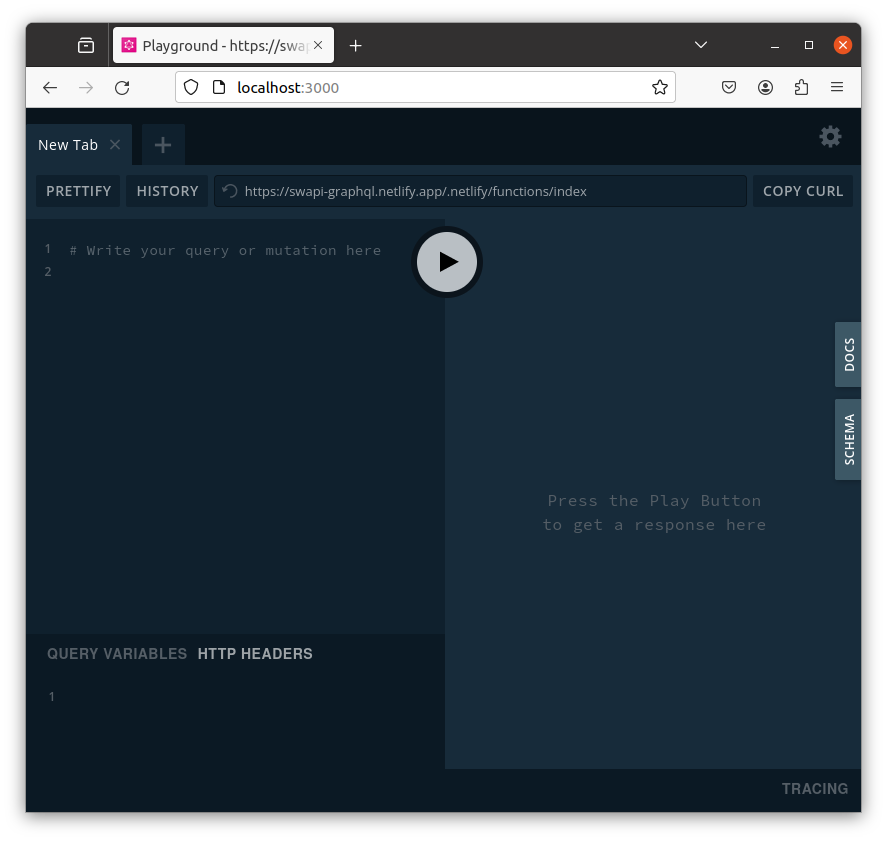
GraphQL Playground is built on top of GraphiQL and provides several powerful features that make it easier to test and explore GraphQL APIs. It offers tools for writing queries, inspecting schemas, managing requests, and reviewing previously executed queries.
GraphQL Playground provides a query editor where developers can write and execute GraphQL queries and mutations. It helps in quickly testing API responses.
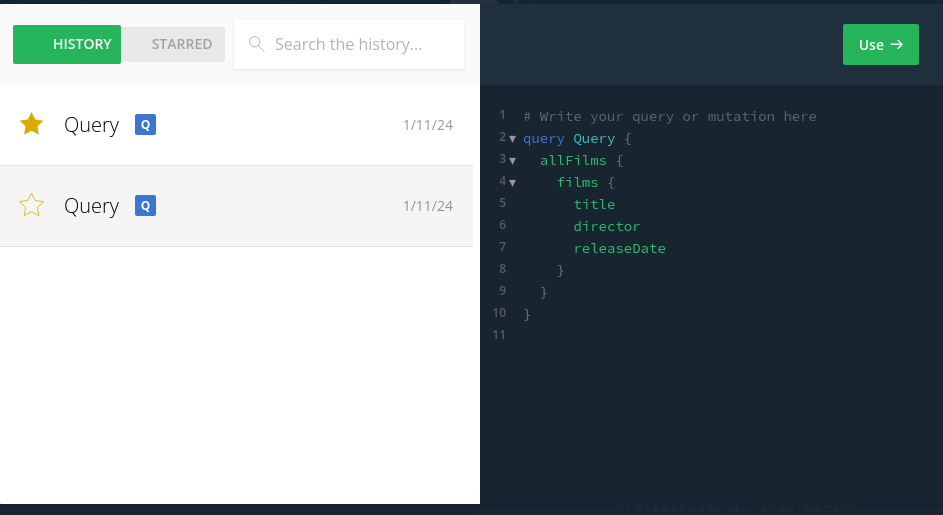
GraphQL Playground keeps a record of previously executed queries, making it easy to reuse or review earlier requests.
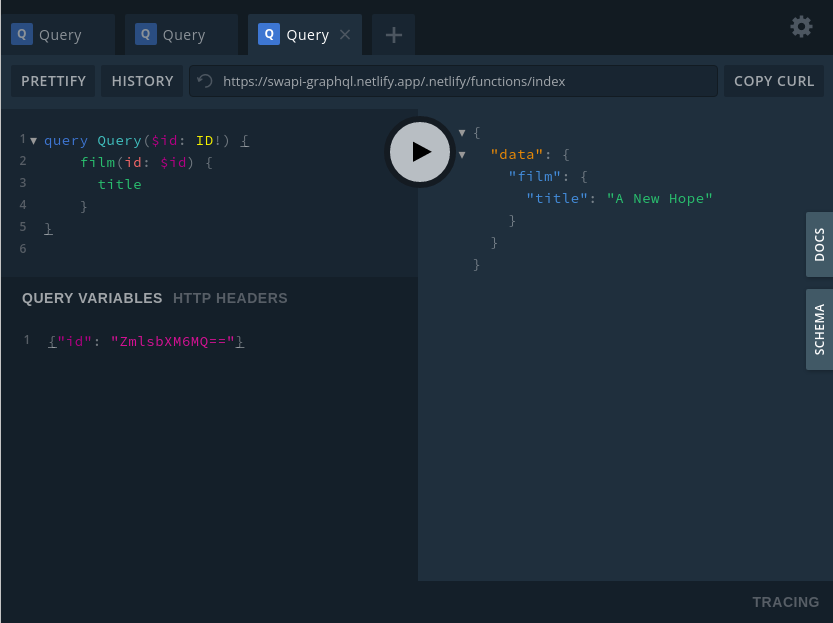
Query variables allow developers to pass dynamic values into GraphQL queries while executing them.
HTTP headers allow developers to send additional request information along with GraphQL queries.
{
 "Authorization": "Bearer YOUR_TOKEN"
}
GraphQL Playground supports multiple tabs, similar to a web browser, for running different queries.
GraphQL Playground automatically fetches the GraphQL schema from the endpoint and displays it in the interface.
GraphQL Playground includes options to format queries and customize the development environment.
These features make GraphQL Playground a powerful tool for debugging, testing, and understanding GraphQL APIs.
GraphQL Playground can also be embedded directly in an HTML page using a CDN.
Add the following CSS link inside the <head> tag:
<link href="https://cdn.jsdelivr.net/npm/graphql-playground-react@1.7.28/build/static/css/index.min.css" rel="stylesheet">
You can also include the JavaScript middleware using:
<script src="https://cdn.jsdelivr.net/npm/@apollographql/graphql-playground-react@1.7.42/build/static/js/middleware.min.js"></script>This allows GraphQL Playground to be rendered within a simple HTML page.
GraphQL Playground can be integrated into a frontend application as a React component using the graphql-playground-react package. This allows developers to embed the GraphQL Playground interface directly inside a React application to test and explore GraphQL APIs.
Note: GraphQL Playground React requires React 16. Earlier versions of graphql-playground-react had security issues related to user-generated HTML, so it is recommended to use version 1.7.28 or later.
Follow the steps below to create a React application and integrate GraphQL Playground.
Step 1: Create a React Project
Run the following commands in the terminal to create a new React project.
mkdir graphql-playground-react-project
cd graphql-playground-react-project
npx create-react-app .
Step 2: Install React 16
GraphQL Playground requires React 16, so install the compatible versions.
npm install --save react@16.14.0 react-dom@16.14.0 Step 3: Install GraphQL Playground React Package
Install the graphql-playground-react package.
npm install graphql-playground-reactStep 4: Update index.js
Open the src/index.js file and add the following code.
import React from 'react';
import ReactDOM from 'react-dom';
import App from './App';

ReactDOM.render(
 <App />,
 document.body
);
Step 5: Add GraphQL Playground in App.js
Open the src/App.js file and add the GraphQL Playground component.
import { Playground, store } from 'graphql-playground-react';
import { Provider } from 'react-redux';

function App() {
 return (
 <Provider store={store}>
 <Playground endpoint="https://api.graph.cool/simple/v1/swapi" />
 </Provider>
 );
}

export default App;
Here, the Redux Provider component is used to wrap the GraphQL Playground component.
Step 6: Add Fonts in index.html
Open the public/index.html file and add the following line inside the <head> tag.
<link href="https://fonts.googleapis.com/css?family=Open+Sans:300,400,600,700%7CSource+Code+Pro:400,700" rel="stylesheet" />Step 7: Fix Buffer Error
If a buffer error occurs, install the buffer package.
npm install --save bufferStep 8: Start the Application
Run the application using the following command.
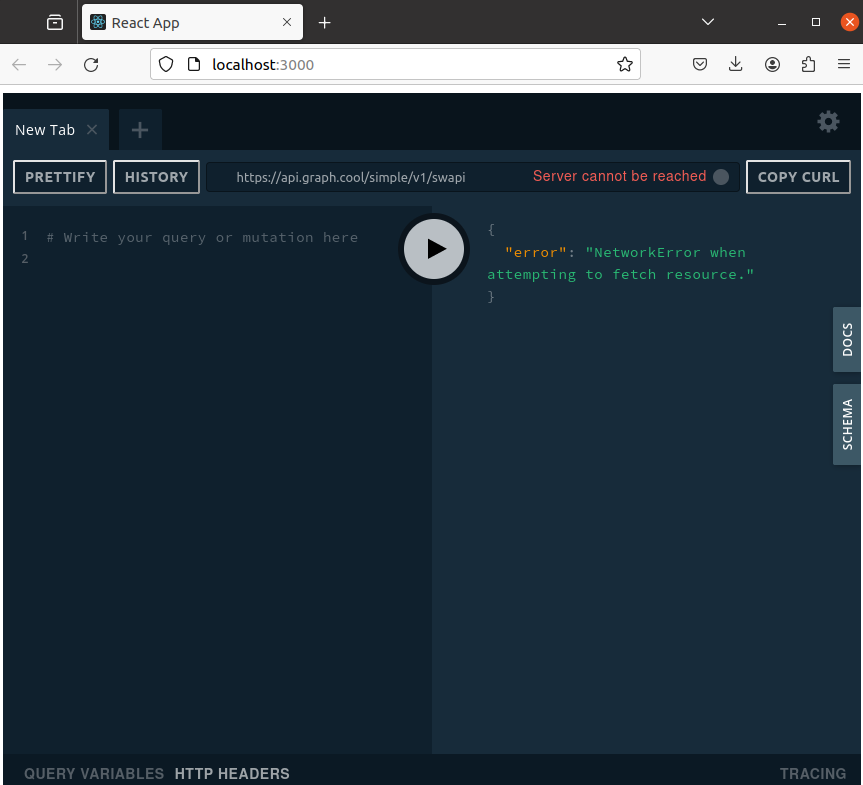
npm start After starting the server, the React application will run GraphQL Playground, allowing you to execute GraphQL queries directly within the interface.
GraphQL Playground can also be integrated into backend applications as server middleware. It allows developers to test and explore GraphQL APIs directly from the server environment.
GraphQL Playground middleware can be used with several Node.js frameworks.
yarn add graphql-playground-middleware-express
npm install graphql-playground-middleware-express --save
yarn add graphql-playground-middleware-koa
npm install graphql-playground-middleware-koa --save
arn add graphql-playground-middleware-hapi
npm install graphql-playground-middleware-hapi --save
Note: Graphql Playground Middleware Hapi 2.0.0 version requires hapi 17, for hapi 16, you can use the 1.3.6 version.
yarn add graphql-playground-middleware-lambda
npm install graphql-playground-middleware-lambda --save
Earlier versions of GraphQL Playground middleware had XSS reflection vulnerabilities. It is recommended to use updated versions of the packages to avoid security issues.
The following example demonstrates how to use GraphQL Playground middleware in a simple Node.js Express application.
Step 1: Create a Project
Run the following commands in the terminal.
mkdir graphql-playground-express-proj
cd graphql-playground-express-proj
npx express-generator
npm install
Step 2: Install Dependencies
Install GraphQL Playground Middleware.
npm install graphql-playground-middleware-express --saveStep 3: Configure the Middleware
Open the app.js file and add the following code.
Step 4: Start the Application
Run the following command:
npm startOpen your browser and navigate to:
http://localhost:3000GraphQL Playground can also be used in serverless environments such as AWS Lambda. It allows developers to test and explore GraphQL APIs deployed using serverless architecture.