|
VOOZH | about |
|
VOOZH | about |
NestJS is a progressive NodeJS framework that uses TypeScript to build efficient and scalable server-side applications. Combining NestJS with GraphQL, a powerful query language for APIs, offers a robust solution for creating modern, maintainable, and highly performant web applications. In this article, we'll explore the basics of setting up a GraphQL API with NestJS.
GraphQL is a query language for APIs and a runtime for executing those queries by using a type system you define for your data. It allows clients to request exactly the data they need, making APIs more efficient and flexible.
To get started, you'll need to have NodeJS and npm installed on your machine. Then, follow these steps to set up a new NestJS project and integrate GraphQL.
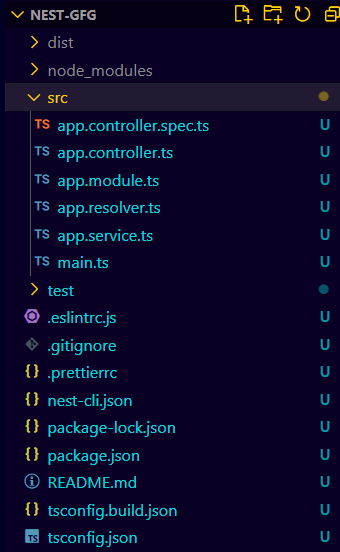
npm i -g @nestjs/clinest new nest-gfg
cd nestgfg
npm install @nestjs/graphql @nestjs/apollo graphql apollo-server-express"dependencies": {
"@nestjs/apollo": "^12.2.0",
"@nestjs/common": "^10.0.0",
"@nestjs/core": "^10.0.0",
"@nestjs/graphql": "^12.2.0",
"@nestjs/mongoose": "^10.0.10",
"@nestjs/platform-express": "^10.0.0",
"apollo-server-express": "^3.13.0",
"class-transformer": "^0.5.1",
"class-validator": "^0.14.1",
"dotenv": "^16.4.5",
"graphql": "^16.9.0",
"mongoose": "^8.5.1",
"reflect-metadata": "^0.2.0",
"rxjs": "^7.8.1"
}
Example: Implementing GraphQL with NestJS
To start the appliction run the followingh command
npm run start