|
VOOZH | about |
|
VOOZH | about |
MATLAB provides functionality that finds the indices and values of all non-zero elements in a vector or multidimensional array; the find() function. The find function with required parameters gives back a vector containing indices of non-zero elements in the passed array/vector.
vec = [] %some vector or array
indices = find(vec,...);
Here, the vec could be a vector or array. The indices vector stores the indices of non-zero elements in vec. Now, let us see different forms of find with the help of examples.
Finding non-zero elements' indices in a vector.
Example 1:
Output:
When an array is passed to the find() function, it returns a column vector that stores the linear indices of non-zero elements i.e., indexing when counting each element column-wise.
Example 2:
Output:
We can find the indices of n non-zero elements from starting from the beginning or end as well.
Example 3:
Output:
Note: In case "first" or "last" is not specified, MATLAB takes "first" as a default setting.
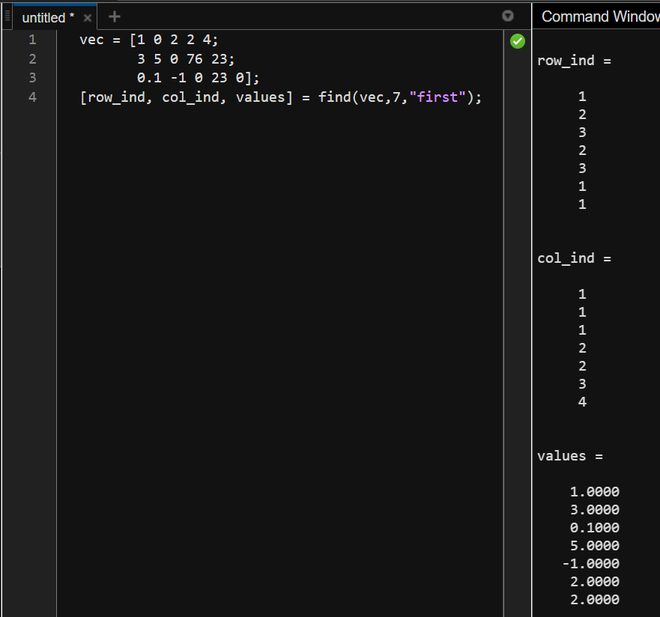
We can also get the values of non-zero elements along with their indices.
Example 4:
Output:
This will create three vectors:
The same can be done with vectors. In that case, one row_ind or col_ind will remain a constant vector.
Example 5:
Output: