|
VOOZH | about |
|
VOOZH | about |
GitHub Copilot is a revolutionary AI-powered code completion tool developed by GitHub and OpenAI. It can help you write code faster and more efficiently by suggesting entire lines or blocks of code as you type.
If you're using Visual Studio Code (VSCode), installing GitHub Copilot can significantly enhance your coding experience. This article will guide you through the steps to install GitHub Copilot on VSCode.
Before you begin, make sure you have the following:
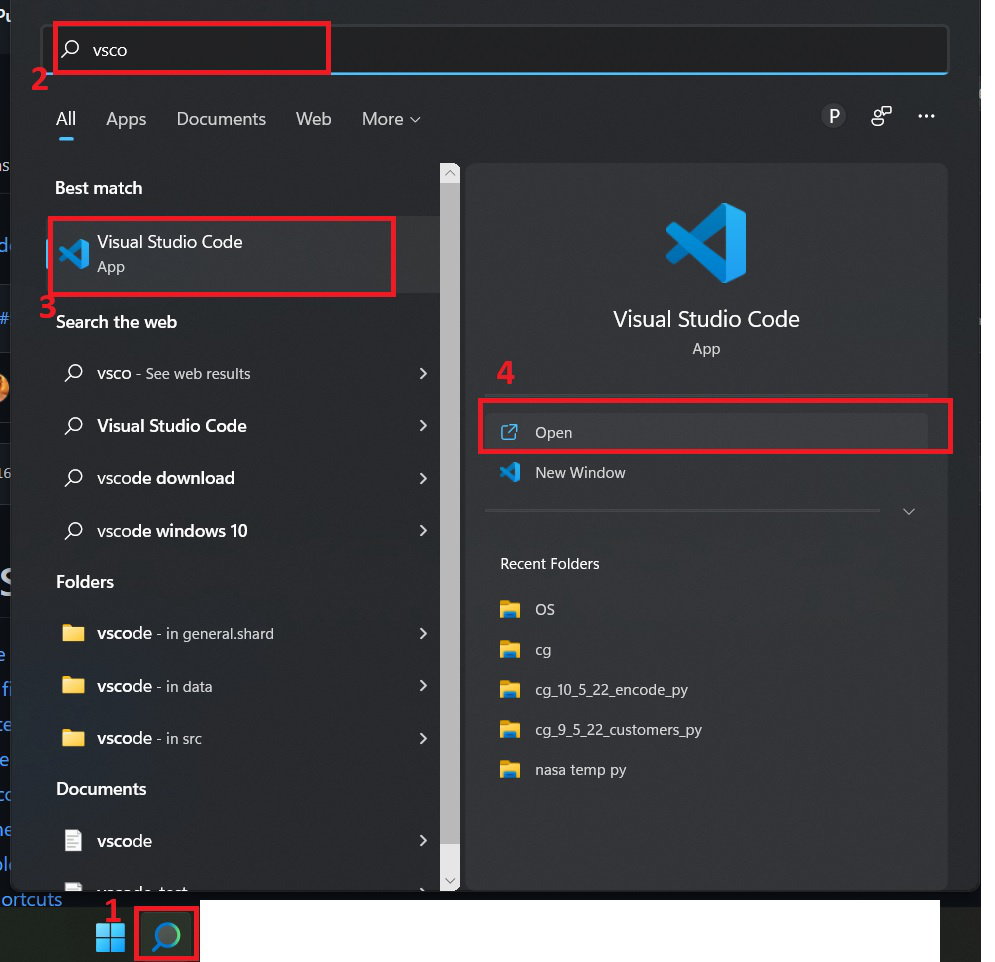
On Windows, you can do so by searching for it in the Windows Search Bar. If you are unable to locate VS Code, install it using this tutorial for Windows and this tutorial for Linux.
Click on the Extensions button, or use the shortcut: Ctrl + Shift + X (on Windows), Cmd + Shift + X (on Mac).
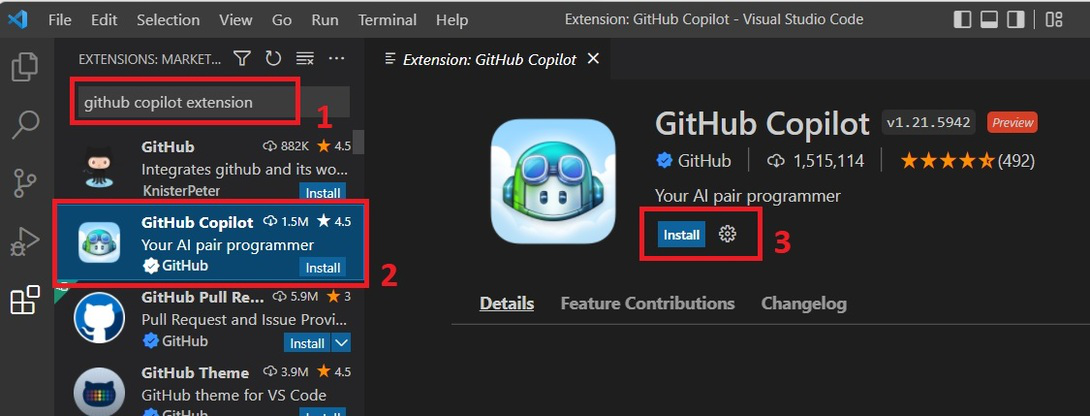
Search for the extension 'GitHub Copilot' and then click on 'Install'.
You may then be prompted to enter your GitHub credentials. Click on Sign in to GitHub, then click on Allow and enter your GitHub credentials.
Click the Install button next to the GitHub Copilot extension. VSCode will download and install the extension.
Once the extension is installed, you need to sign in to your GitHub account. You will see a prompt asking you to sign in. Click the Sign in with GitHub button. This will open a browser window where you can log in to your GitHub account and authorize GitHub Copilot.
Click on "Join the waitlist" to be added to the waitlist for access to GitHub Copilot.
After signing in, go back to VSCode. You may need to reload the window for the changes to take effect. You can do this by pressing Ctrl+Shift+P (Windows/Linux) or Cmd+Shift+P (Mac) to open the Command Palette, typing "Reload Window," and selecting the appropriate command.
Once GitHub Copilot is installed and activated, it will start suggesting code as you type. Here are some tips on how to use it effectively:
Tab to accept a suggestion.Alt+[ and Alt+] (Windows/Linux) or Option+[ and Option+] (Mac) to cycle through suggestions.Ctrl+Space (Windows/Linux) or Cmd+Space (Mac) to manually trigger suggestions.