|
VOOZH | about |
|
VOOZH | about |
The Python Glob module searches all path names looking for files matching a specified pattern according to the rules dictated by the Unix shell.
In this article, we will look into, how to install the glob module on Windows.
The only thing that you need for installing the glob module on Windows are:
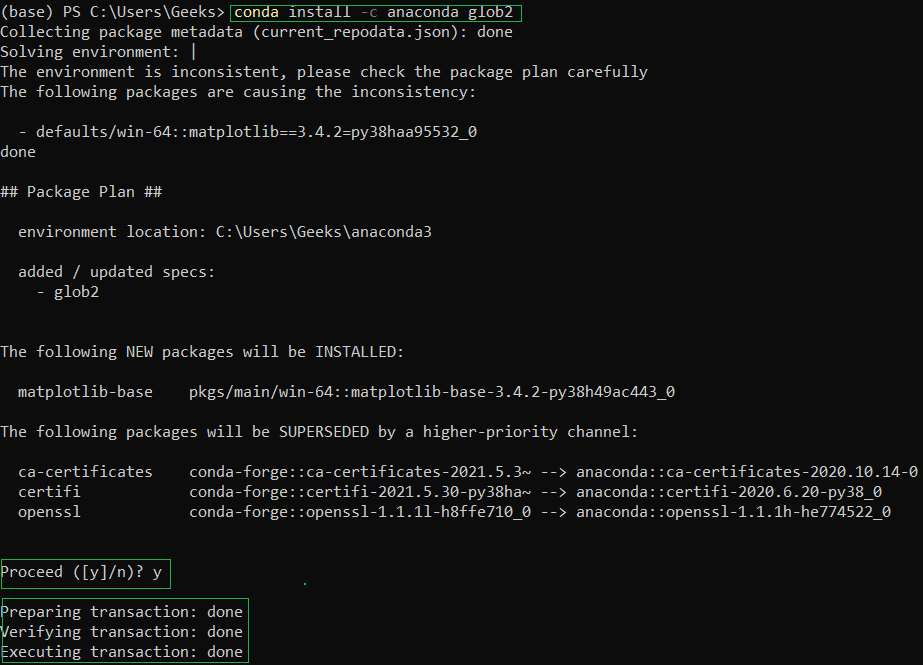
If you want the installation to be done through conda, open up the Anaconda Powershell Prompt and use the below command:
conda install -c anaconda glob2
Type y for yes when prompted.
You will get a similar message once the installation is complete:
👁 ImageMake sure you follow the best practices for installation using conda as:
conda create -n my-env
conda activate my-env
Note: If your preferred method of installation is conda-forge, use the below command:
conda config --env --add channels conda-forge
To verify if glob library has been successfully installed in your system run the below command in Anaconda Powershell Prompt:
conda list glob2
You'll get the below message if the installation is complete:
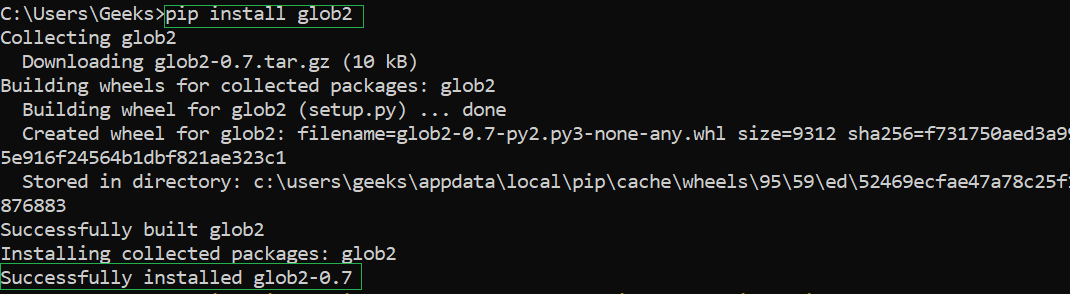
👁 ImageIf you want the installation to be done through PIP, open up the Command Prompt and use the below command:
pip install glob2
You will get a similar message once the installation is complete:
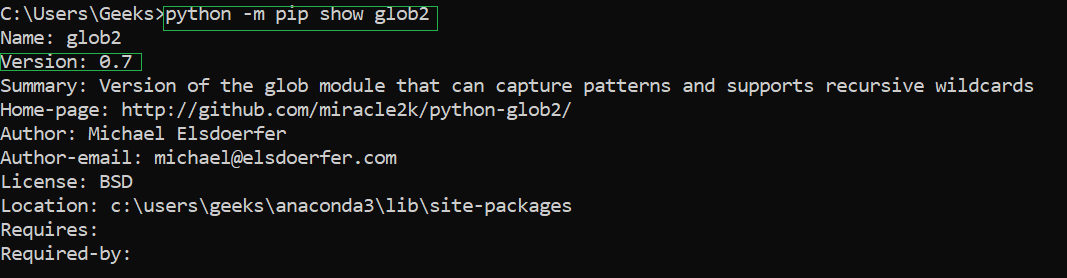
👁 ImageTo verify if glob module has been successfully installed in your system run the below command in Command Prompt:
python -m pip show glob2
You'll get the below message if the installation is complete:
👁 Image