|
VOOZH | about |
|
VOOZH | about |
Mypy is a library that helps enforce type-checking in Python, enabling developers to catch errors early in development. By adding type annotations to your code, Mypy can statically analyze it and ensure that the types used are consistent throughout. This enables better code quality and maintainability, making it easier to understand and refactor.
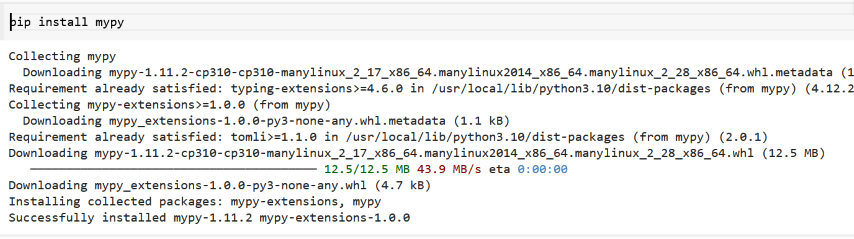
We can simply use pip to install MyPy in our Kaggle Notebook.
pip install mypyThis article explores us through installing and using Mypy within Kaggle’s notebook environment for enforcing type-checking in Python.
Kaggle allows us to install Python packages easily within our notebook. Use the following pip command.
pip install mypyNote on Installation
If we encounter errors related to installation, it may be helpful to specify the version of Mypy. We can do this by replacing mypy with mypy ==<version_number>.
pip install mypy==1.11.2Once the package is installed, we can start importing and using it in our notebook.
After the installation, we can explicitly check the version of Mypy installed. We can do this by importing the library and checking its version:
Output:
1.11.2If no errors are raised and the version number prints out, we have successfully installed Mypy!
1. Write a Python function with type annotations:
Save the function to a file:
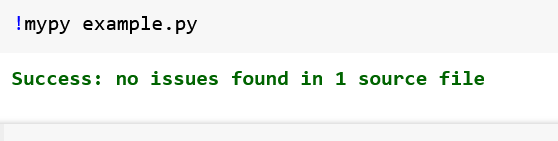
Run Mypy to check the types:
!mypy example.pyOutput:
Also Read:
In conclusion, installing and using Mypy in Kaggle's notebook environment significantly enhances your Python coding experience by enforcing type-checking. By using Mypy, you can catch potential errors early, improve code quality, and ensure consistency throughout your projects. This not only aids in debugging but also makes your code more maintainable and easier to understand, ultimately leading to a more efficient development process.