PySpark is a Python API for distributed data processing built on Apache Spark, an open-source big data framework maintained by the Apache Software Foundation. It enables fast processing of large datasets using parallel computing. Running PySpark in Kaggle notebooks allows cloud-based big data analysis without complex local setup.
Why PySpark in Kaggle Matters:
Helps practice real big data processing in a cloud-based environment
Useful for data science competitions and large dataset analysis
Saves time by avoiding local Spark installation and configuration
Enables scalable data processing even on limited local hardware
Prerequisites:
Before proceeding, ensure:
Active Kaggle account with notebook access
Basic Python knowledge
Basic understanding of distributed computing (optional but helpful)
How to Install PySpark via Kaggle Notebook
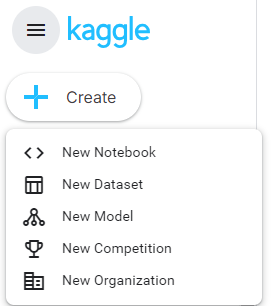
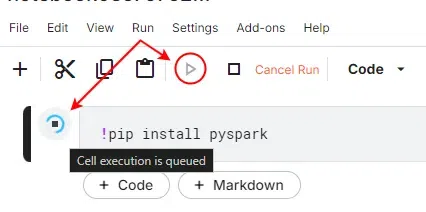
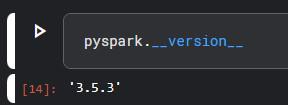
To install PySpark in Kaggle, follow these simple steps:
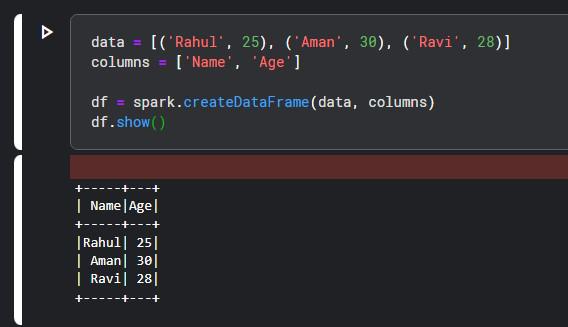
Simple PySpark Example: Another method to verify the installation of PySpark is to run a simple example. Try this sample code to ensure everything works fine.
Output:
This code creates PySpark DataFrame and displays it. If the table with names and ages appears then it means PySpark is running properly and installed correctly in your Kaggle notebook.
Some issues can be raised while installing PySpark in Kaggle, but it can be troubleshoot and can be fixed. Some possible issues are listed below:
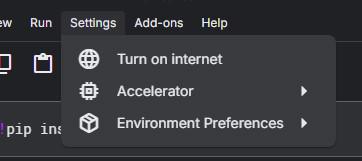
Installation Failure: If your installation fails, then check whether your notebook has Internet and whether you have well-typed the command. Try to 'Turn on internet' in the notebook settings.