|
VOOZH | about |
|
VOOZH | about |
WooCommerce is a powerful and versatile eCommerce plugin for WordPress, allowing you to transform your website into a fully functional online store. This article will walk you through the process of installing and setting up WooCommerce, ensuring that your online store is ready for business.
WooCommerce is an open-source eCommerce plugin for WordPress. It is designed to cater to businesses of all sizes, offering a range of features that help you sell products and services online. With WooCommerce, you can manage inventory, payments, shipping, and much more, all from your WordPress dashboard.
Before installing WooCommerce, ensure you have the following:
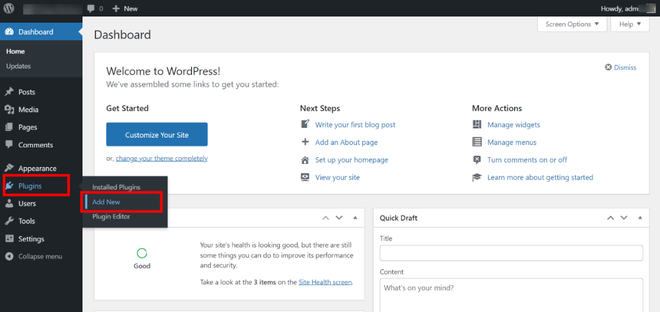
Step 1: To add a new plugin, go to your site's WordPress Dashboard and hover over the plugins option in the sidebar.
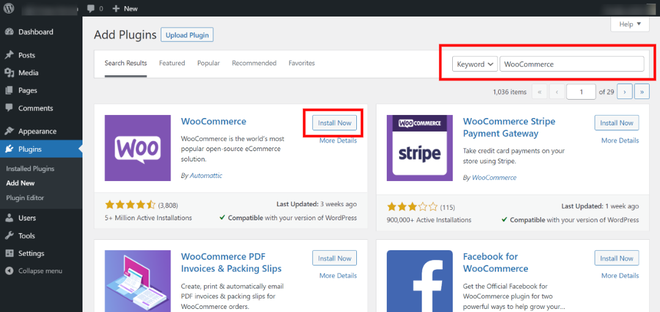
Step 2: Use the page's search bar to look for WooCommerce. Next to the WooCommerce Plugin, click the Install Now button, then wait for the plugin to install before clicking the Activate button.
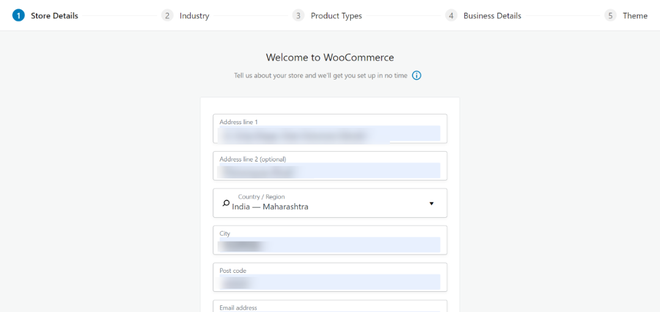
Step 3: After activating the plugin, you'll be led to a setup wizard that will guide you through the process of setting up your WooCommerce store step by step. Add your physical business address as the first step.
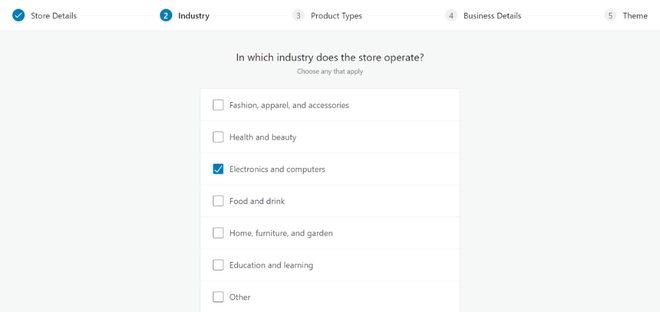
Step 4: The next step is to determine the industry in which your store operates, then choose everything that applies to your business and go to the next phase.
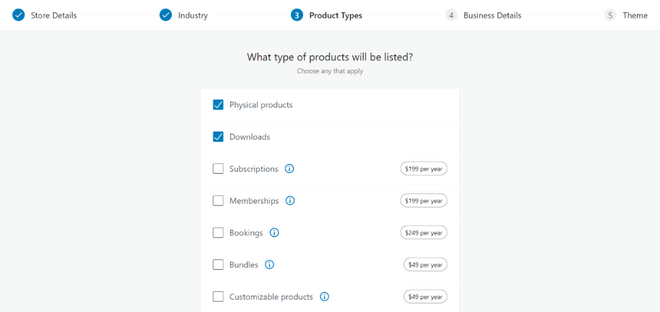
Step 5: Select the products you wish to offer in your store now. Click on continue after selecting.
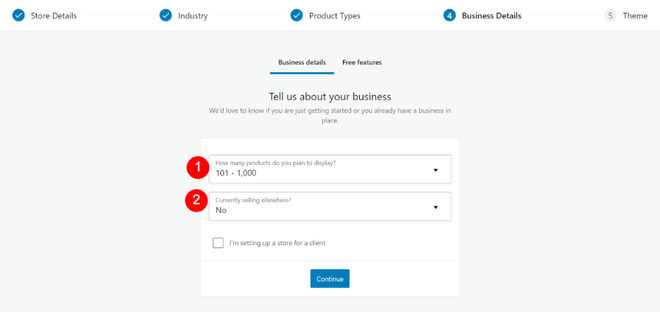
Step 6: The following stage requires you to respond to two questions about your company.
Step 7: In the next step you can choose a theme for your store or skip the last step if you want to add or build your theme.
Extend the functionality of your WooCommerce store with these popular extensions:
Setting up WooCommerce might seem complex at first, but following these steps will ensure a smooth process. By installing and configuring WooCommerce correctly, you can create a powerful online store tailored to your needs. Remember to regularly update your WooCommerce plugin and extensions to keep your store secure and running smoothly.