|
VOOZH | about |
|
VOOZH | about |
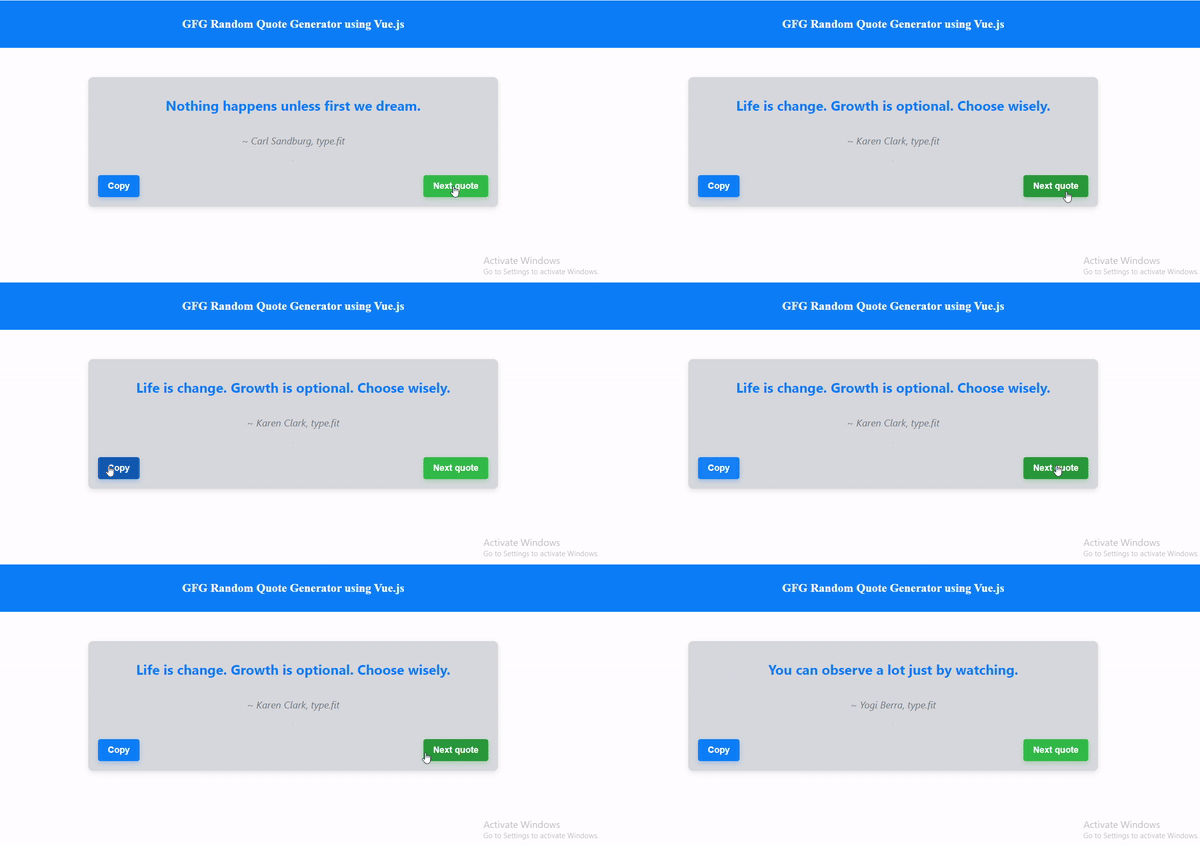
We are going to build a Random Quote Generator using Vue.js. This application will fetch random quotes from an API and display them on the screen. Users will have the option to copy the quote to their clipboard or generate a new random quote.
We'll create a Vue.js component called QuoteGenerator that fetches random quotes from the "https://type.fit/api/quotes" API. This component will display the quote and author, provide buttons to copy the quote to the clipboard, and generate a new random quote.
If you haven't installed Vue CLI yet, you can do so by running the following command in your terminal:
npm install -g @vue/cliCreate a new Vue project using Vue CLI by running
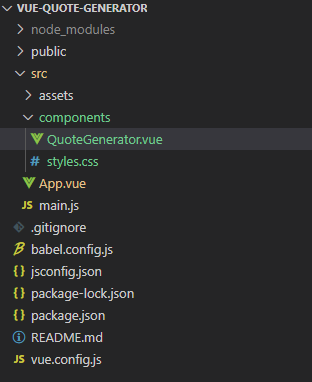
vue create vue-quote-generatorcd vue-quote-generator👁 Screenshot-2024-04-30-100415
Example: This example shows the random code generator using Vue.js
npm run serveYour Vue.js quote generator should be up and running at http://localhost:8080 by default. You can access it in your browser and see it in action!
Output:
👁 quote