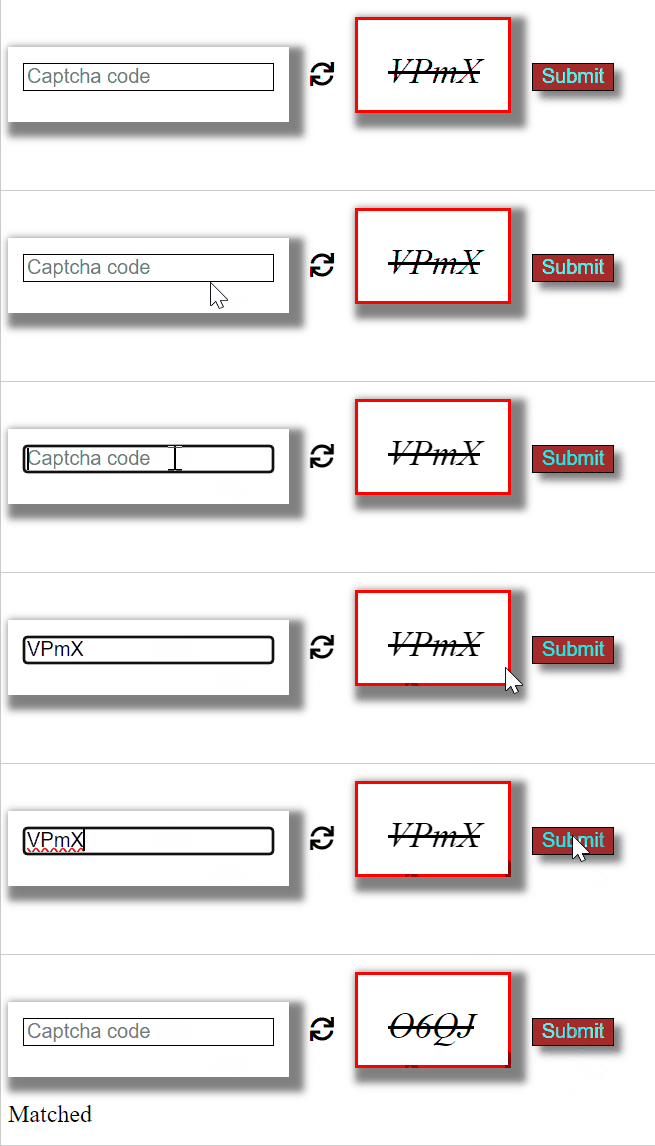
A captcha is a way of verifying whether a user is human or not. A captcha is made up with the help of combining letters and digits. It ensures that the user attempting to access the platform is a human. So, without wasting time, let's get started.
Application of Captcha
Form Authentication: For login and sign up, it can be used to ensure that an end user is human.
Preventing Fake Registrations: With the captcha, we can prevent bots from creating an account on a system.
Preventing Fake comments: This way bot would not be able to comment on a system,
NetBanking and financial institutions: To ensure that Authentication is only done by humans, and in this way, manipulation of transactions can be prevented.
Note: Captcha can protect From some Automated attacks as well.
Step-by-Step Guide to Creating a CAPTCHA Generator
HTML Structure: Set up the HTML elements including an input field for the CAPTCHA code, a refresh icon for regenerating the CAPTCHA, a display area for the CAPTCHA, and a submit button for validation.
CSS Styling: Apply styles to the CAPTCHA display area, input field, and submit button to control layout, appearance, and behavior (e.g., shadows, borders, font styles).
CAPTCHA Generation: Implement a generate() function in JavaScript that creates a random 5-character CAPTCHA string from alphanumeric characters and displays it in the designated area when the page loads or when the refresh icon is clicked.
CAPTCHA Validation: Implement a printmsg() function that compares the user-entered CAPTCHA code with the generated one, providing feedback ("Matched" or "not Matched") and regenerating the CAPTCHA after each attempt.
User Interaction: Allow users to refresh the CAPTCHA and submit their input for validation, with immediate feedback displayed based on whether the input matches the generated CAPTCHA.cop
Example: The below code will generate a design for a captcha and from the CSS file we will add style and on the image(refresh) click, we will generate a new captcha by calling generate() method from JavaScript.