VOOZH about

URL: https://www.geeksforgeeks.org/javascript/ember-js-objectproxy-class/

⇱ Ember.js ObjectProxy Class - GeeksforGeeks


  • Courses
  • Tutorials
  • Interview Prep

Ember.js ObjectProxy Class

Last Updated : 23 Jul, 2025

Ember.js is an open-source JavaScript framework used for developing large client-side web applications which is based on Model-View-Controller (MVC) architecture. Ember.js is one of the most widely used front-end application frameworks. It is made to speed up development and increase productivity. Currently, it is utilized by a large number of websites, including Square, Discourse, Groupon, Linked In, Live Nation, Twitch, and Chipotle.

ObjectProxy Class: The ObjectProxy is a proxy object class in Ember.js. All properties not defined by the proxy itself are forwarded to a proxied content object via ObjectProxy.

Methods: The following is the list of methods for this class:

  • addObserver: This method is used to register an observer for a property.
  • cacheFor: This method is used to get the cached value for an already computed property if it exists.
  • decrementProperty: This method is used to set the value of the property to the current value minus some amount.
  • destroy: This method destroys an object by setting the isDestroyed flag and deleting its metadata.
  • get: This method is used to retrieve the value of a property from the object.
  • getProperties: This method is used to get the value of multiple properties at once.
  • incrementProperty: This method is used to set the value of the property to the current value plus some amount.
  • init: This method is called when objects are instantiated.
  • notifyPropertyChange: This method alerts the observer system that a property change has taken place.
  • removeObserver: This method removes any observers you have registered earlier for this object.
  • set: This method is used to set the key and value to the object.
  • setProperties: This method sets a number of properties at once.
  • toString: This method is to get the string representation of the object. 
  • toggleProperty: This method is used to set the value of the boolean property to the opposite of its current value.
  • willDestroy: This method tears down the object.
 

Properties: The following is the list of the properties of this class:

  • concatenatedProperties: This property specifies the characteristics from the superclass that will be concatenated
  • content: This property is used to forward the object property.
  • isDestroyed: This property is the destroy complete flag.
  • isDestroying: This property is the destroy scheduled flag.
  • mergedProperties: This property helps to merge the value of the subclass property’s value with the superclass property value of the ember class.

Step 1: To run the following examples you will need to have an ember project with you. To create one, you will need to install ember-cli first. Write the below code in the terminal:

npm install ember-cli

Step 2: Now you can create the project by typing in the following piece of code:

ember new <project-name> --lang en

To start the server, type:

ember serve

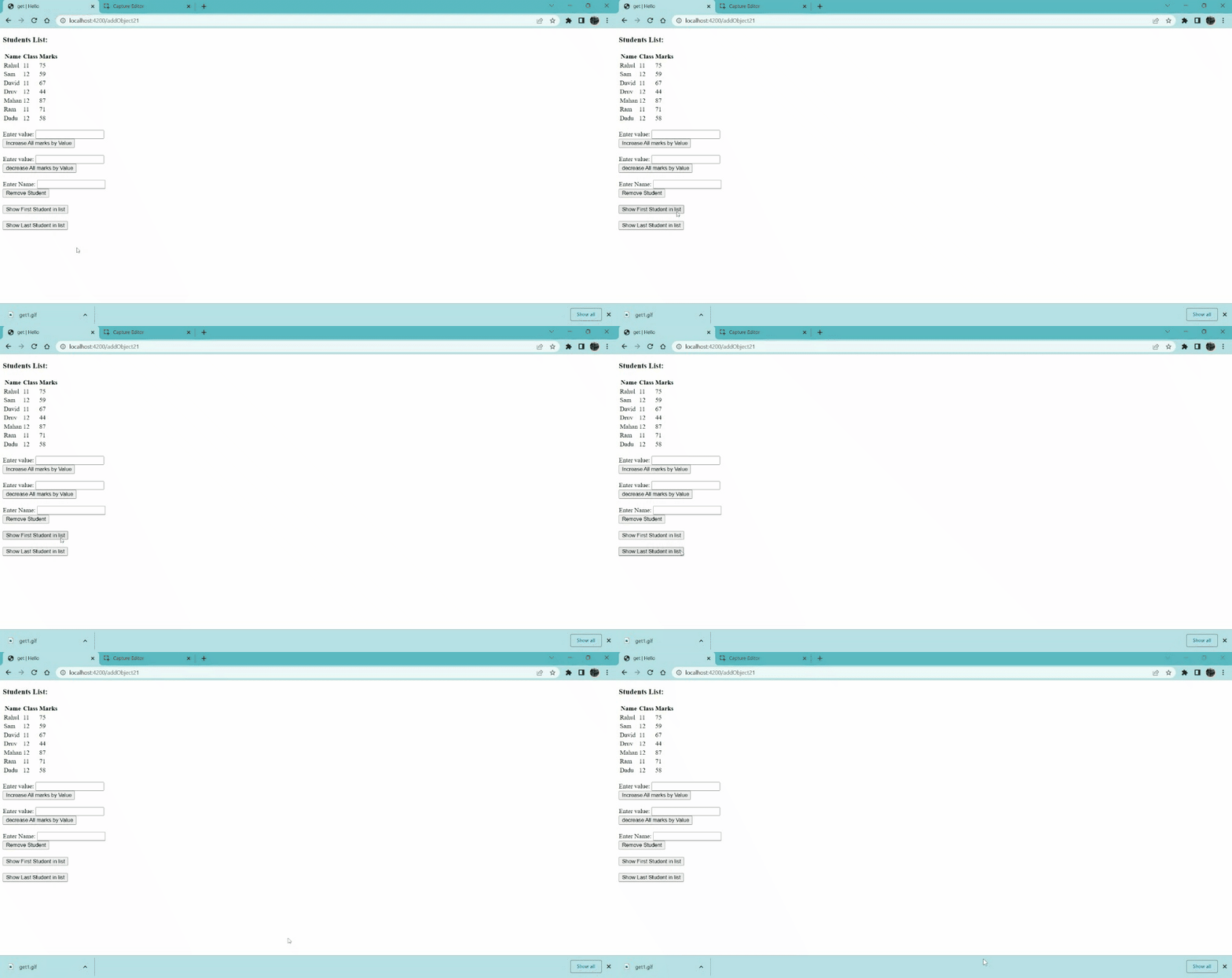
Example 1: In this example, I am going to demonstrate the use of the get function.

Type the following code to generate the route for this example:

ember generate route students

app/routes/students.js

app/controllers/students.js

app/template/students.hbs

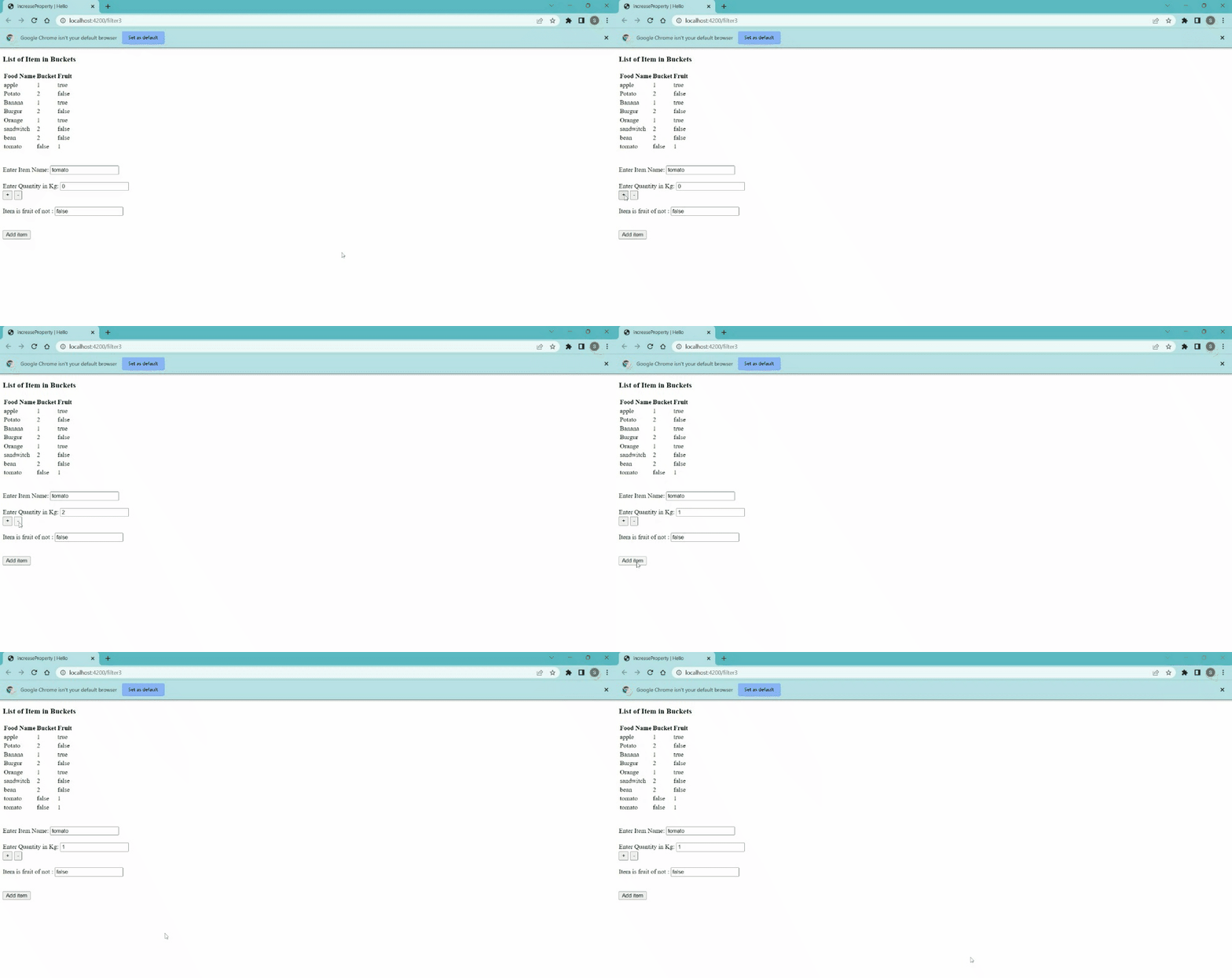
Output:

👁 Image
 

Example 2: In this example, we are going to take a look at the incrementProperty and decrementProperty methods.

Type the following code to generate the route for this example:

ember generate route foods

app/routes/foods.js

app/controllers/foods.js

app/template/foods.hbs

Comment