|
VOOZH | about |
|
VOOZH | about |
In JavaScript, checking if a given element has a specified class involves verifying whether the element includes a particular class name within its list of classes. This can be useful for applying conditional styling, behaviors, or logic based on the presence of specific CSS classes.
Here we have two different approaches to check the given element has the specified class in JavaScript
This method checks whether the specified class name exists in the class list of the element. It returns true if the class is present and false otherwise. This approach is modern, efficient, and provides a clear way to manage class checks in JavaScript.
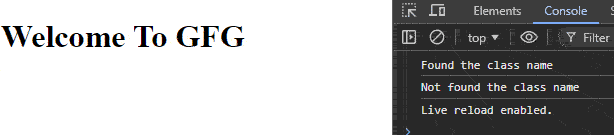
element.classList.contains("class-name");Example: In this example, we checks if the element with the ID "main" contains the classes "main" and "myClass," logging whether each class is found or not to the console.
Output:
👁 Screenshot-2023-12-15-151711
The className with split() and indexOf() approach involves using the className property to get a string of all class names on an element. By splitting this string into an array, you can check if a specified class exists using indexOf().
TMLElementObject.className;Example: In this example we checks if the element with ID "main" contains the classes "main" and "myClass" using split() and indexOf(), logging the results to the console.
Output: