How to Fix"Bootstrap Dropdown Not Working with JavaScript "?
Last Updated : 14 Nov, 2024
If a Bootstrap dropdown is not working with JavaScript, it can often be caused by issues related to incorrect library inclusion, conflicts with other scripts, or incorrect markup. Here are some common causes and solutions to resolve the problem:
1. Ensure Proper Bootstrap and jQuery Inclusion
The Bootstrap dropdowns require both Bootstrap's JavaScript file and jQuery. Make sure that these are correctly included in your HTML file, in the correct order.
Example of Proper Script Order
2. Use the Correct Bootstrap Version
Ensure that the version of Bootstrap you are using matches the corresponding dependencies (e.g., jQuery for Bootstrap 4 or Bootstrap 3).
If you are using Bootstrap 5, note that jQuery is no longer a dependency. In that case, you can omit jQuery and use only Popper.js and Bootstrap's JavaScript file.
3. Ensure Your Markup is Correct
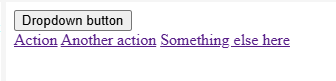
Double-check that your HTML markup for the dropdown is correct. Here is an example of the basic structure for a Bootstrap dropdown: