|
VOOZH | about |
|
VOOZH | about |
If a toggle functionality in JavaScript works only on the second click and not the first, it's often due to issues with the initial state or how event handlers are managing the element's state. Here are some common causes and solutions:
Ensure that the initial state of the element you want to toggle is set correctly before the first click. For example, if you are toggling a display or class on an element, make sure its initial state is defined in your HTML or CSS.
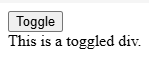
Output:
Explanation
:
toggleDiv element starts with display: none.|| toggleDiv.style.display === '' condition ensures it also handles cases where the display style is not explicitly set.classListIf you are toggling classes and experiencing this issue, it could be due to incorrect use of classList. Using classList.toggle() is a more reliable way to toggle classes on an element.
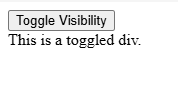
Output:
Explanation
:
Using classList.toggle('hidden') will add the class if it is not present and remove it if it is.
Check if your conditions for toggling the element's state are correct. If the logic is inverted or if you are not properly checking the element's current state, it may behave unexpectedly.
If you mistakenly set a state after the first click that changes the toggle behavior, the first click may appear to do nothing, and only subsequent clicks work.
Ensure that event listeners are not being added multiple times, as this can lead to unexpected behavior. This could happen if you have functions that attach additional listeners dynamically without removing existing ones.
Use
removeEventListener()
to prevent duplicate event listeners if you suspect this is the cause.
console.log() to debug the state changes and confirm if the logic is working as expected.Output:
Explanation:
classList.toggle('hidden') simplifies the toggle logic, ensuring a consistent state change on each click