|
VOOZH | about |
|
VOOZH | about |
Ember.js is an open-source JavaScript framework used for developing large client-side web applications which are based on Model-View-Controller (MVC) architecture. Ember.js is one of the most widely used front-end application frameworks. It is made to speed up development and increase productivity. Currently, it is utilized by a large number of websites, including Square, Discourse, Groupon, Linked In, Live Nation, Twitch, and Chipotle.
In Ember.js, a route is a class that handles the logic and data necessary for a particular URL or route in the application. Routes are responsible for retrieving data from the server or store, preparing that data for use by templates, and handling user actions.
When the application starts, the router matches the current URL to the route which is defined. The route is responsible for displaying templates, loading data, and setting up the application state.
Step 1: Now you can create the route by typing in the following piece of code:
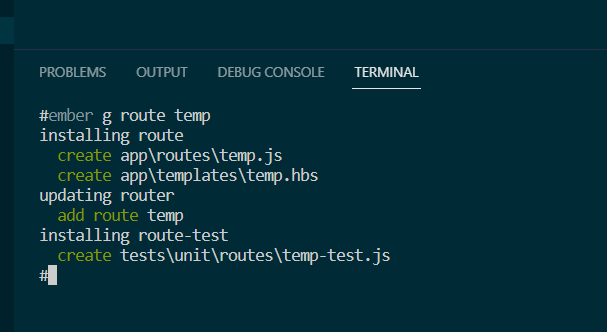
ember generate route temp
app/Router.js
The above command will generate the following files:
app/route/temp.js
app/templates/temp.hbs
Example: In this example, we will add a dynamic segment to our route. First, add query parameters in the Router.
app/route/temp.js
app/templates/temp.hbs
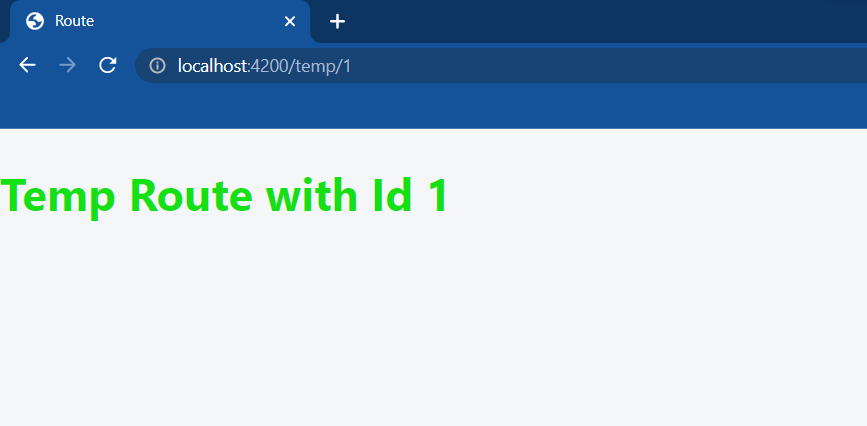
We will use dynamic data to make requests. Enter the following URL:
http://localhost:4200/temp/1
Output: