|
VOOZH | about |
|
VOOZH | about |
Vue.js is a progressive JavaScript framework widely used for building user interfaces. One of its core features is the v-for directive, which allows you to iterate over data or render a block of elements a specified number of times. we will explore various ways to loop X times using v-for in Vue.js. This includes setting up a Vue.js application, running the code, and viewing the output.
The v-for directive in Vue.js is used to render a list of items or iterate a specific number of times in the DOM. If you need to loop a set number of times (X times), there are multiple ways to achieve this. Vue.js allows you to loop through arrays or generate ranges dynamically.
These are the following approaches:
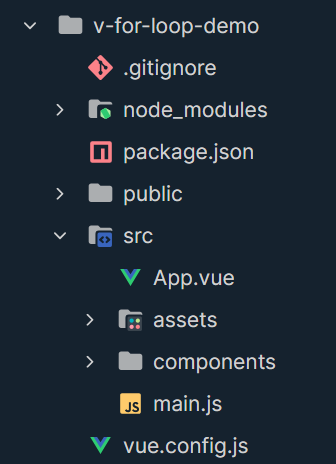
npm install -g @vue/clivue create v-for-loop-democd v-for-loop-demonpm run serve"dependencies": {
"core-js": "^3.6.5",
"vue": "^3.0.0"
},
npm installThe simplest way to loop X times is to create an array of the required length and use v-for to iterate over it. You can create an empty array with the desired number of elements and loop through it using v-for.
<div v-for="n in X" :key="n">
 <!-- Loop content -->
</div>
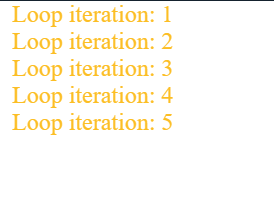
Example: This example shows the use of an Array to show the iteration.
Output:
Another approach is to use the Array constructor to directly create an array of a specific length and populate it with values using map or keys().
<div v-for="n in Array.from({ length: X }, (_, i) => i + 1)" :key="n">
 <!-- Loop content -->
</div>
Example: This example shows the use of Array Constructor to Create a Range.
Output: