In a Vue component, you can use Lodash by importing specific methods or the entire library into your script section. Lodash methods can be applied in computed properties or methods for efficient data manipulation, helping to keep your Vue templates clean and optimized.
The products array contains product objects with name and price properties, defined in the data() section of the Vue component.
In Vue 2, a global cheapProducts filter is applied directly in the template using v-for="(product, index) in products | cheapProducts", which filters out expensive products.
The filtered list of products is rendered in the ul element, displaying only products with prices less than 50.
Each product in the v-for loop is assigned a unique key (index) to ensure Vue optimally tracks the changes.
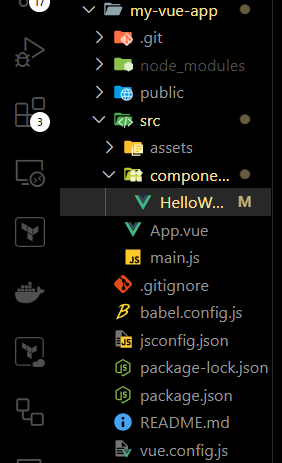
Now, open your Vue project and navigate to the component where you want to use Lodash. Typically, you'll find components in the src/components folder, such as HelloWorld.vue, but you can also create a new one.
Step 4: Add the Lodash Code
Edit the Vue component (e.g., HelloWorld.vue), adding Lodash as needed.
Example: This example shows the use of Lodash.
Step 5: Run the Project
Once you've added the code, you can run your project with the following command: