|
VOOZH | about |
|
VOOZH | about |
Integration testing is an important part of software development, ensuring that various parts of your application work together as expected. In NestJS, integration testing allows you to test the interaction between different modules, services, and controllers.
In this article, we will guide you through the process of writing integration tests in NestJS, covering essential concepts, tools, and examples to help you implement robust tests for your application.
Integration testing is the phase in software testing where individual components or systems are combined and tested as a group. Unlike unit testing, which focuses on testing isolated components in isolation, integration testing ensures that these components work together as expected.
In NestJS, integration tests typically involve testing how modules, controllers, services, and external resources (like databases and APIs) interact. It ensures that your application performs correctly under real-world conditions.
npm i -g @nestjs/cli
nest new project-name
nest g module patient
nest g module appointment
nest g service patient
nest g controller patient
nest g service appointment
nest g controller appointment
"dependencies": {
 "@nestjs/common": "^10.0.0",
 "@nestjs/core": "^10.0.0",
 "@nestjs/platform-express": "^10.0.0",
 "reflect-metadata": "^0.2.0",
 "rxjs": "^7.8.1"
 },
"devDependencies": {
 "@nestjs/cli": "^10.0.0",
 "@nestjs/schematics": "^10.0.0",
 "@nestjs/testing": "^10.0.0",
 "@types/express": "^4.17.17",
 "@types/jest": "^29.5.2",
 "@types/node": "^20.3.1",
 "@types/supertest": "^6.0.0",
 "@typescript-eslint/eslint-plugin": "^7.0.0",
 "@typescript-eslint/parser": "^7.0.0",
 "eslint": "^8.42.0",
 "eslint-config-prettier": "^9.0.0",
 "eslint-plugin-prettier": "^5.0.0",
 "jest": "^29.5.0",
 "prettier": "^3.0.0",
 "source-map-support": "^0.5.21",
 "supertest": "^7.0.0",
 "ts-jest": "^29.1.0",
 "ts-loader": "^9.4.3",
 "ts-node": "^10.9.1",
 "tsconfig-paths": "^4.2.0",
 "typescript": "^5.1.3"
 },
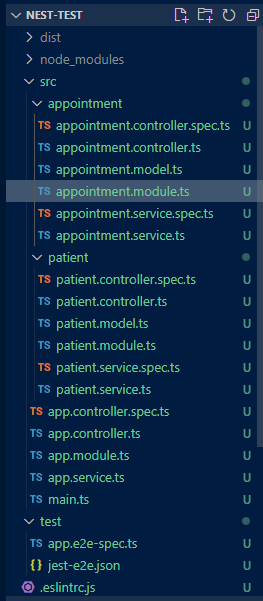
Create a test file for your appointment module
appointment.model.ts
appointment.module.ts
appointment.service.spec.ts
appointment.service.ts
Create a test file for your patient module
patient.model.ts
patient.modules.ts
patient.service.spec.ts
patient.service.ts
Create a app files in src folder
app.controller.spec.ts
app.controller.ts
app.module.ts
app.service.ts
main.ts
Create a new Test folder with this file inside
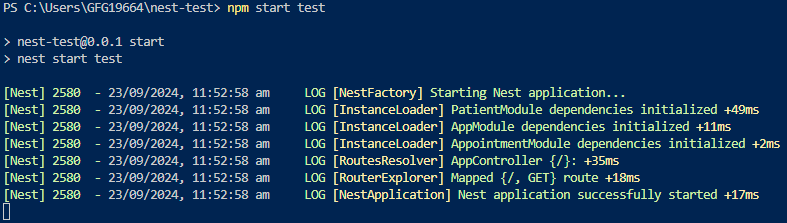
app.e2e-spec.tsnpm start testRun the test using the following command
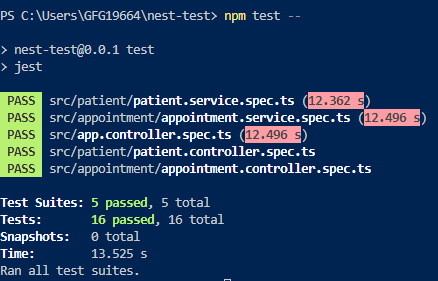
npm test --