|
VOOZH | about |
|
VOOZH | about |
The col utility of Linux is excellent at stripping any reverse line feeds and instead replacing the whitespace characters with tabs wherever possible. They find it particularly handy when processing output from such commands as `nroff` and `tbl`. The `col` utility reads data from the standard input and writes it to the standard output. Thus, it is a convenient utility while processing text on pipelines.
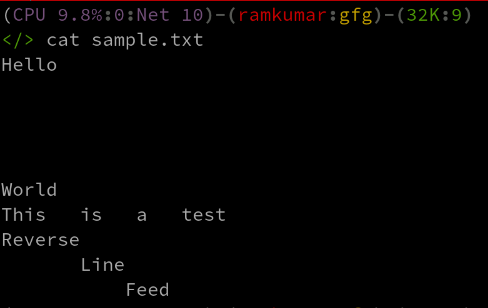
col [-bfhpx] [-l num]Construct an example file called `sample.txt` with a message including reverse line feeds and whitespace:
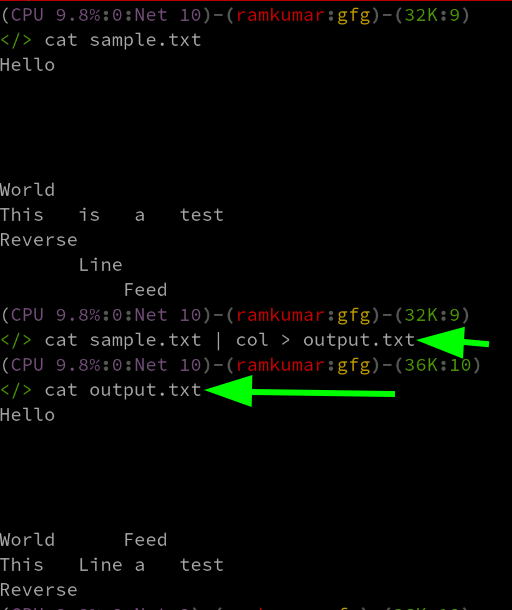
We then run the basic 'col' command without options:
cat sample.txt | col > output.txtThis command inputs and removes reverse line feeds, using optimized whitespace.
Option | Description |
|---|---|
-b | do not output backspaces |
-f | allow forward half line feeds |
-h | do not output multiple spaces instead of tabs |
-l num | buffer at least num lines in memory |
-p | pass unknown control sequences unchanged |
-x | output multiple spaces instead of tabs |
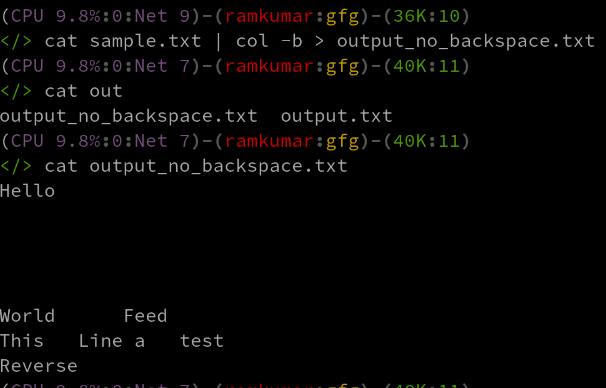
This option does not show the backspaces, printing instead only the last character written to each column position.
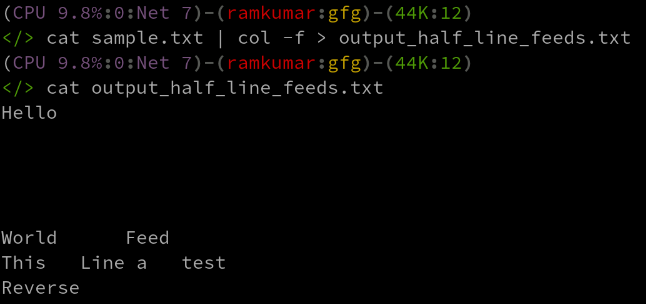
cat sample.txt | col -b > output_no_backspace.txtThis option allows half line feeds to be passed through, which may be useful for some formats of text.
cat sample.txt | col -f > output_half_line_feeds.txtThis option will not produce multiple spaces, but instead it will use tabbing where possible:
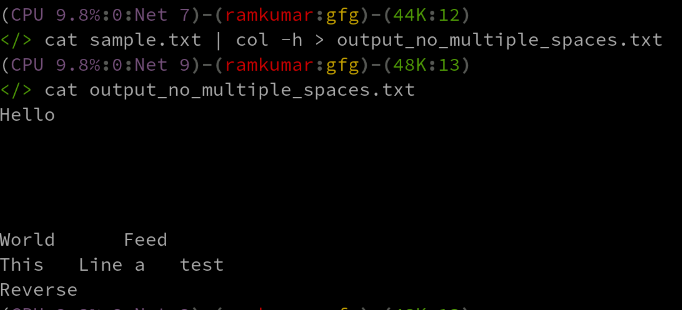
cat sample.txt | col -h > output_no_multiple_spaces.txtThis option specifies the number of lines to buffer in memory; the default is 128 lines.
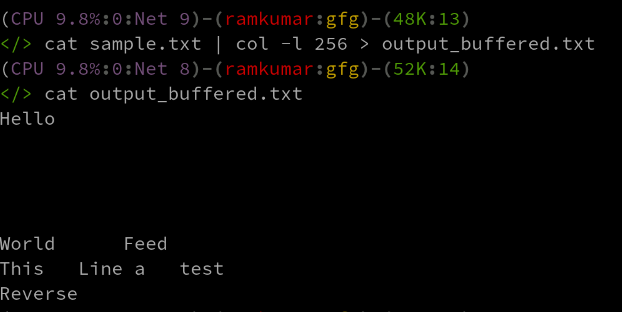
cat sample.txt | col -l 256 > output_buffered.txtThis option allows unknown control sequences to pass without change, instead of being filtered.
cat sample.txt | col -p > output_pass_control.txtThis option prints multiple spaces for every tab. This could be necessary for certain types of layout format.
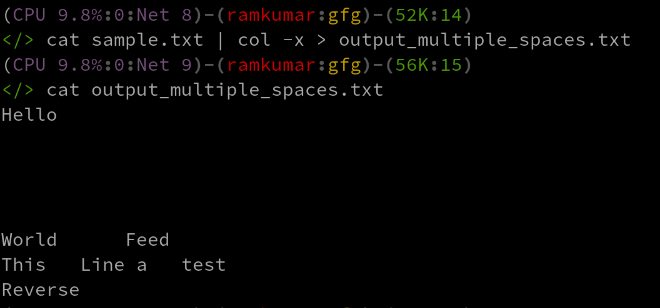
cat sample.txt | col -x > output_multiple_spaces.txtThe col command is a general-purpose tool under the Linux text processing toolkit. It is quite indispensable when formatting complex text such as man pages or at any other point of output in different text formatting tools. Further, knowing its different options and usage will enable you to control line feeds, whitespaces, and control characters in your text processing workflows effectively.