|
VOOZH | about |
|
VOOZH | about |
The built-in is a powerful built-in feature of the Bash shell. It allows users to declare and set attributes for variables and functions, enabling better control over their behavior. By understanding how to use declare, you can manage variables and functions more effectively in your shell scripts.
This guide provides a detailed explanation of the declare command with examples, usage scenarios, and common options to help you get the most out of it.
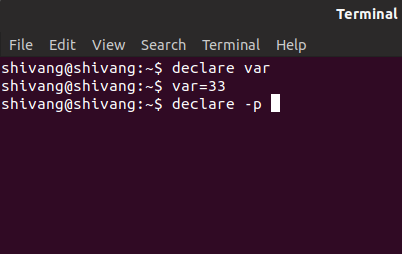
declare [options] [name[=value]] [name[=value]] ...In this example, we will declare a variable using the declare command.
👁 BashThe output of the above typed commands is as follow:
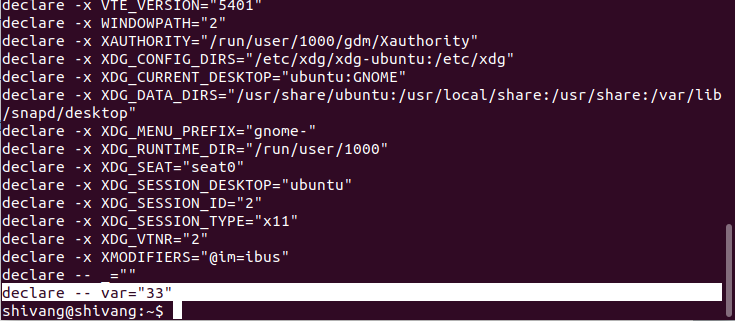
👁 ImageThis is used to displays the options and attributes of each variable name if it is used with name arguments.
Example:👁 Image
Each name is treated as the name of function, not variable. So you can say this option restrict action or display to function names and definitions.
declare -fWhen showing information regarding a function, it show only the function's name and attributes. So the contents of the function will not be displayed.
declare -FIt causes all operations on variables to take effect in global scope.
Example:
function myfunc {
 declare -g myglobal="I am global"
}
myfunc
echo $myglobal # Prints "I am global"
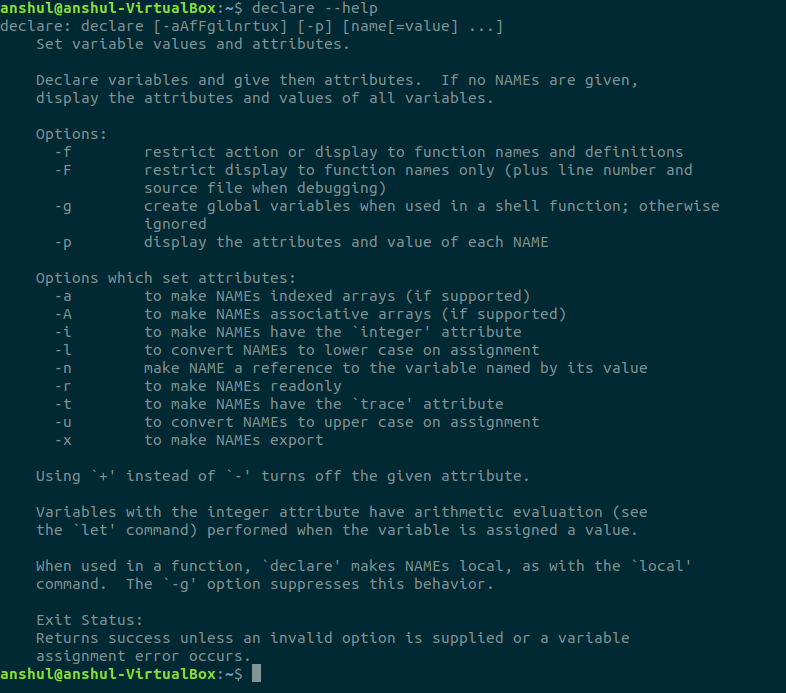
👁 ImageNote: For more details, you can use --help option with "declare" command as follows:
The declare command in Bash is an incredibly versatile tool for managing variables and functions. By using its various options, you can control how variables behave within your scripts—whether as integers, arrays, read-only values, or exported to subshell.
Additionally, declare helps you manage function definitions and display variable attributes, making it an essential part of advanced shell scripting.
The declare command is used to declare variables and functions, set their attributes (such as readonly or integer), and display their values or definitions.
You can declare an array using the -a option:
declare -a myarray
Yes, the -r option allows you to declare a variable as read-only, preventing its value from being modified.
Use the -f option to display all function definitions:
declare -f