|
VOOZH | about |
|
VOOZH | about |
Linux is a versatile operating system. It has many commands that can change the Linux working functionality of the operating system. Every Linux has a different package manager that helps us to install the software in the Linux operating system. The `dnf` command is a package manager command in Red-based Linux distros for example fedora, Cent OS and RHEL. It stands for "Dandified YUM," where YUM is another package manager commonly used in these distributions.
dnf [...COMMANDS] [...PACKAGES]Commands | Description |
|---|---|
Search | This command helps us to search the package in the repository |
install | This command installs the package in your computer system |
info | This command returns the information about the package. |
list | This command is used to display the list of the packages of certain criteria. |
remove | This command removes the installed package from the computer system |
upgrade | This command is used to upgrade all packages |
history | The 'history' command shows the installed and removed history of the packages. |
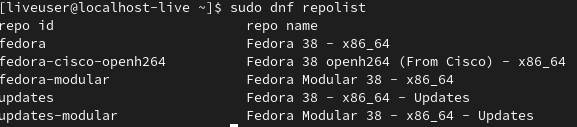
repolist | This command displays all the available repositories |
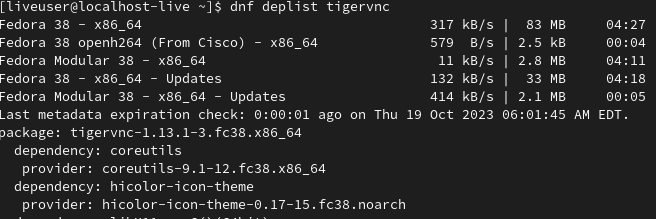
deplist | This command shows the dependencies of the package. |
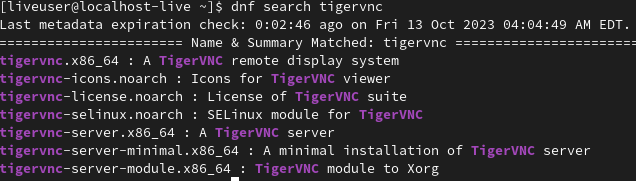
In this example, we will install tigervnc package in fedora linux. Before installing the package we will search the package.
Command:
dnf search tigervncExample:
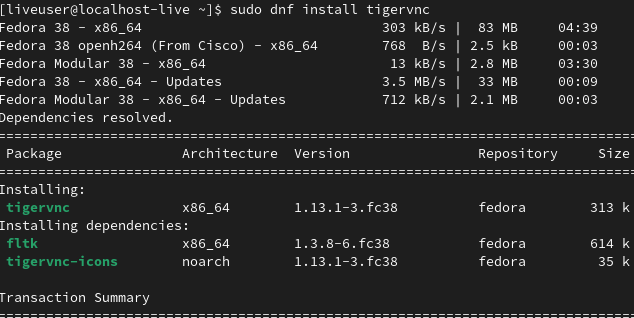
Once you find your package use the dnf search command. you can use the `install` command for installing that package in your linux distro. Here's an example of this command.
Command:
dnf install tigervncExample:
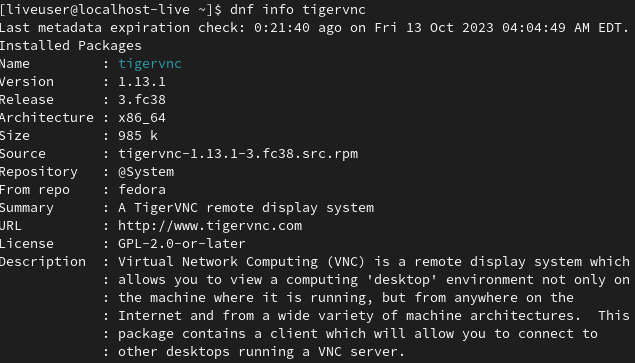
We can see the information about the package using the `info` command. Here's an example of this command.
Command:
dnf info tigervncExample:
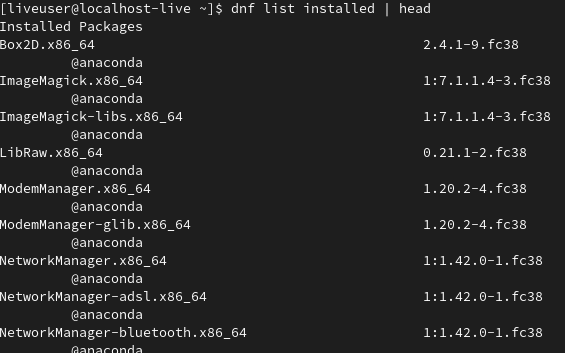
You can see all installed packages using the `dnf` command with the `list` command with the installed parameter. Here, we are using this command with the `head` command. You can use the 'head' command to display only the first few lines of the output
Command:
dnf list installed | headExample:
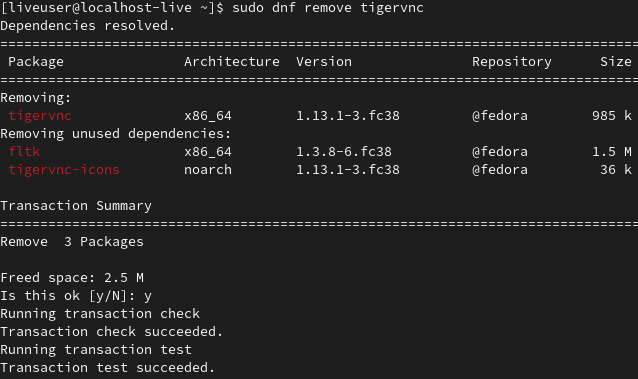
You can remove the package using the 'remove' command in linux. Here's an example of this command.
Command:
sudo dnf remove tigervncExample:
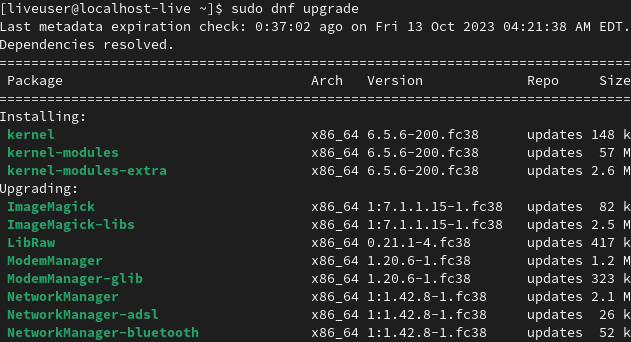
You can upgrade the package using the `upgrade` command in linux. Here's an example of this command.
Command:
sudo dnf upgradeExample:
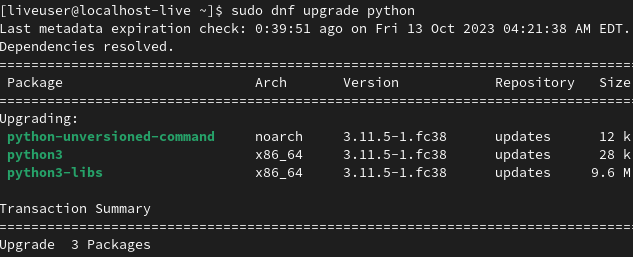
You can upgrade the specific package using this command.
sudo dnf upgrade package_nameHere's an example of this command:
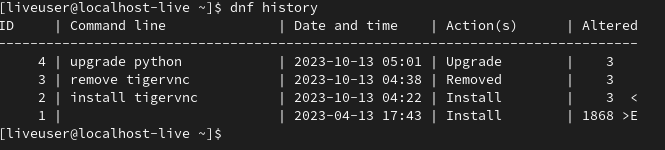
Sometimes It is tedious to write the same command once again. In dnf command solve this problem using the history feature. We can see the history of installing and removing packages using the `dnf` command.
Command:
dnf historyExample:
The dnf repolist command is used to list the available repositories on your system. It's a helpful command to check which repositories are enabled and what packages are accessible through them. Here's an example of this command.
Command:
sudo dnf repolistExample:
The dnf delist command in Linux is used to display the dependency information for a specific package. This command provides a detailed list of dependencies for a package, including both its runtime and build-time dependencies. Here's an example of this command.
Command:
dnf deplist tigervncExample:
In this article, we have learned the `dnf` command. This command is very useful when you are installing and removing the package in Red-hat-based linux distros. Example fedora etc. This command performs many tasks such as installing the package, removing the package, searching the package, updating the software, and much more.