|
VOOZH | about |
|
VOOZH | about |
DNSChef is a versatile DNS proxy designed for penetration testers and malware analysts. It is used to intercept and process DNS traffic. It allows various network security operations, such as redirecting traffic to a specific IP address or capturing DNS queries for analysis.DNSChef acts as a middleman between your system and the DNS actual network by intercepting DNS queries and responses.
1. Network Security Testing:
DNSChef tests the effectiveness of firewalls and intrusion detection systems and investigates malware and phishing activities. By attempting to redirect the traffic to unauthorized resources, it can assess the firewall's ability to block and filter unknown and malicious DNS requests.
2: DNS Hijacking:
DNSChef can redirect traffic to arbitrary domains, simulate hijacking scenarios, and test the network’s ability to detect and mitigate such issues. By redirecting network traffic DNSChef can identify vulnerabilities in the system evaluate the effectiveness of the security measures and help improve incident response time and recovery procedures
3: Flexible Configuration:
DNSChef offers a high degree of flexibility in customizing its behavior to suit specific testing or analysis needs. This flexibility is important for adapting to different network environments and attack scenarios.
4.Bypassing Geo-Restrictions:
DNSChef can be configured to resolve certain domains to IP addresses in different regions, this can be done by configuring the DNSChef to assign some domain names to IP addresses in different regions enabling unrestricted access for users.
5. Ad Blocking:
DNSChef can be used to block ads that appear on websites, making the browsing experience less cluttered.For instance you can configure your DNSChef to map any DNS queries that match advertising fields in the blocklist to a non-existent IP address (such as 0.0.0.0). This basically tells your device that there is no ad server, preventing the ad from running.
6. Load Balancing and Monitoring :
DNSCHEF is also a load balancer which improves redundancy by spreading across multiple DNS servers thereby ensuring service availability and offers logging and monitoring capabilities, allowing users to track any potential security concerns through tracking all DNS queries made.
DNSChef is written in python make sure you have python and pip installed. You can check the python and pip version of your device using commands
python3 --versionpip3 --versionIn your terminal run the following command to clone the DNSChef Repostory from GitHub.git clone
https://github.com/iphelix/dnschefThis downloads the DNSChef source code to your system.Navigate to the dnschef directory using command
cd dnschefDNSChef relies on a libaray DNSLib . Install DNSLib ( DNSChef dependency ) using command.
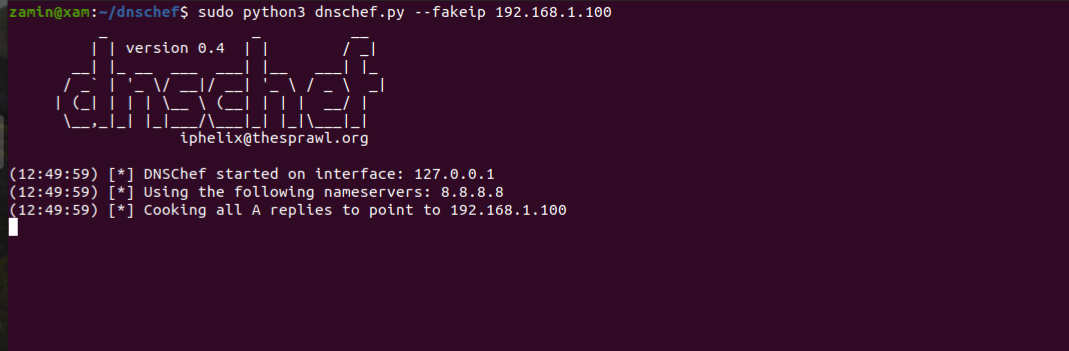
sudo pip3 install dnslibAfter installing DNSLib you can open the terimnal and navigate to dnschef directory and can now run DNSChef directly using Python. For example to start DNSChef to fake DNS responses.
sudo python3 dnschef.py --fakeip 192.168.1.100This command will respond to all DNS queries with the IP address 192.168.1.100.
DNSChef intercepts queries from your system and modifies the DNS responses based on the user defined rules , redirecting the traffic as needed.The modified respone is sent back to the user system effectively altering the destination of the requested domain.
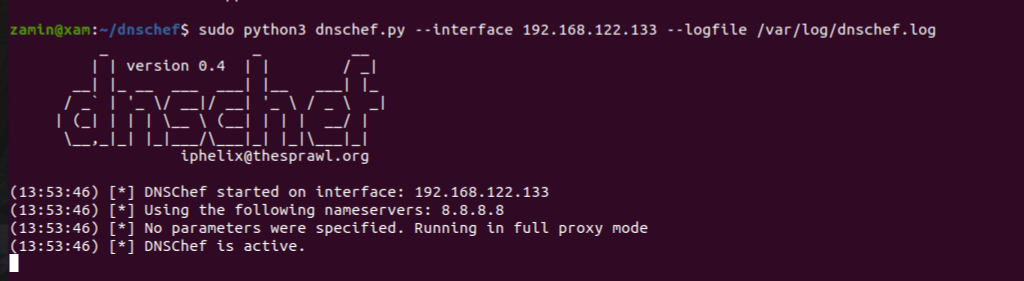
Suppose you want to intercept and examine all DNS queries on your local network and redirect traffic to specific locations. You can configure DNSChef to listen and log all DNS queries on your local network. In your dnschef directory run the following command
sudo python3 dnschef.py --interface 192.168.122.133 --logfile /var/log/dnschef.log
👁 Using DNSChef as a DNS proxy tool.
This setup makes DNSChef listen on the interface 192.168.122.133 and log all DNS requests to /var/log/dnschef.log.
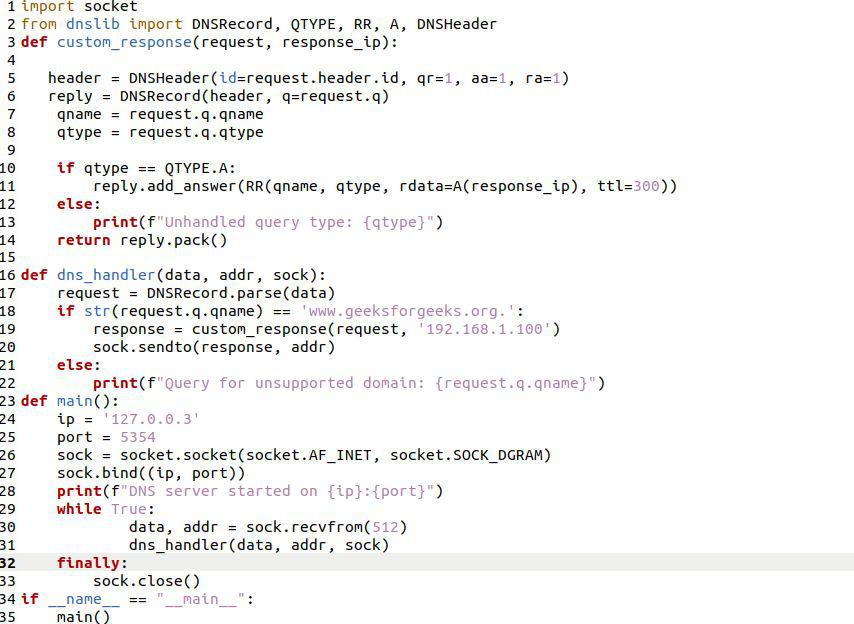
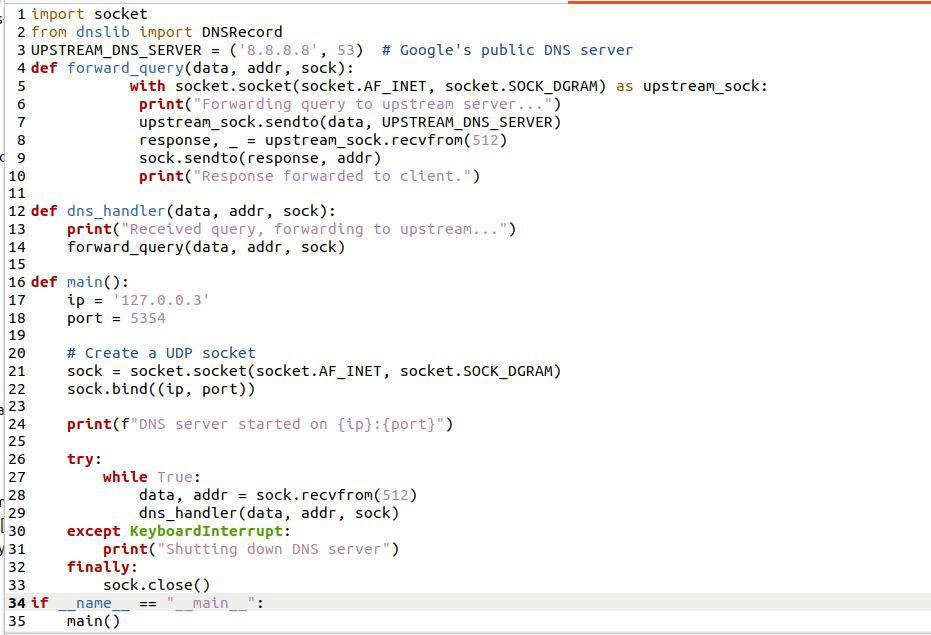
We can use DNSChef to listen on a specified IP address and port and response to the DNS Queries of a specified domain.
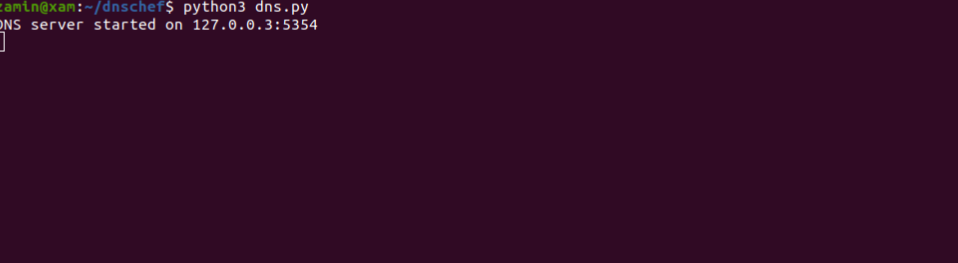
The above python script creates a DNS Server that listens for queries on 127.0.0.3:5354.
The Server listens for queries on I.P 127.0.0.3 and at a port no of 5354.
To test the server open another terminal and run the following command
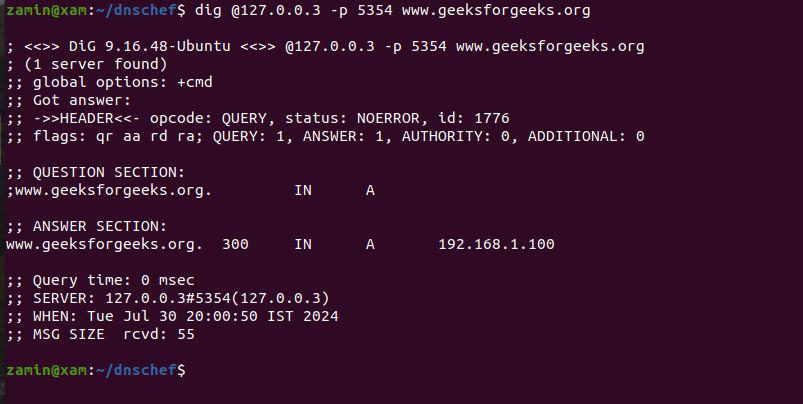
dig @127.0.0.3 -p 5354 www.geeksforgeeks.orgThe output from the dig command shows that the DNS server correctly respondes to the query for www.geeksforgeeks.org .
Forwarding DNS Queries to Upstream Servers
You can use DNSChef to create a DNS server for Forwarding DNS Queries to Upstream Servers that it can not answer and then returns the responses to the original client.
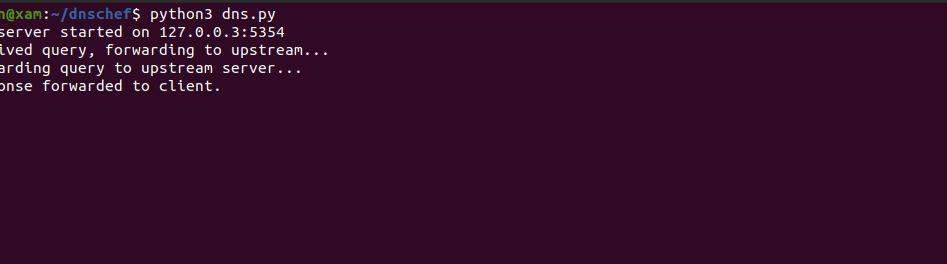
The above python script is an example of DNS forwarder that listens for DNS queries on a specified IP and port, forwards them to an upstream DNS server, and then returns the responses to the original client.The response shows that the server is running on I.P 127.0.0.3 and at port 5354 and is forwarding the DNS Queries to an upstream.
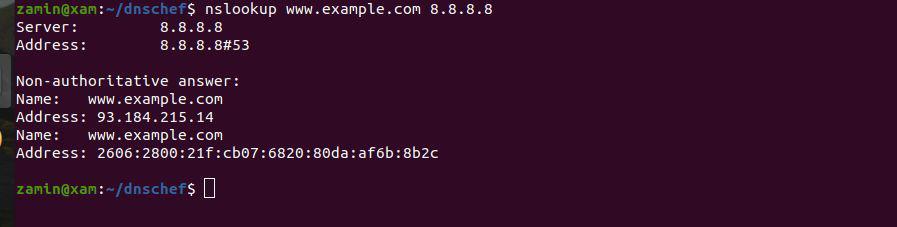
Verify that your DNS server can reach 8.8.8.8 by running the following command .
nslookup www.example.com 8.8.8.8DNSChef is a powerful tool to understand and control DNS traffic, enabling users to identify potential vulnerabilities and protect networks from threats.With attacks like DNS Spoofing Attack we can alter DNS Traffic using DNSChef and can use DNSChef for Cache Poisoning Attack to manipulates a DNS server’s cache to redirect its traffic .DNSChef is a highly flexible DNS proxy that can be used to modify DNS responses .By understanding the basics and advanced features, of DNSChef we can effectively use it to achieve various security goals on a Linux systems.