|
VOOZH | about |
|
VOOZH | about |
The gawk command in Linux is a pattern scanning and processing language. No compilation is required, and variables can be used along with numeric functions, string functions, and logical operators.
Gawk is a utility that enables programmers to write highly compact but still effective programs as statements that define text patterns to look for in a text document, and the action to be taken every time such a match is found within a line.
gawk [POSIX / GNU style options] -f progfile [--] file ...
gawk [POSIX / GNU style options] [--] 'program' file ...
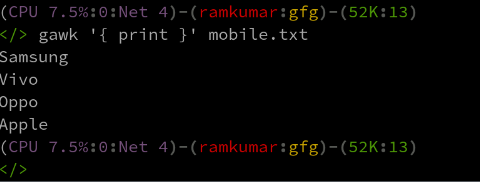
By default, gawk prints every line of data from the named file:
gawk '{ print }' mobile.txtOption | Description |
|---|---|
-f progfile, --file=progfile | Read the AWK program source from the file program-file, instead of from the first command line argument |
-F fs, --field-separator=fs | Use FS for the input field separator (the value of the FS predefined variable) |
-v var=val, --assign=var=val | Assign the value val to the variable var, before execution of the program begins |
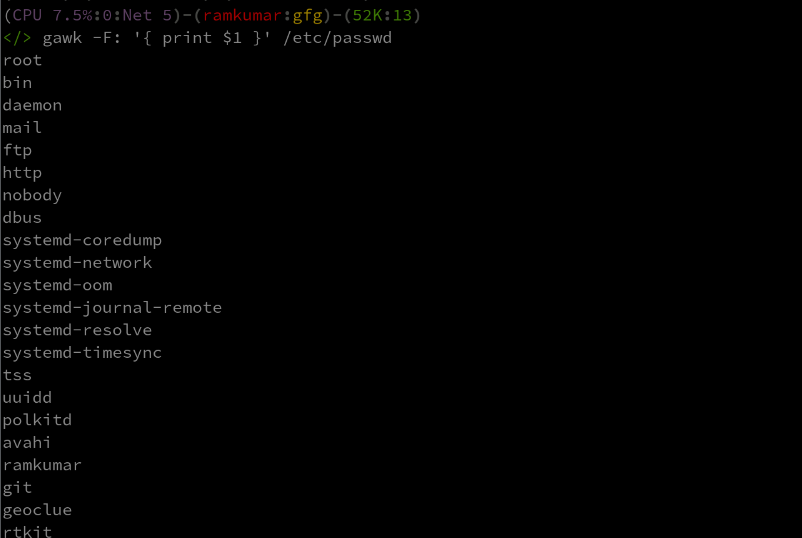
Specifying field separator using -F option:
gawk -F: '{ print $1 }' /etc/passwdUsing -f option to read program from a file:
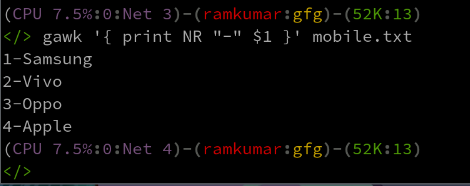
gawk -F: -f mobile.txt /etc/passwdExample using NR:
gawk '{ print NR "-" $1 }' mobile.txtAssume that we have a dataset in a file named mobile.txt:
Name Mobile Email
John 1234567890 john@example.com
Sunil 9876543210 sunil@example.com
Alice 5555555555 alice@example.com
1. Print lines matching a pattern:
gawk '/Sunil/ ' mobile.txt2. Print specific fields:
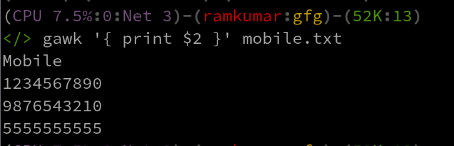
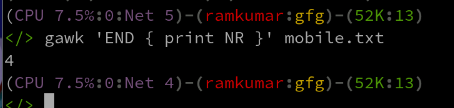
gawk '{ print $2 }' mobile.txt3. Count the number of lines in a file:
gawk 'END NR}' mobile.txtThe gawk command is actually one of the most powerful tools in Linux when it comes to text processing. The tool can scan files, process patterns, and execute many actions; it is very valuable to both system administrators and programmers. Mastering gawk will allow users to easily manipulate text data, generate reports, or automatically automate many other text-processing activities.