|
VOOZH | about |
|
VOOZH | about |
PowerShell is a modern command shell that includes the best features of different shells . Unlike the other shells which only accept and return the text but in PowerShell it is different it returns the object in the .NET objects. In this article we will find out certain commands to find the file properties using PowerShell.
Now to access the file properties using the PowerShell we use some commands in order to get the file properties,
Get-ChildItem is used to gets the items and child items in one or more specified locations.
PS C:\Users\DELL> Get-ChildItem -Path C:\Users\DELL\Pictures
Get-Item command is used to gets the items at the specified location.
PS C:\Users\DELL> Get-Item -Path C:\Users\DELL\Downloads
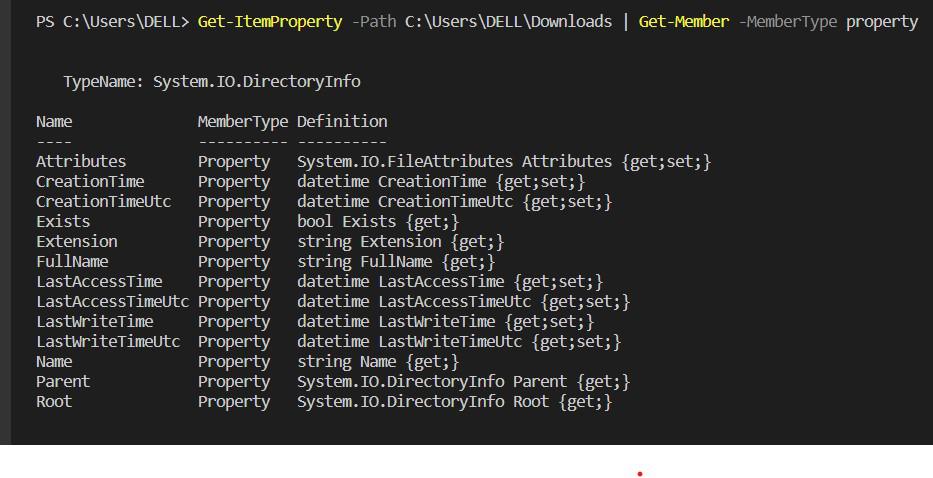
Get-ItemProperty command is used to gets the properties of all the items at the specified path.
PS C:\Users\DELL> Get-ItemProperty -Path C:\Users\DELL\Downloads | Get-Member -MemberType property
PS C:\Users\HP> $file = get-childItem C:\Users\HP\OneDrive\Desktop\pro1.txt
PS C:\Users\HP> $file.name
pro1.txt
PS C:\Users\HP> $file.extension
.txt
PS C:\Users\HP> $file.length
389
PS C:\Users\HP> $file.basename
pro1