|
VOOZH | about |
|
VOOZH | about |
Apache JMeter is an open-source tool designed for load testing and performance measurement. It’s widely used by developers and testers for analyzing and measuring the performance of web applications.
Here, we will learn the process of installing Apache JMeter on Ubuntu, a popular Linux distribution based on Debian. Before getting started, ensure that your system has Java 8 or higher, as JMeter is developed in Java and requires a compatible version to run.
Apache JMeter is a must-have tool for anyone involved in performance testing or load testing of applications. It supports various protocols, including HTTP, HTTPS, FTP, JDBC, and more, making it versatile for testing different types of applications. This article provides a comprehensive guide on installing JMeter on Ubuntu, ensuring you have everything set up to begin your testing journey.
Before installing JMeter, it’s important to verify that your system has Java installed, as it is a prerequisite for running JMeter.
Use java --version or javac --version to check if java is already installed on your computer or not.
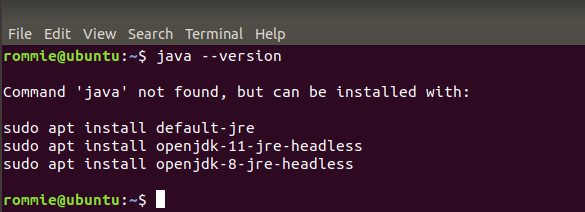
$ java --version👁 How to Install Apache JMeter on LinuxIf you get the same message then skip step 2 i.e. installation of java and move to step 3.
👁 How to Install Apache JMeter on LinuxIf you get "java not found" in output, so first install Java.
Step 1: Use the following command to install openjdk - 11-jre.
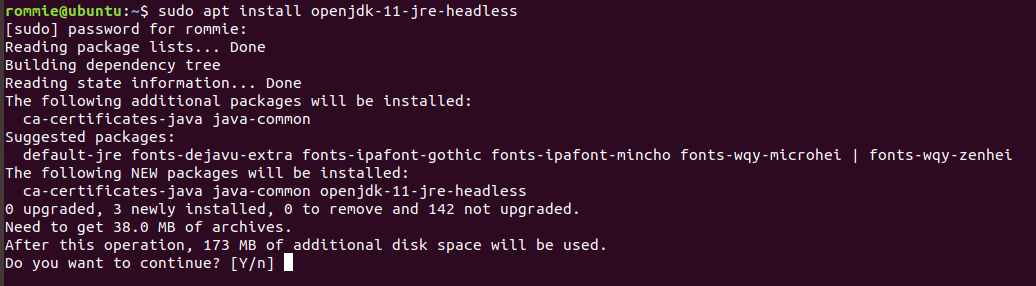
$ sudo apt install openjdk-11-jre-headless👁 How to Install Apache JMeter on LinuxThen enter the sudo password and enter "Y" to confirm the download.
👁 How to Install Apache JMeter on LinuxIt will take some time according to your internet speed.
Step 2: Use the following command to install openjdk-11-jdk.
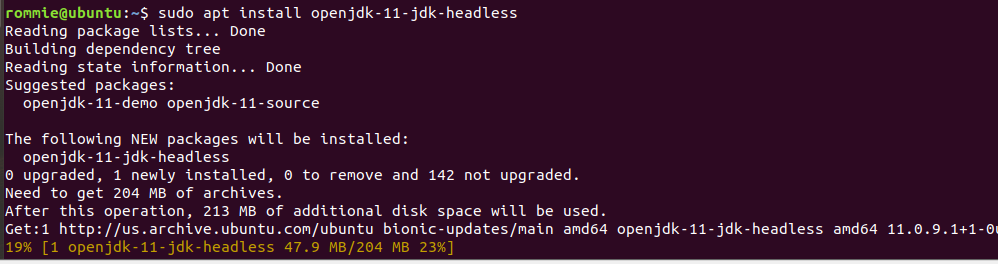
$ sudo apt install openjdk-11-jdk-headless👁 How to Install Apache JMeter on LinuxStep 3: If download completes then check again using java --version command.
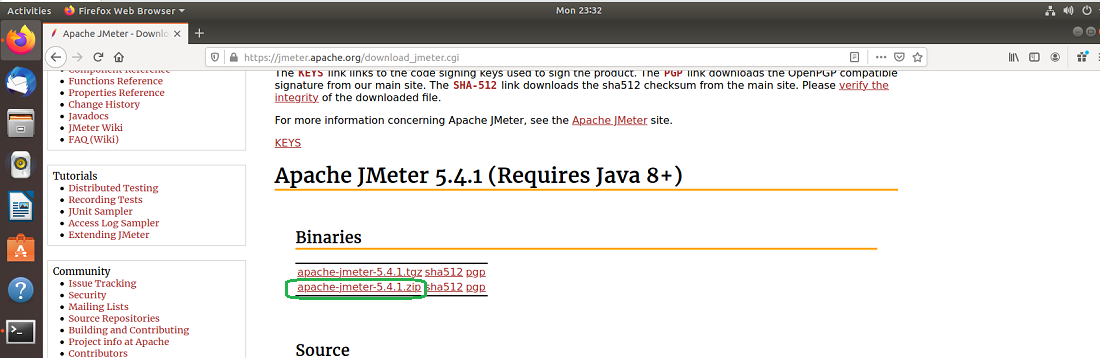
First, we will download the latest JMeter version from the official JMeter website. Go to the given link and click on the "apache-jmeter-5.4.1.zip" link to download the binary zip file of JMeter.
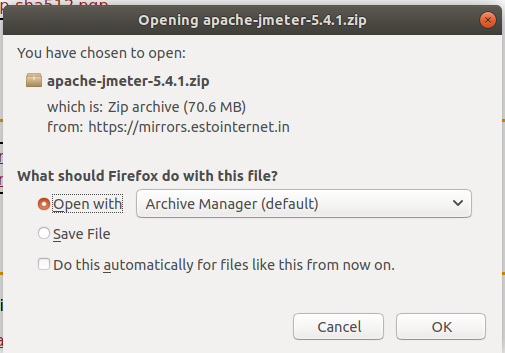
👁 How to Install Apache JMeter on LinuxAfter clicking on the zip file a dialog box will appear and check the save file box and click ok. It will start the download.
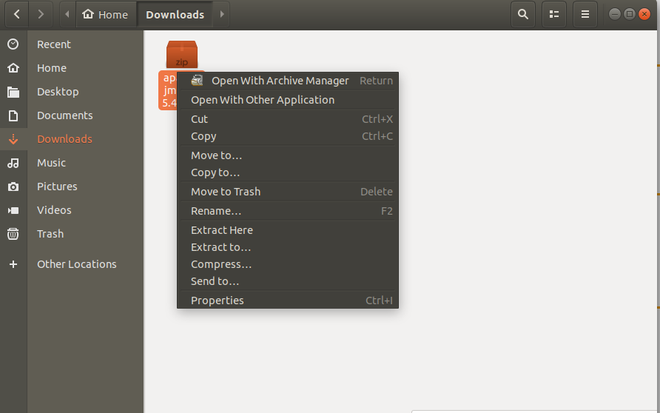
👁 How to Install Apache JMeter on LinuxThe file will be placed in the Downloads folder. Open the folder, right-click on the zip file and click on Extract here.
👁 How to Install Apache JMeter on LinuxNow we have successfully downloaded the JMeter and extracted it.
Open the terminal and use the following command to go to the directory from where we can run JMeter
$ cd Downloads/apache-jmeter-5.4.1/binCd stands for change directory, a Linux command to move between directories.
👁 How to Install Apache JMeter on LinuxRun the following command to start the JMeter.
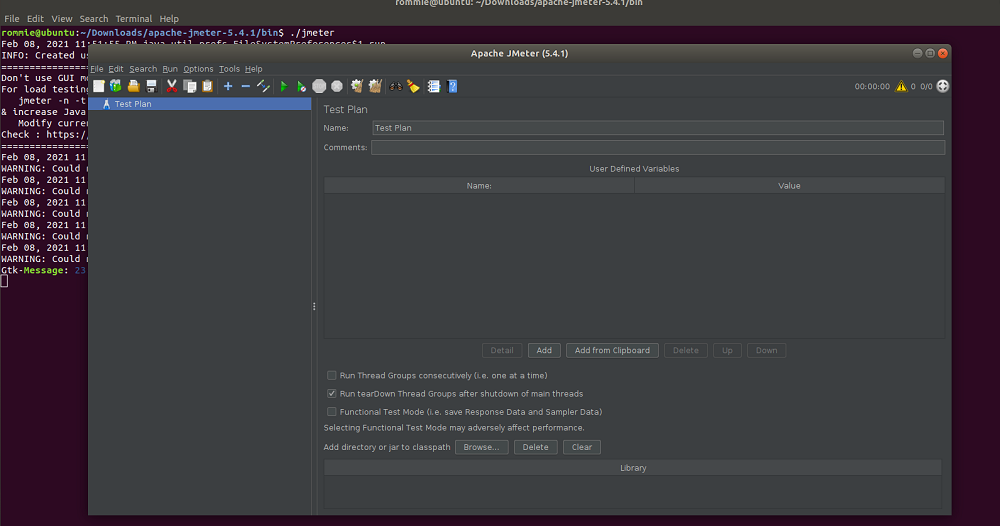
$ ./jmeterThis will look like this.
👁 How to Install Apache JMeter on LinuxThis command starts the JMeter GUI, which should open in a new window, ready for you to create and run your test plans.
Installing Apache JMeter on Ubuntu is a straightforward process that requires just a few steps. By making sure Java is installed and following the instructions provided, you can easily get JMeter up and running to begin performance testing your applications.