|
VOOZH | about |
|
VOOZH | about |
The join command in Linux merges lines from two files based on a common key field.
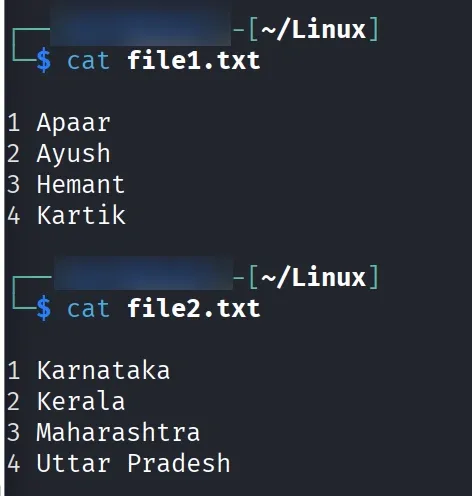
Let’s assume we have two text files, file1.txt and file2.txt, and we want to merge their contents based on a common field using the join command. Displaying the contents of first file:
Commands:
cat file1.txt
Displaying contents of second file:
cat file2.txt
Output:
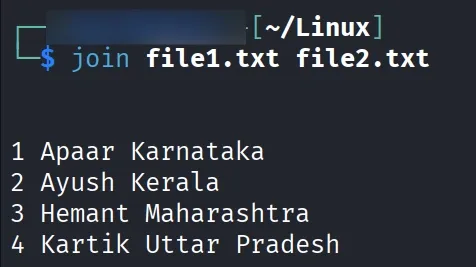
Now, we use the join command to combine the contents of these two files and display the output as a single merged file.Using join command:
join file1.txt file2.txt
Output:
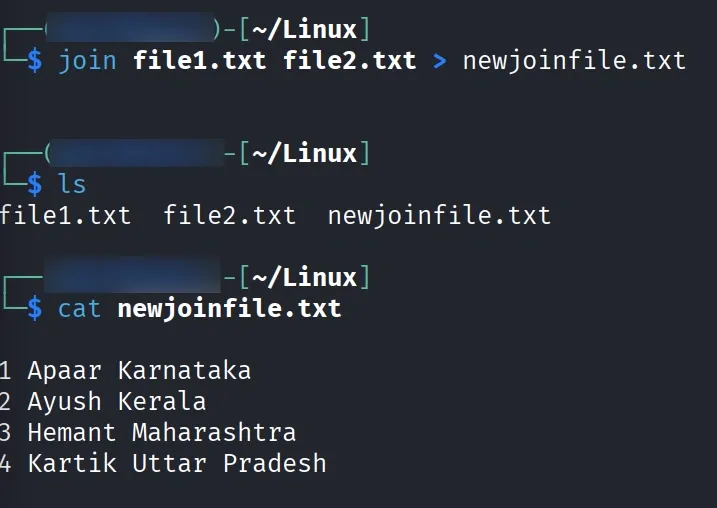
$join file1.txt file2.txt > newjoinfile.txt
Output:
This will direct the output of joined files into a new file 'newjoinfile.txt' containing the same output as the example above.
Options of join Command in Linux & Examples The join command combines lines from two files based on a common field (key). By default, it uses the first field in both files to match.
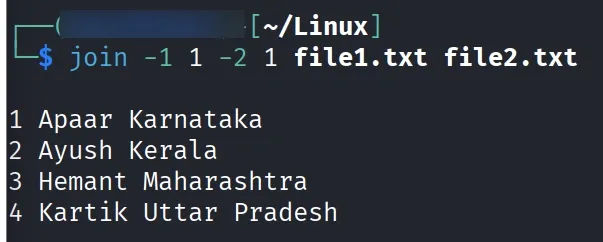
join [OPTION]... FILE1 FILE2-1 and -2: Specify Join Fieldsjoin uses the first field (column).-1 for file1 and -2 for file2.Command:
join -1 1 -2 1 file1.txt file2.txtOutput:
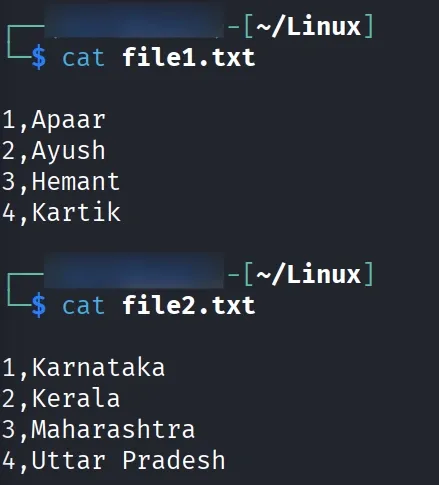
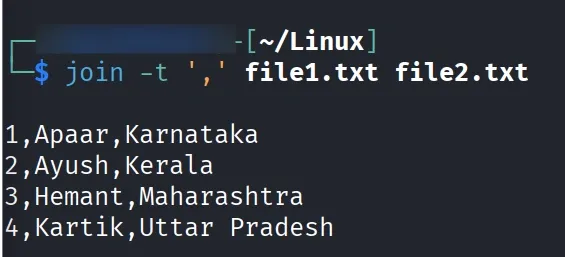
-t: Specify a Delimiter-t.Example:
cat file1.txt
cat file2.txt
Command:
join -t ',' file1.txt file2.txtOutput:
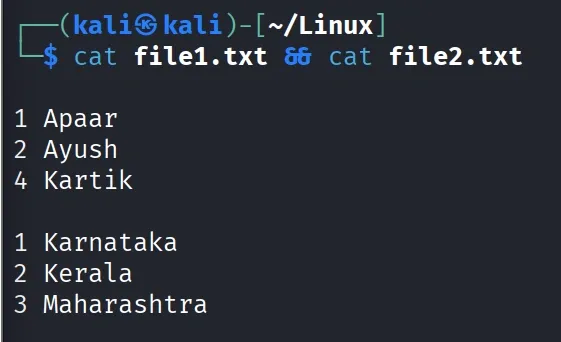
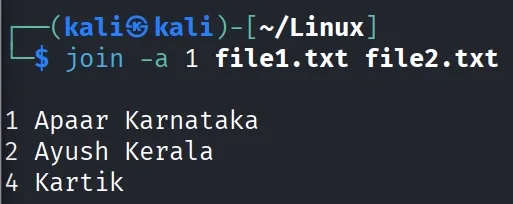
-a: Include Unpairable Lines (from both files)join shows only lines that match in both files.-a 1 or -a 2 to include lines that don’t have a match in file1 or file2.Example:
cat file1.txt && cat file2.txt
Output:
Command:
join -a 1 file1.txt file2.txt
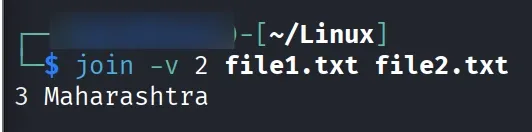
-v: Show Only Unmatched LinesUse -v 1 or -v 2 to display only lines not matching from a particular file.
join -v 2 file1.txt file2.txt
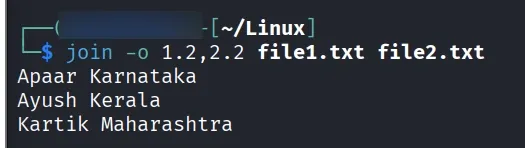
-o: Select Specific Output FieldsThis option lets you control which fields are displayed in the output.
Example:
join -o 1.2,2.2 file1.txt file2.txt
Output:
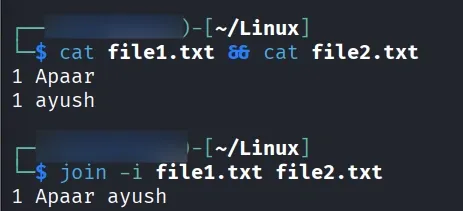
-i: Ignore Case While MatchingMakes matching case-insensitive.
Example:
If two files, file1.txt and file2.txt, contain entries with case-sensitive text, the -i option in the join command can be used to merge them while ignoring case differences.
Command:
cat file1.txt && cat file2.txt
join -i file1.txt file2.txt