|
VOOZH | about |
|
VOOZH | about |
OpenSSL is a cryptography software library or toolkit that secures communication over computer networks. It is generally used for Transport Layer Security (TLS) or Secure Socket Layer (SSL) protocols. The OpenSSL program is a command-line tool that utilizes various cryptography functions of OpenSSL's crypto library from the shell. OpenSSL is licensed under an Apache-style license, allowing for both commercial and non-commercial use under simple license conditions.
To check the installed version of OpenSSL, use the following command:
$ openssl version👁 Checking-Openssl-Version-in-LinuxThe general syntax for OpenSSL commands is:
openssl <command> [options]To view the version of OpenSSL installed on system:
$ openssl versionHere are some of the most commonly used options with the OpenSSL command, including practical examples for each.
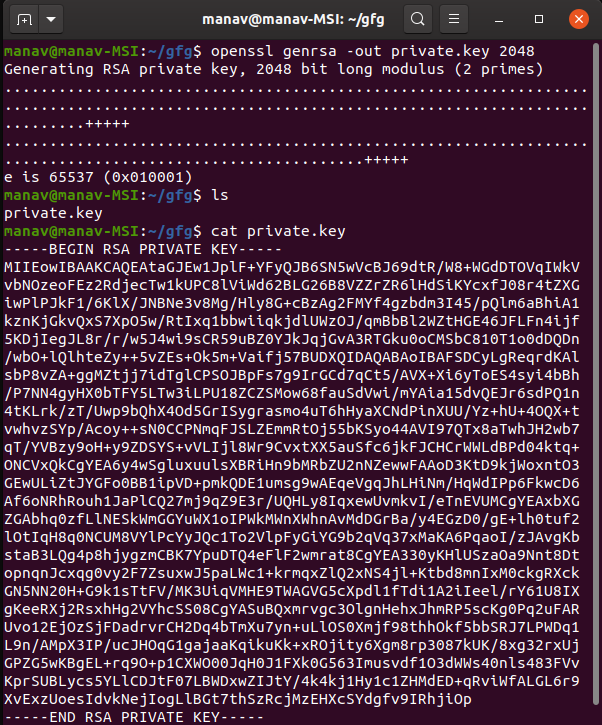
To Create RSA Private Key.
$openssl genrsa -out private.key 2048It will generate the RSA key file with the name private.key. Here, we have used 2048 for high security. Lower bit size can even be used.
👁 Creating-RSA-Private-Key-using-Openssl-command-in-LinuxThis command generates a private RSA key file named private.key, using 2048-bit encryption for security. Lower bit sizes can be used if desired.
This command creates both a private key (custom.key) and a Certificate Signing Request (CSR) file (custom.csr), prompting you for personal and organization details.
$openssl req -nodes -newkey rsa:2048 -keyout custom.key -out custom.csrIt will ask for the details like country code, state and locality name, Organization name, your name, email address, etc. And after entering all the details it will generate 2 files one with the CSR extension and the other with key extension representing CSR and private key respectively.
👁 Creating-New-Private-Key-and-CSR-using-Openssl-command-in-Linux$openssl req -x509 -sha512 -nodes -days 730 -newkey rsa:2048 -keyout custom.key -out custom.pemIt will ask for details like country code, state and locality name, Organization name, your name, email address, etc. And after entering all the details it will generate 2 files one with the PEM extension and the other with key extension representing Self Signed Certificate and private key respectively.
In the example, we have set validity to 730 days but in case you don't mention this then it will take the value of one month by default. You can even change the algorithm of encryption as per your own convenience. In this example, we have used the SHA512 algorithm.
👁 Create new Private Key and Self Signed certificate.$openssl req -noout -text -in custom.csr
It will display the details you entered at the time of creating the CSR file which could be used to verify that the correct CSR file is sent to the correct receiver.
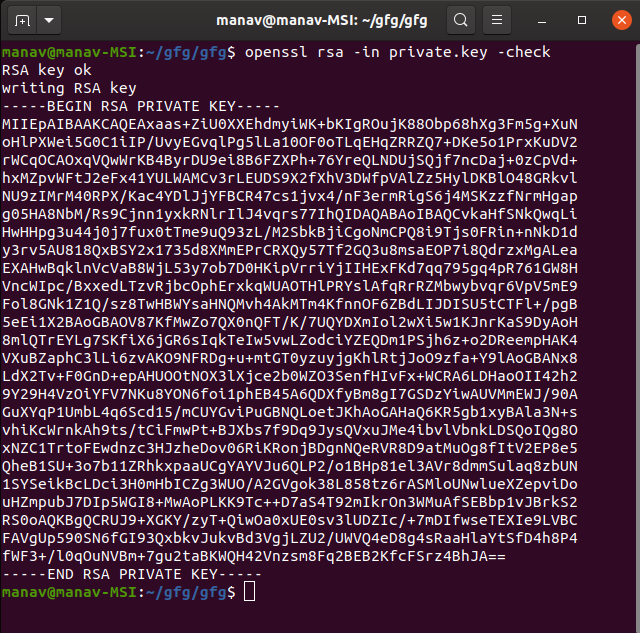
👁 Verifying a CSR File using-OpenSSL command in Linux$openssl rsa -in private.key -check
It will verify and check the RSA key and if it is Ok it will display the following result.
👁 Verifying a Private Key File-using-openssl-command in Linux$openssl x509 -in custom.pem -noout -issuer -issuer_hash
It will display the details you entered at the time of creating the pem file which could be used to verify that the correct pem file is sent to the correct receiver.
👁 Verifying the Certificate Signer Authority$openssl x509 -noout -hash -in custom.pem
It will display the hash value of the pem certificate file.
👁 Checking-Hash-Value-of-a-Certificate-using-openssl-command-in-Linux$openssl x509 -outform der -in custom.pem -out custom.derIt will change the extension of the certificate from .pem to .der and will create a new file with .der extension.
👁 Converting-PEM-to-DER-format-using-openssl-command-in-Linux$openssl x509 -noout -in custom.pem -datesIt will display the valid from and valid up to date of the certificate.
👁 Checking pem file certificate expiry dateThe OpenSSL command-line tool is highly versatile, allowing users to perform various cryptographic operations, including generating keys, certificates, and verifying files. Understanding its syntax and key options enables secure and efficient network communication.