|
VOOZH | about |
|
VOOZH | about |
stty command in Linux is used to change and print terminal line settings. This command shows or changes terminal characteristics.
stty [-F DEVICE | --file=DEVICE] [SETTING]...
stty [-F DEVICE | --file=DEVICE] [-a|--all]
stty [-F DEVICE | --file=DEVICE] [-g|--save]
where,
It will display the characteristics of the terminal.
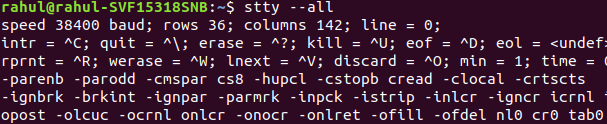
👁 ImageThis option print all current settings in human-readable form.
stty --all👁 stty --allThis option will print all current settings in a stty-readable form.
stty -g👁 stty -gThis option will open and use the specified DEVICE instead of stdin.
Example:
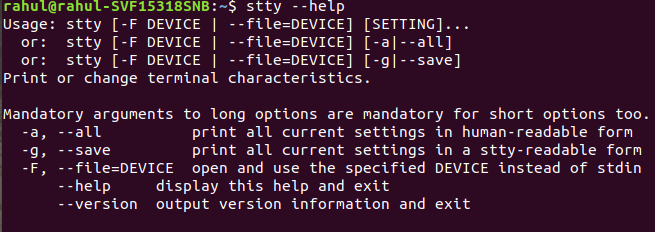
stty -F D/This option will display this help and exit.
stty --help👁 stty --helpThis option will show the version information and exit.
stty --version👁 stty --versionThe stty command is an essential tool for Linux users and administrators who need to manage terminal settings and control terminal behavior. If you are dealing with serial communications, modifying how the terminal processes input/output, or writing automation scripts, understanding how to use stty effectively can greatly enhance your workflow.