|
VOOZH | about |
|
VOOZH | about |
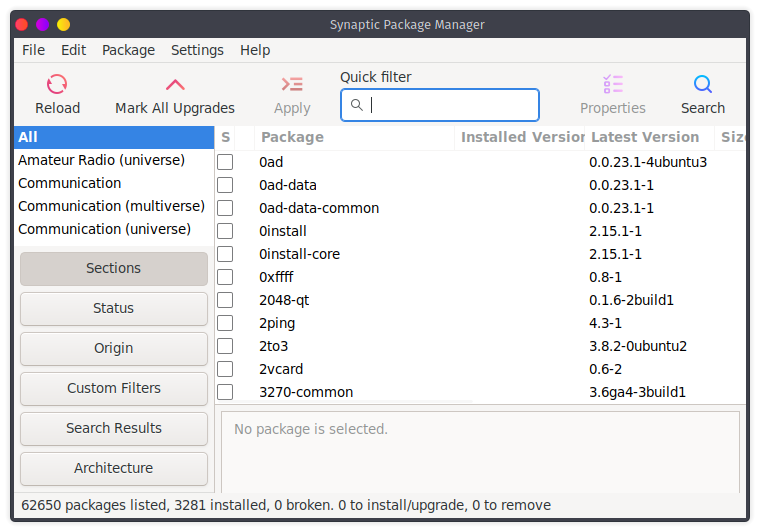
Synaptic package manager is GTK-based graphical user interface based on Advanced Package Tool, or APT for download or removes packages on Debian based system like Ubuntu. We can download packages by using the apt command, but the GUI interface is always user-friendly and easy to use.
To install synaptic package manager run the following command on terminal
sudo apt-get update

sudo apt install synaptic
Now a synaptic package manager is installed on the system.
You can launch synaptic package manager by using Application launcher and also from terminal to launch synaptic package manager from the terminal run the following command in terminal.
sudo synaptic
Run the synaptic package manager as a root because to update remove install packages we need superuser permissions. After that synaptic package manager is launched
👁 Synaptic package managerFeatures of Synaptic Package Manager:
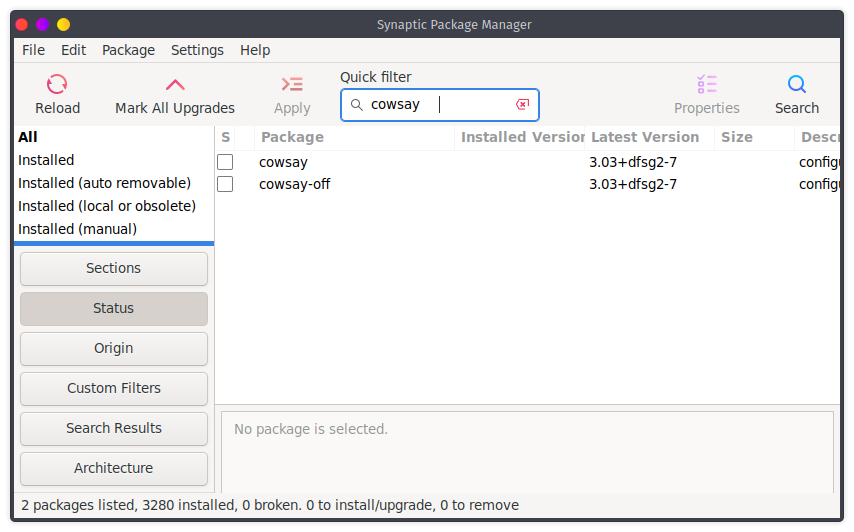
Now let's see how to install the package using the synaptic package manager. Here, we are going to install cowsay package using synaptic package manager cowsay is a funny application on the terminal.
Step 1: To install cowsay search for cowsay in synaptic package manager
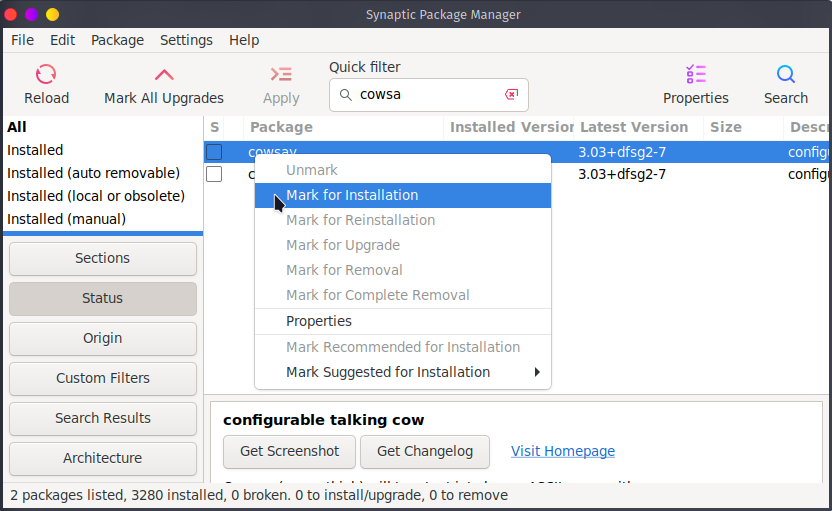
👁 ImageStep 2: Now as we see in the figure there is cowsay package with version 3.03+dfsg2-7, To mark for installation of this package right-click on the cowsay package then click on Mark for installation
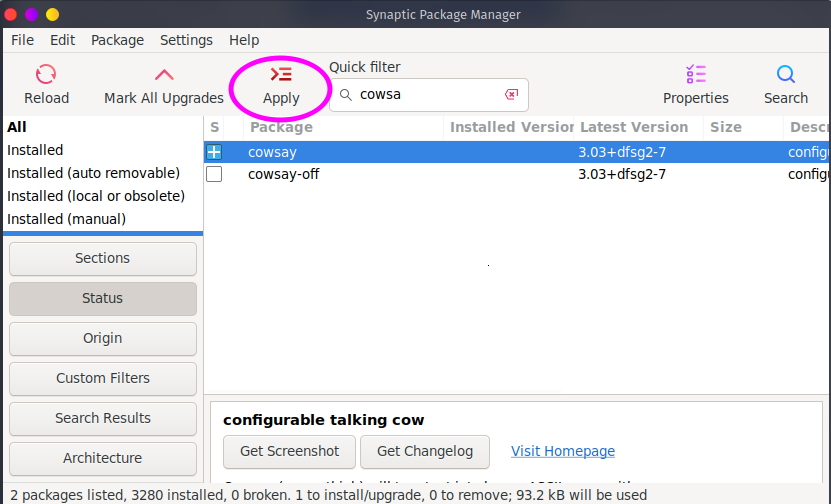
👁 ImageStep 3: After that our package is select for installation now we have to click on Apply to install the package.
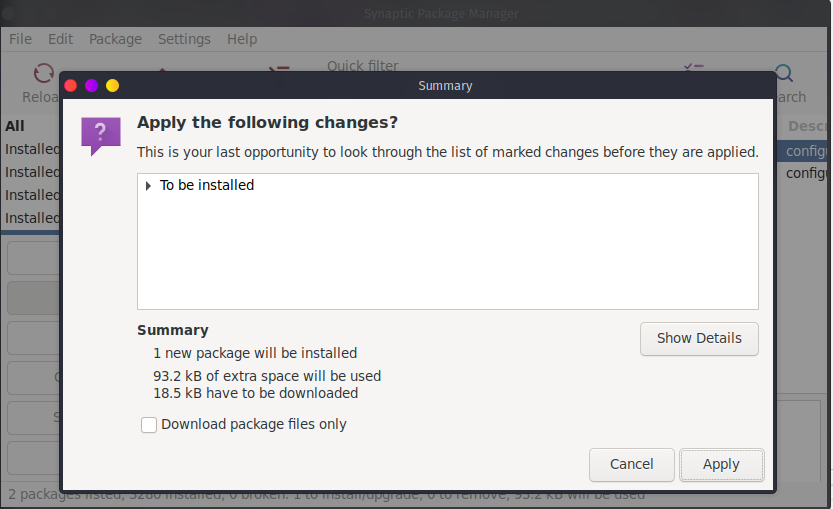
👁 ImageStep 4: After that synaptic package manager will display us the summary of changes on a system like extra space and size of download package and no of packages.
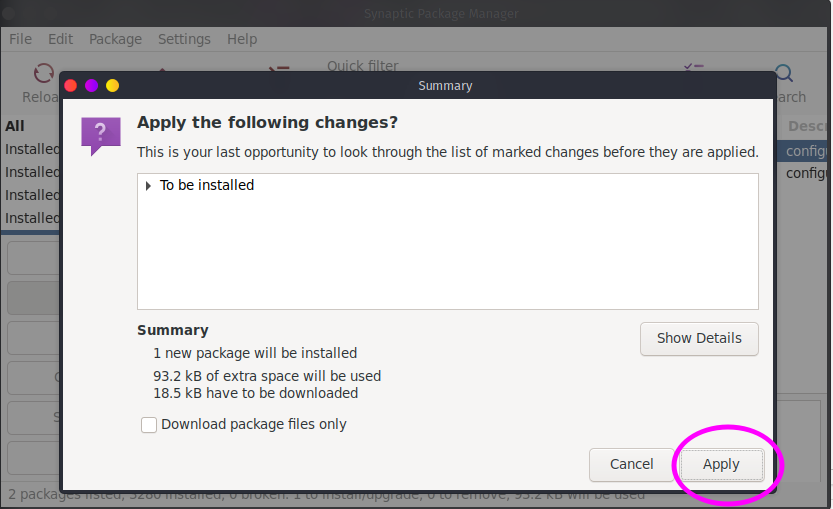
👁 ImageStep 5: Then click on Apply to install the package:
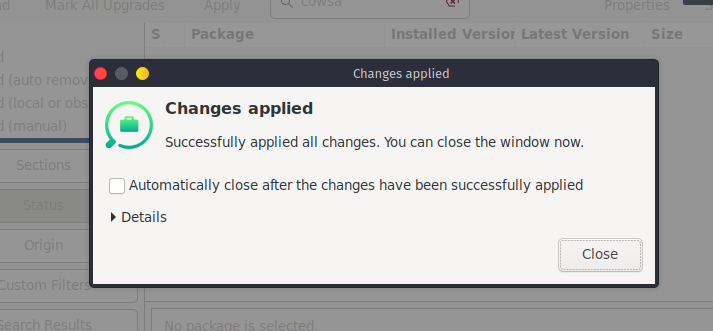
👁 Installation in Synaptic Package ManagerThen the process of package installation will be started and after the package installed the massage Changes applied will be displayed then click on close and close synaptic package manager and enjoy the installed application.
👁 ImageNow let's see how to remove the installed package.
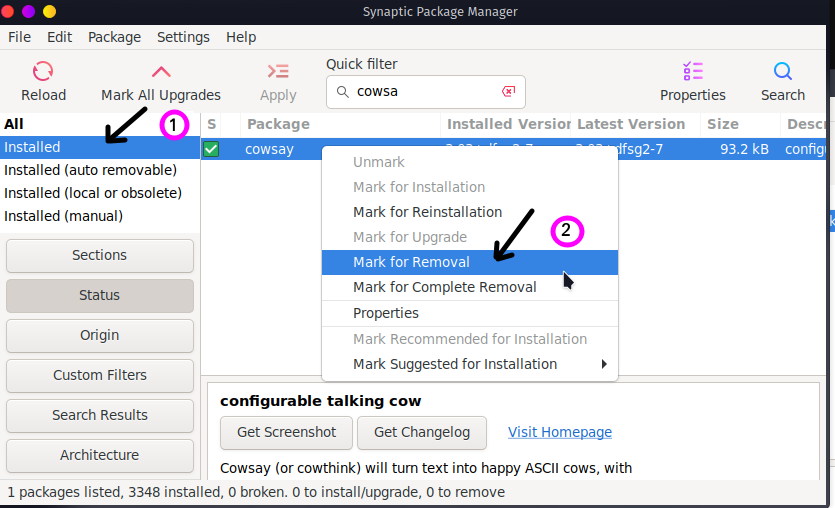
1) To see installed packages click on the installed packages and
2) Then select which package is to remove in our case we have to remove cowsay package then right-click on it and select the mark for removal.
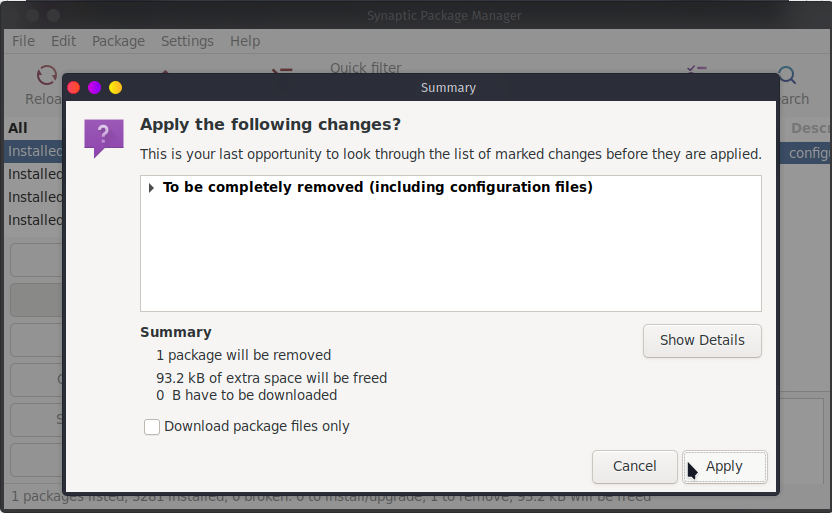
👁 Installation in Synaptic Package Manager3) Then click on apply and then the summary will be displayed to us what will be removed and how many spaces will be frees.
👁 Installation in Synaptic Package ManagerAfter that selected package will be removed and the changes applied successfully the message will be displayed.
Uninstall the synaptic Package Manager:
sudo apt remove synaptic