VOOZH about

URL: https://www.geeksforgeeks.org/php/how-to-display-xml-data-in-web-page-using-php/

⇱ How to display XML data in web page using PHP ? - GeeksforGeeks


  • Courses
  • Tutorials
  • Interview Prep

How to display XML data in web page using PHP ?

Last Updated : 23 Jul, 2025

In this article, we are going to display data present in an XML file on a web page using PHP through the XAMPP server. PHP is a server-side scripting language that is mainly for processing web data. The XML stands for an extensible markup language.

Requirements:

  • XAMPP server

Syntax:

<root>
 <child>
 <subchild>.....</subchild>
 </child>
</root>

Approach: We are going to use mainly two functions in our PHP code. The simplexml_load_file() function is used to convert an XML document to an object.

  • simplexml_load_file
    simplexml_load_file(name of XML file)
    
  • children(): The children() function finds the children of a specified node.
    $xml_data->children()
    

Steps to execute:

  • Step 1: Start XAMPP server. 👁 Image
  • Open notepad and type the following codes in xml_data.xml and code.php formats The xml_data.xml: Consider student XML data as an example.
  • Step 3:The following is the code for code.php file.

  • Step 4: Save these two files in xampp/htdocs/geek folder. The developer can use any other folder instead of geek folder.👁 Image
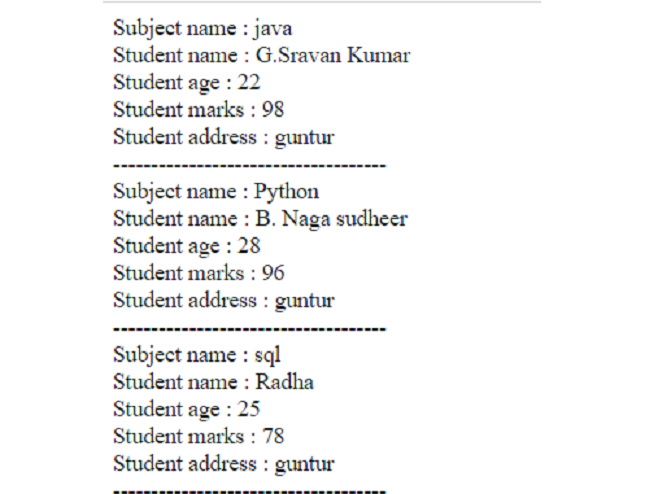
Output: Open your browser and type localhost/geek/code.php to see the output.
👁 Image
XML data 
Comment