|
VOOZH | about |
|
VOOZH | about |
Implementing a multi-language site on WordPress is essential for reaching a global audience. With WordPress multi-language plugin, you can easily translate your site into multiple languages, making it accessible to users from different regions. This process not only enhances user experience but also boosts your site's SEO and traffic. In this article, we'll walk you through the steps to create a multi-language site WordPress. Multi-Language site means the site is available in multiple languages like English, Japanese, Russian, etc. Follow the below steps to make your site multi-language.
A multilingual WordPress website is a site that offers content in more than one language. This means visitors can choose their preferred language to read the information on the site. For example, a website might have versions in English, Spanish, and French. This type of site is useful for reaching a global audience, improving user experience, and making your content accessible to people who speak different languages.
Creating a multi-language WordPress website offers several key benefits:
Creating a multi-language WordPress website is straightforward and can be done in a few steps:
Step 1: Go to the WordPress login panel and enter the username and password to log in to WordPress. You can access the login panel by adding /logging in at the end of your website URL. In my case, it is – http://127.0.0.1/wordpress/wp-login.php
After successful login to your WordPress, your screen looks like this.
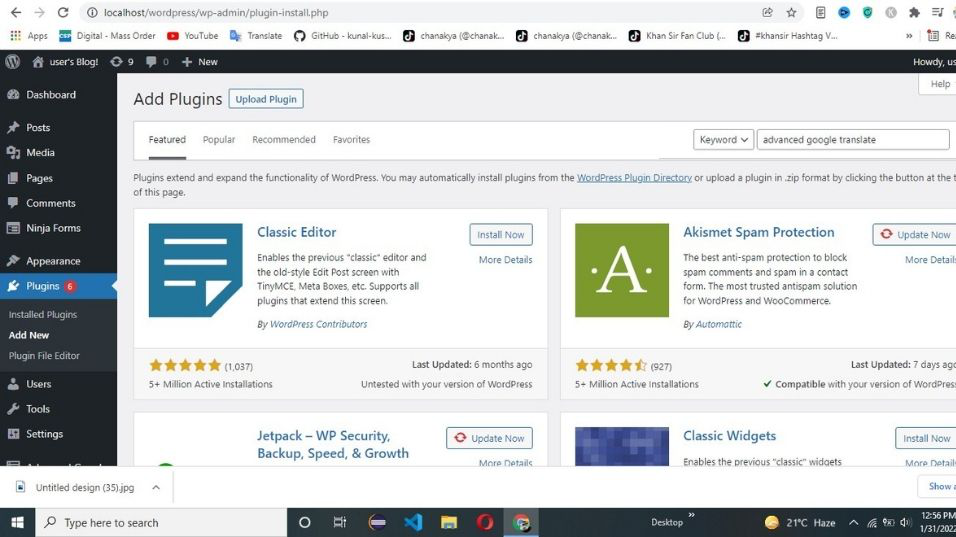
👁 implement a multi-language siteStep 2: Now go to Plugin -> Add New. Search for Google Advance Translate.
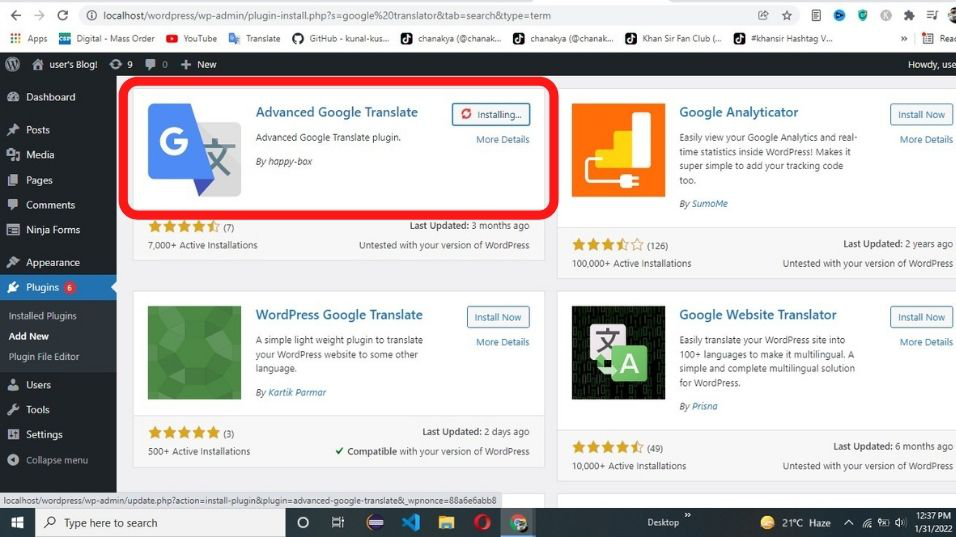
👁 implement a multi-language siteStep 3: Install Google Advance Translate plugin.
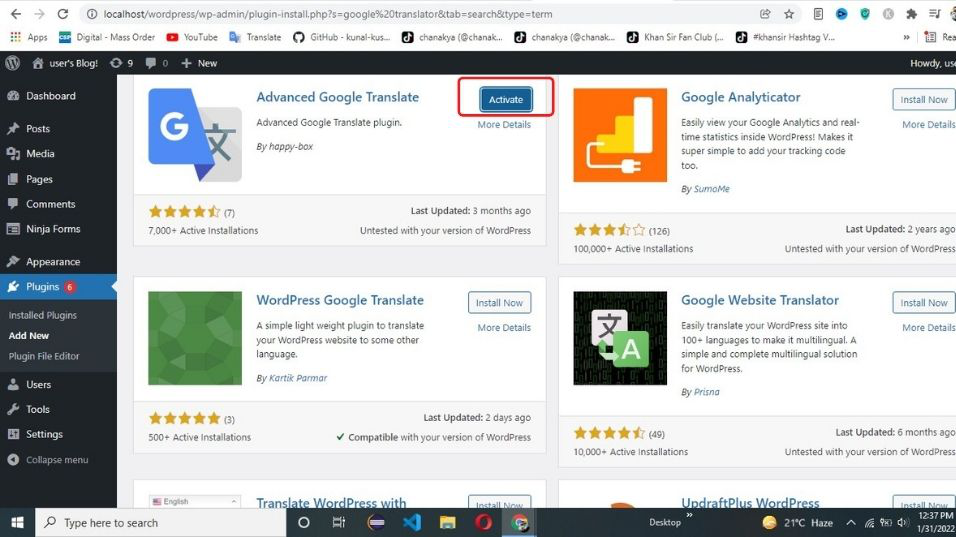
👁 implement a multi-language siteStep 4: Click on Activate.
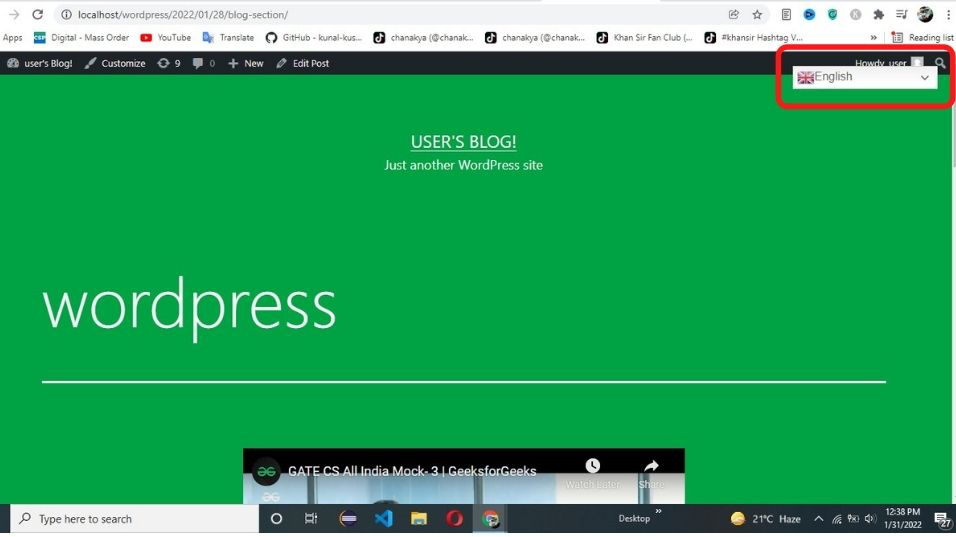
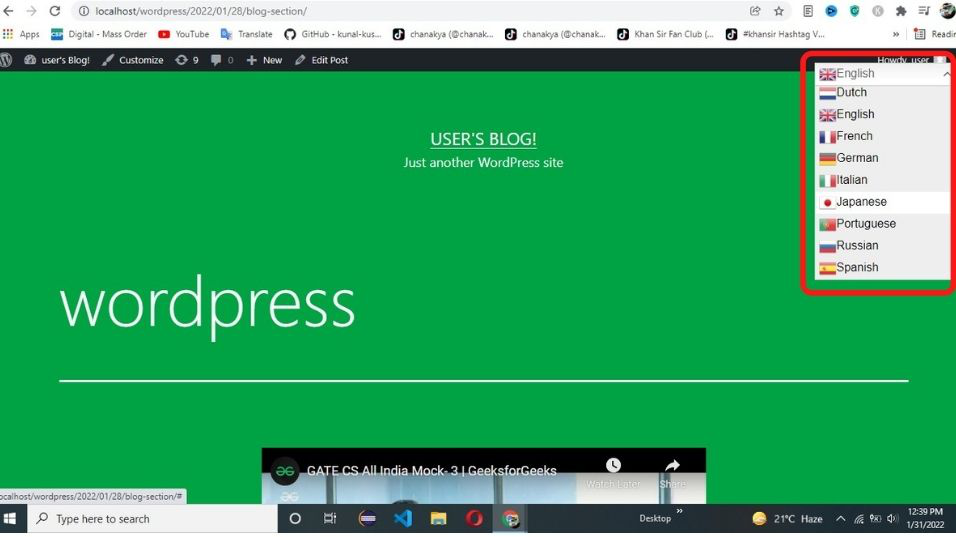
👁 implement a multi-language siteStep 5: Now your site is available in multi-languages. Click on drop-down menu to view your site in other languages.
👁 implement a multi-language siteStep 6: Click on the language in which you want to see your site, in the below example we select Japanese.
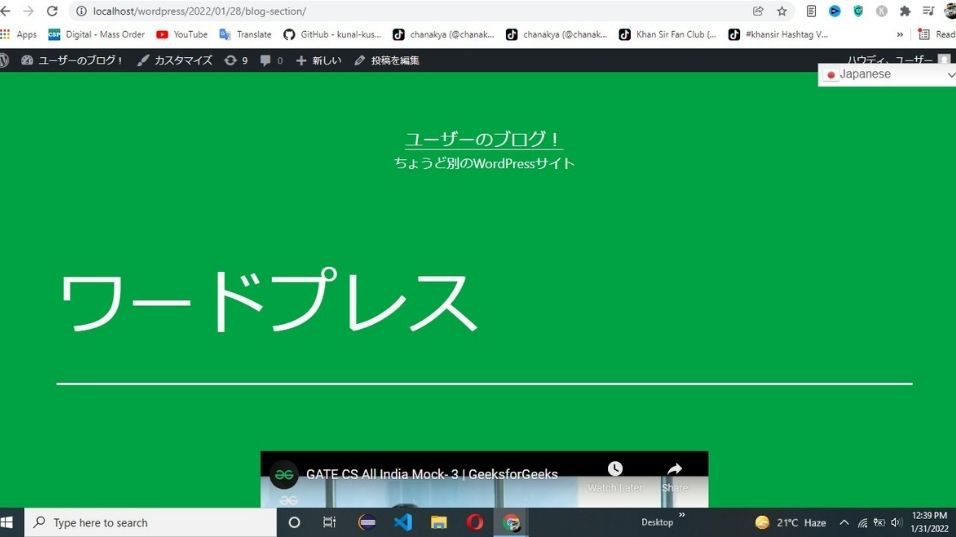
👁 implement a multi-language siteStep 7: After clicking on the Japanese language your site looks like this.
Implementing a multi-language site on WordPress is a great way to reach a global audience and improve your site's user experience. Using a WordPress multi-language plugin makes the process simple and effective. By offering your content in multiple languages, you can boost your site's SEO, increase engagement, and attract more visitors. Follow the steps outlined in this guide to easily set up and manage your multilingual website.