|
VOOZH | about |
|
VOOZH | about |
In web development, many times we need to handle multiple files at once while uploading and storing into the database. So in this article, we will see how to do this by various approaches to achieve this using PHP and MySQL.
Table of Content
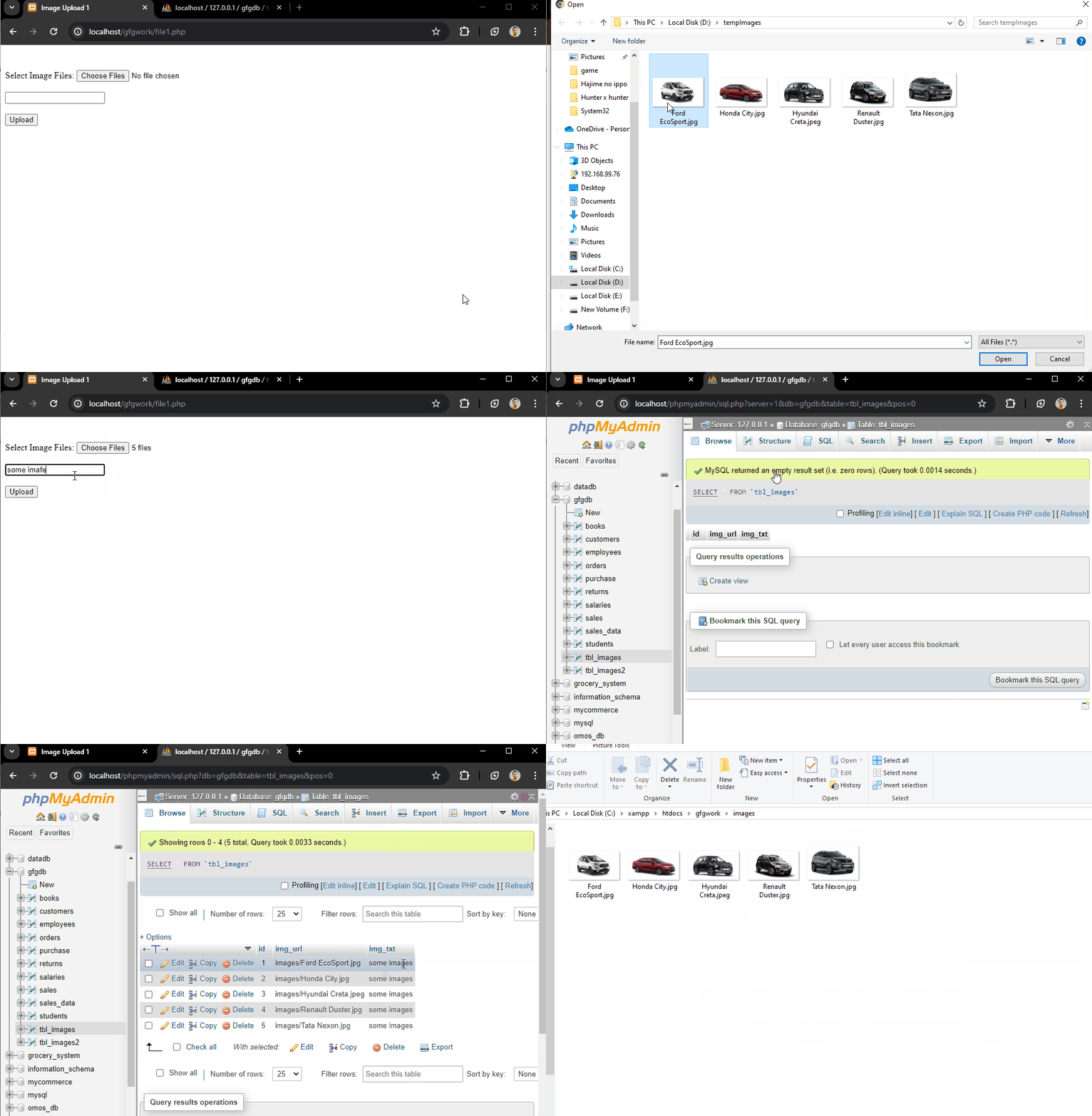
In this approach, the images are uploaded to a server directory, and their paths are stored in the database. This method is good for handling large volumes of images and allows for easily management of files.
<form action="file1.php" method="post" enctype="multipart/form-data">
 <input type="file" name="images[]" multiple>
 <input type="text" name="text_data">
 <input type="submit" name="submit" value="Upload">
</form>
$targetDir = "images/";
foreach ($_FILES['images']['name'] as $key => $value) {
 $fileName = basename($_FILES['images']['name'][$key]);
 $targetFilePath = $targetDir . $fileName;
 move_uploaded_file($_FILES["images"]["tmp_name"][$key], $targetFilePath));
}
$stmt = $conn->prepare("INSERT INTO tbl_images (img_url, img_txt) VALUES (?, ?)");CREATE TABLE images_table (
id INT AUTO_INCREMENT PRIMARY KEY,
img_url VARCHAR(255) NOT NULL,
img_txt TEXT NOT NULL
);
Example:
Output:
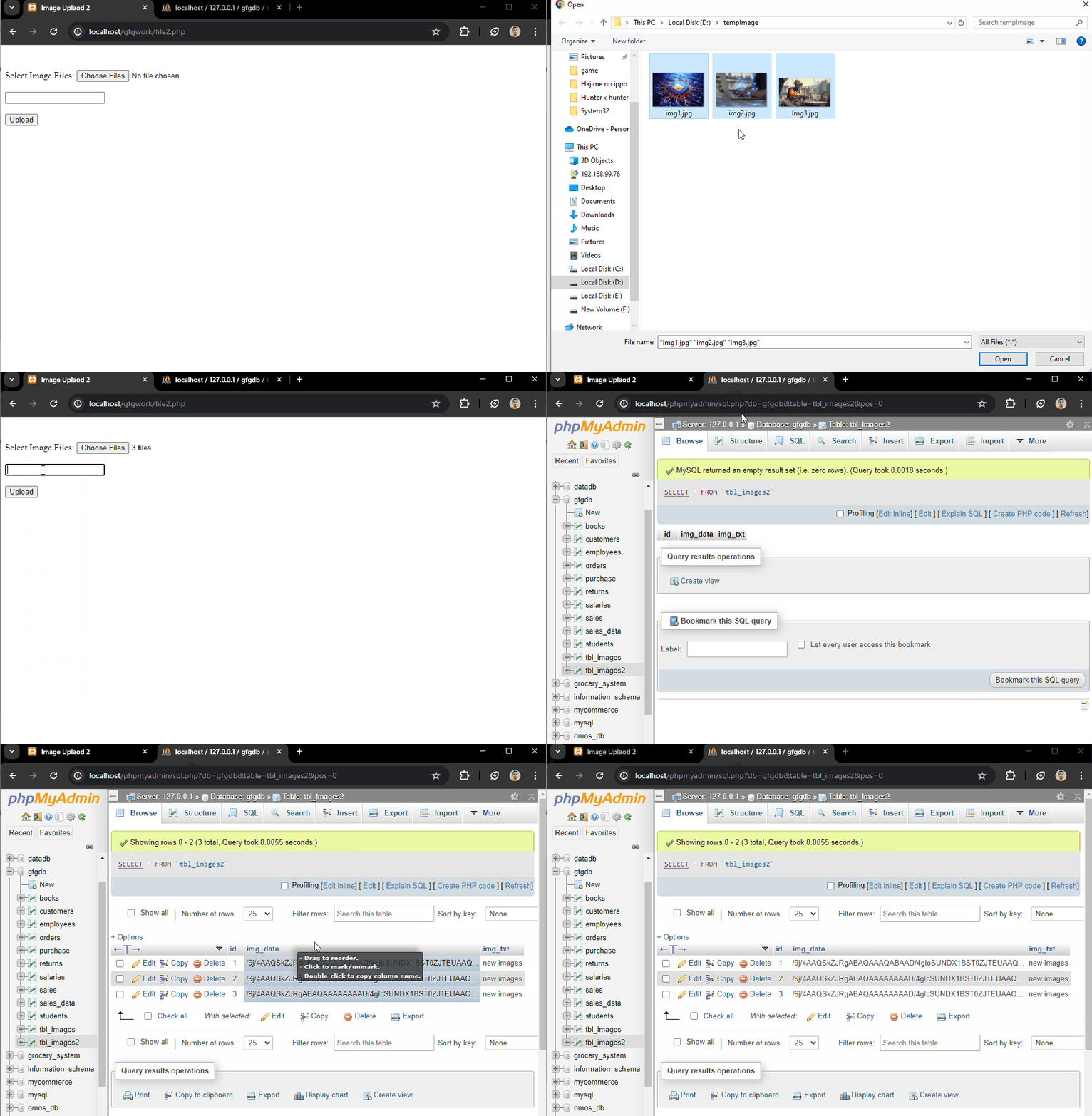
Another way is base64 encoding, images are converted to a string format and stored directly in the database. This approach simplifies file management but may increase database size and retrieval time.
<form action="file1.php" method="post" enctype="multipart/form-data">
 <input type="file" name="images[]" multiple>
 <input type="text" name="text_data">
 <input type="submit" name="submit" value="Upload">
</form>
foreach ($_FILES['images']['tmp_name'] as $key => $tmp_name) {
 $imageData = base64_encode(file_get_contents($tmp_name));
 $stmt = $conn->prepare("INSERT INTO tbl_images2 (img_data, img_txt) VALUES (?, ?)");
}
CREATE TABLE tbl_images2 (
 id INT AUTO_INCREMENT PRIMARY KEY,
 img_data MEDIUMTEXT NOT NULL,
 img_txt TEXT NOT NULL
);
Example:
Output: