|
VOOZH | about |
|
VOOZH | about |
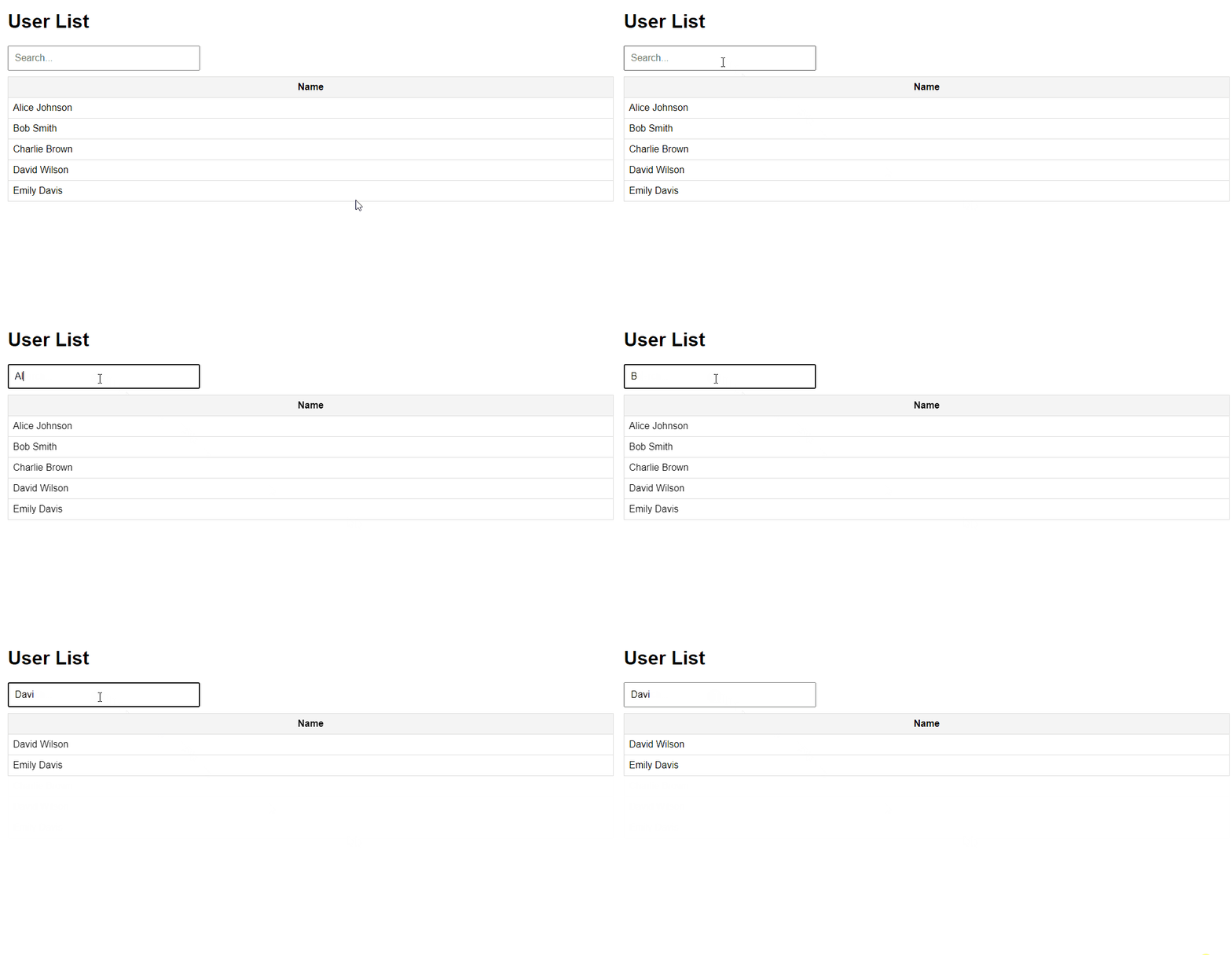
AJAX (Asynchronous JavaScript and XML) is a technique used to create dynamic web applications. It allows web pages to be updated asynchronously by exchanging data with a web server behind the scenes. This means that web pages can be updated without requiring a full page reload. AJAX Live Search is a feature that provides real-time search results as users type in a search box. This improves user experience by allowing instant feedback and suggestions. The following steps will guide you through implementing an AJAX live search using PHP and MySQL
Create a new MySQL database named test_db to store your data.
CREATE DATABASE test_db; Within the test_db database, create a table named users to hold user names.
USE test_db;

CREATE TABLE users (
 id INT(11) AUTO_INCREMENT PRIMARY KEY,
 user_name VARCHAR(255) NOT NULL
);
Add sample data to the users table for testing purposes.
INSERT INTO users (user_name) VALUES ('Alice Johnson');
INSERT INTO users (user_name) VALUES ('Bob Smith');
INSERT INTO users (user_name) VALUES ('Charlie Brown');
INSERT INTO users (user_name) VALUES ('David Wilson');
INSERT INTO users (user_name) VALUES ('Emily Davis');
Create the necessary files for your project. The file structure will look like this:
Note: Place the live-search directory in the htdocs folder of XAMPP or the equivalent directory for your local server.
This HTML file includes a search input and a table to display the results. It uses jQuery to handle the search functionality. Initially, all records are loaded into the table, and as the user types in the search box, AJAX requests fetch matching results from the server.
This PHP script handles the AJAX requests and retrieves data from the MySQL database based on the search query. This PHP script connects to the MySQL database, retrieves records based on the search query, and returns the results as HTML table rows. If no search query is provided, it returns all records.
This file provides basic styling for the HTML table and search input. The CSS file styles the search input and table to improve readability and aesthetics.
Output: