Laravel is an
MVC based PHP framework. In MVC architecture, ‘
M’ stands for ‘
Model’. A
Model is basically a way for querying data to and from the table in the database. Laravel provides a simple way to do that using
Eloquent ORM (Object-Relational Mapping). Every table has a
Model to interact with the table.
Create a Model: To create an
Eloquent Model, Laravel provides an Artisan Command as follows:
php artisan make:model Article
After running the command above, a file is created with the name
Article.php in the
app directory. The file content looks as follows:
Retrieve Data: To retrieve data from the database, we can use two methods as described below:
- Here, the all() method will return all the data in the table in the form of an array and store it in the $articles variable.
public function index() {

 $articles = \App\Article::all();

 return view('gfg')->with('articles', $articles);

}
- We can also get a particular record by using ‘where()’ as shown below:
public function index() {

 $articles = \App\Article::all()->where('id', 1);

 return view('gfg')->with('articles', $articles);

}
Insert Data: To insert data in the database, we will use
save() method as shown below:
Update Data: To update data in the database, we will again use
save() method as shown below:
Delete Data: To delete data in the database, we will use
delete() method as shown below:
Below example illustrates each of them:
Example:
- Create and Connect to a MySQL Database.
- Create a migration using the following Artisan command:
php artisan make:migration create_articles_table
And then write the below code in the up() function in the migration file created at database/migrations directory.
Schema::create('articles', function (Blueprint $table) {
 $table->bigIncrements('id');
 $table->string('topic');
 $table->string('content');
 $table->timestamps();
});
- Now run the migrate command to create migrations:
php artisan migrate
- Now create a model using the below Artisan command:
php artisan make:model Article
The Article.php file, which is created in the app directory, should look like as follows:
- Now create a controller using the below Artisan command:
php artisan make:controller ArticleController
The ArticleController.php file, which is created in the app/Http/Controllers directory, should look like as follows:
- Now, you will have to change the controller file as below code or copy the code below and paste it in that controller file which was created in the previous step.
- Now, create a view with the name ‘gfg.blade.php’ in the ‘resources/views’ directory and the below code in that file.
- Now, create the routes by writing the following in the web.php file in the routes directory.
Note: Comment or remove any previous routes from the file.
Route::get('/', 'ArticleController@index');

Route::get('/insert', 'ArticleController@insert');

Route::get('/update', 'ArticleController@update');

Route::get('/delete', 'ArticleController@delete');
- Now run the Laravel app using the following Artisan command:
php artisan serve
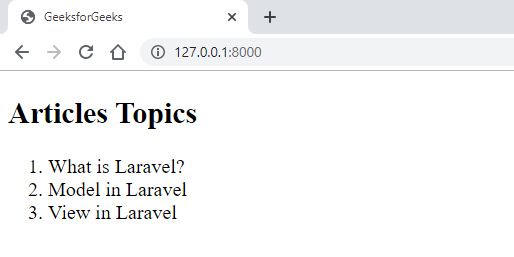
Output:
- For Index Function:
👁 Image
- For Insert Function:
👁 Image
👁 Image
- For Update Function:
👁 Image
👁 Image
- For Delete Function:
👁 Image
👁 Image
Reference: https://laravel.com/docs/6.x/eloquent