|
VOOZH | about |
|
VOOZH | about |
In WordPress, maintaining your website's security and efficiency is crucial. That's where BlogVault, a powerful Backup Plugin, comes into play. Known for its reliable Backups, seamless Migration capabilities, and convenient Staging environment, BlogVault stands out as a comprehensive solution for website management. BlogVault is a backup plugin by which you can easily backup your WordPress website and also provides some more features such as free cloud storage backup and also comes with free staging environment features. A staging environment means that if you make any changes to your website then it can not directly get applied to your website but you can test it on the BlogVault plugin.
This article explains the basics of BlogVault and how to install the plugin in simple steps. If you want to protect your website, make updates easy, or move your site without hassle, BlogVault makes these tasks simple and stress-free.
Choosing the BlogVault WordPress backup plugin can be a wise decision for several reasons:
Let's see how we can install the BlogVault plugin to our WordPress website step by step:
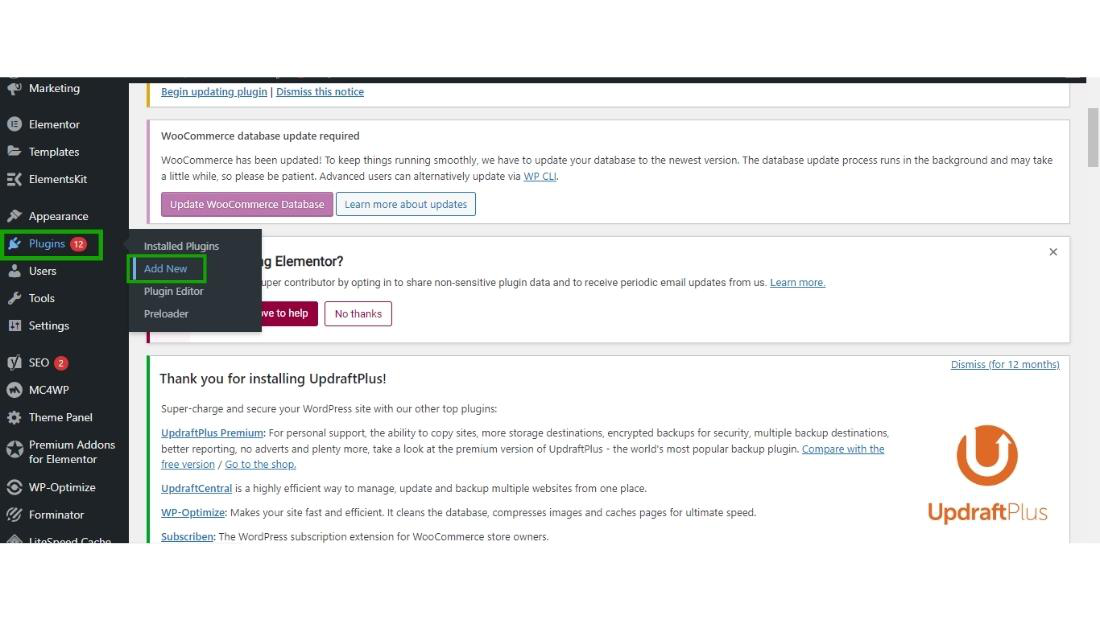
👁 BlogVault plugin in WordPressStep 1: For installing BlogVault hover over the plugin section and click Add New.
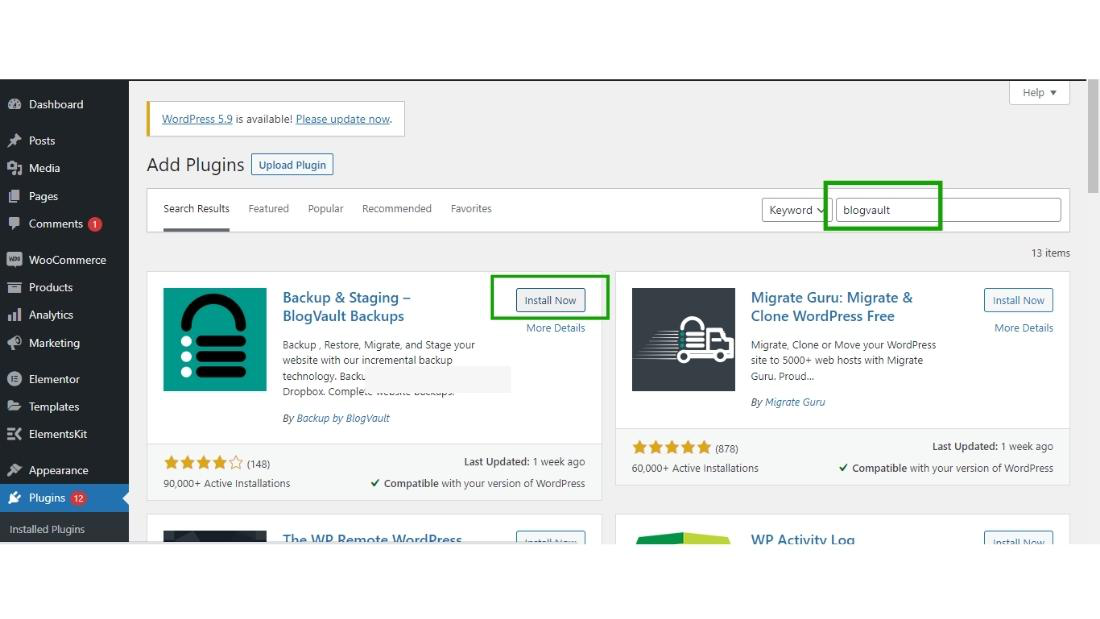
👁 BlogVault plugin in WordPressStep 2: Search for the BlogVault in the search box and click on Install Now.
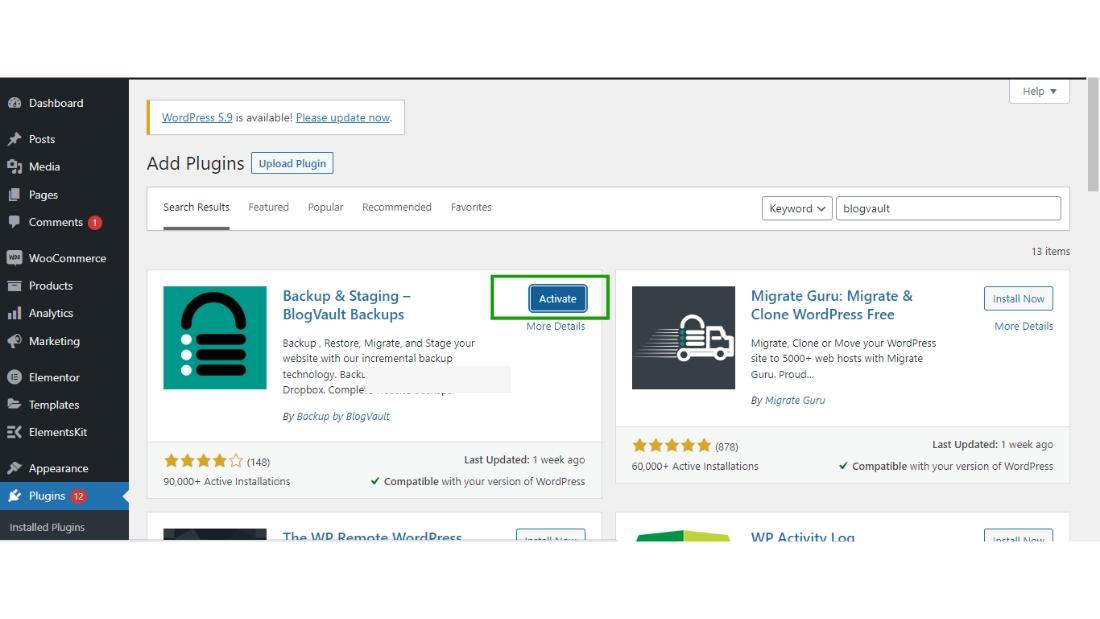
👁 BlogVault plugin in WordPressStep 3: After installing click on activate button.
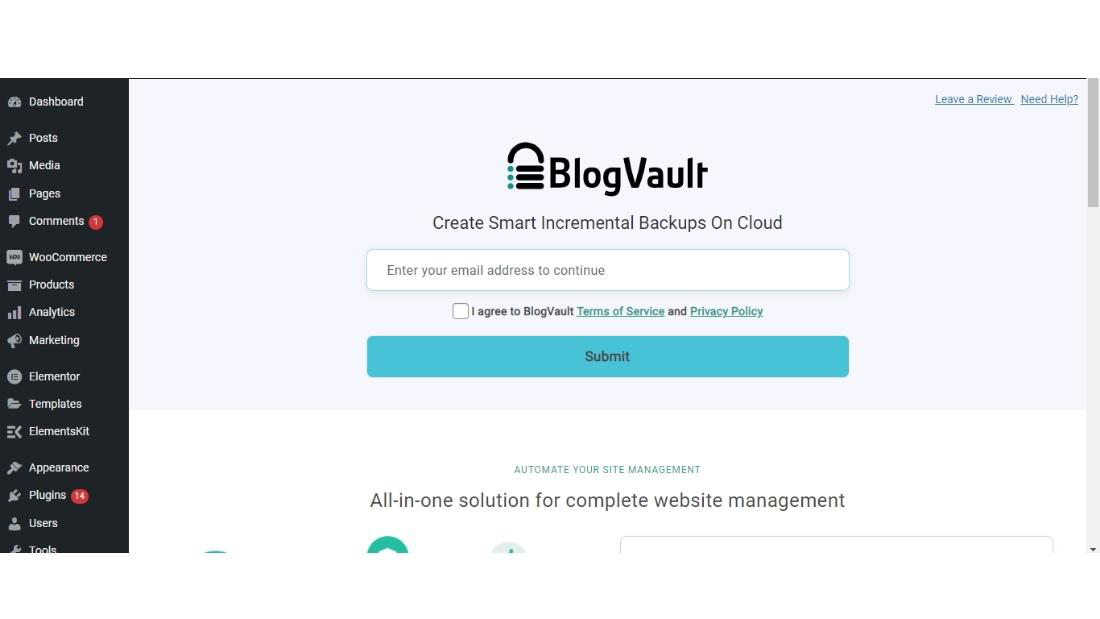
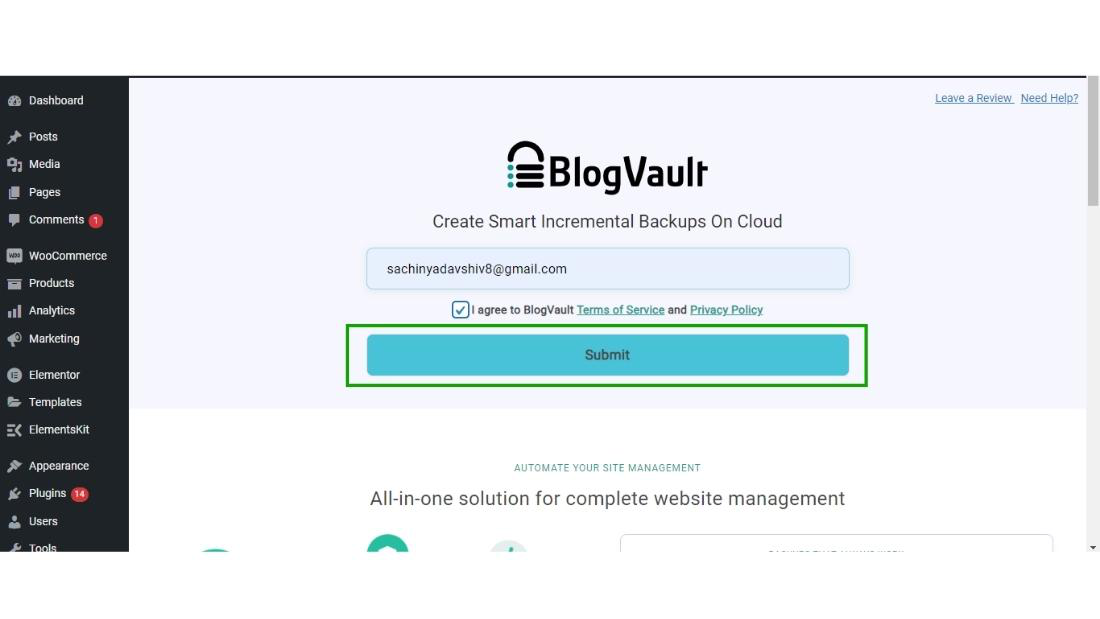
👁 BlogVault plugin in WordPressStep 4: After the Activation of the BlogVault plugin, the BlogVault wizard will appear on the screen you can continue by entering your email.
Enter your email and then click on the submit button.
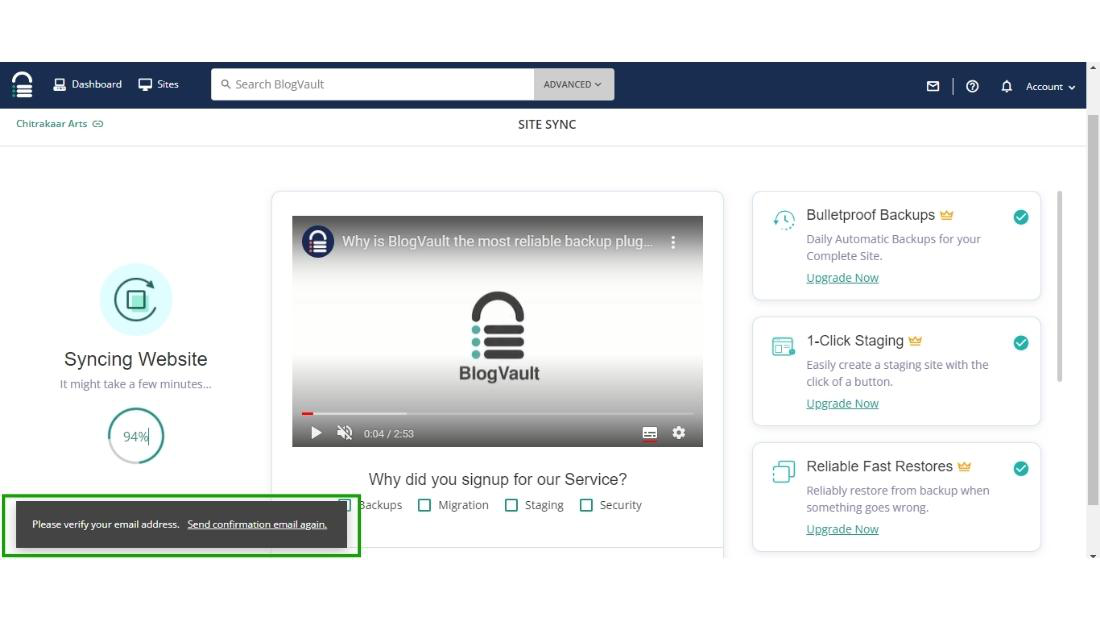
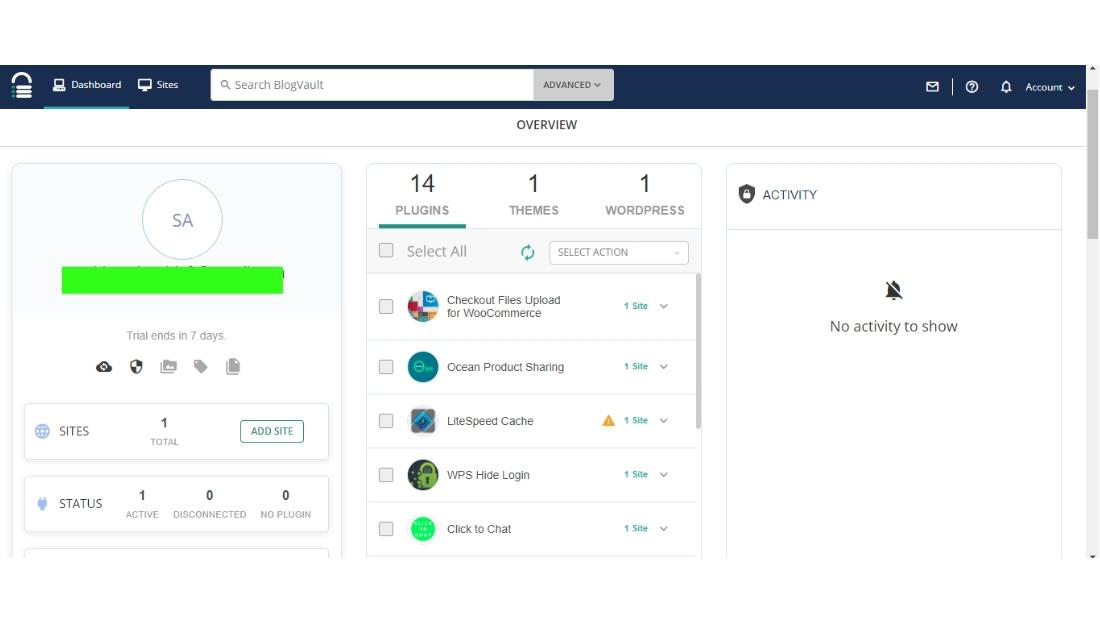
👁 BlogVault plugin in WordPress👁 BlogVault plugin in WordPressStep 5: Now the BlogVault dashboard will appear on the screen and the BlogVault sends you the email for the verification of your email address after the verification of your email your website will be added successfully.
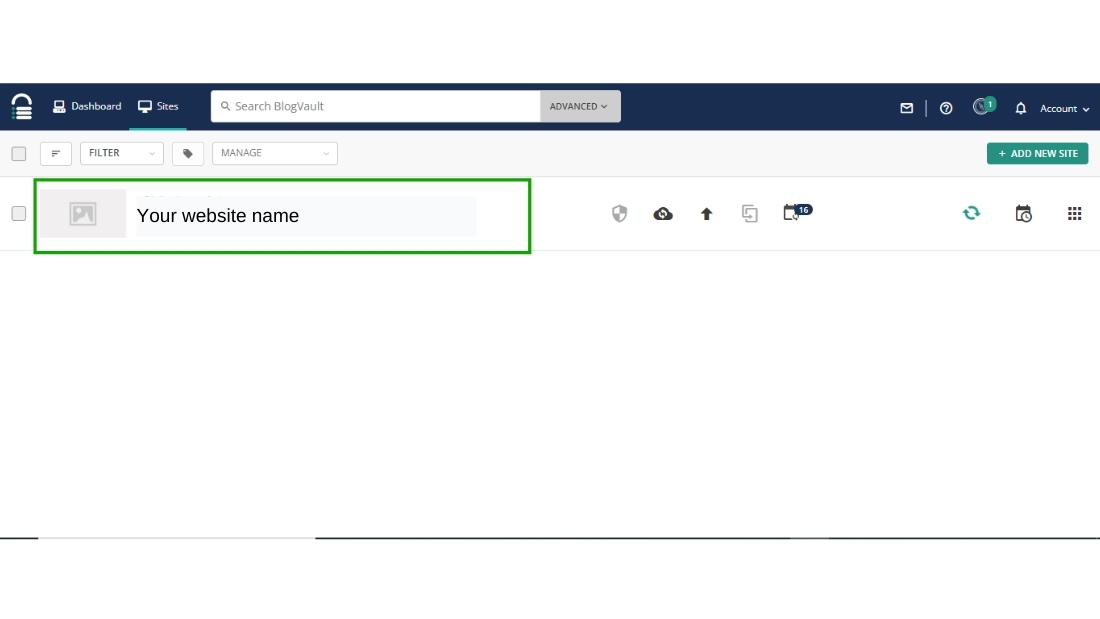
After verification of your email address, your website will start appearing in the BlogVault dashboard.
👁 BlogVault plugin in WordPressThat is how you can successfully configure your WordPress website with the BlogVault plugin and manage your website with BlogVault.
👁 BlogVault plugin in WordPressIn conclusion, the BlogVault plugin for WordPress is an essential tool for anyone looking to maintain a secure and efficient website. Its reliable Backup Plugin feature ensures your site’s data is always safe. The seamless Migration capability makes moving your site to a new host easy and stress-free. With the Staging environment, you can test changes and updates before going live, ensuring your site remains stable and user-friendly. By providing strong Backups, BlogVault gives you peace of mind, knowing your website is well-protected and efficiently managed. If you're serious about your WordPress site, BlogVault is a must-have tool.