React Router Hooks simplify navigation and route management in React applications by enabling routing features directly inside functional components.
Provide access to navigation, route parameters, and location without class components.
Remove the need for higher-order components (HOCs).
Enable cleaner and modern routing logic using functional programming.
Routing
Routing is the process of defining and managing navigation in an application so users can move between different views, pages, or sections within the app.
Displays different components based on the URL.
Enables seamless navigation without full page reloads.
Types of Routing Hooks
These are 4 React Router Hooks in v5 that you can use in your React applications:
1. useNavigate Hook
The useNavigate hook replaces the useHistory hook from React Router v5 for programmatic navigation. It provides a navigate function, which let's you navigate to different routes in your application.
Syntax:
import { useNavigate } from "react-router-dom";
const navigate = useNavigate();
It provides the following functionalities:
Basic Navigation: Navigate to a specific route (navigate('/path')).
State: Pass state along with the navigation (navigate('/path', { state: { user: 1 } })).
Replace: Replace the current entry in the history stack (navigate('/path', { replace: true })).
Relative Navigation: Navigate relative to the current route (navigate('../next')).
History Control: Go back (navigate(-1)) or go forward (navigate(1)) in the navigation stack.
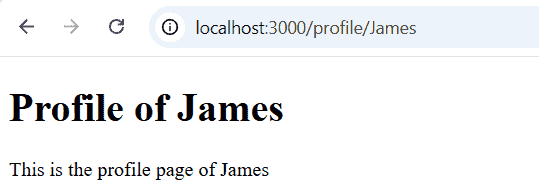
App.js defines a dynamic route: /profile/:userName.
When the user goes to /profile/John, the Profile component loads.
In Profile.js, useParams() gets userName from the URL.
3. useLocation Hook
The useLocation hook is provided by React Router and is used to access information about the current URL in your app. It is especially useful when you want your component’s behavior or content to change depending on the current route, query parameters, or URL hash.
Syntax:
import { useLocation } from "react-router-dom";
export default function SomeComponent(props){
 const location = useLocation();
}
Note: history.location also represents the current location, but it is mutable, on the other hand, the location returned by useLocation() is immutable. So, if you want to use the location instance, it is recommended to use the useLocation() hook.
Extracts query parameters (e.g., ?id=12454812) using URLSearchParams.
searchParams.get("id") returns the value of the id parameter.
If the URL is /profile/John?id=12454812, it displays: 12454812 on the page.
4. useMatch Hook
The useMatch hook is a part of React Router v6 and is used to match the current URL to a given pattern. It provides a simpler and more flexible way to match routes compared to previous versions.
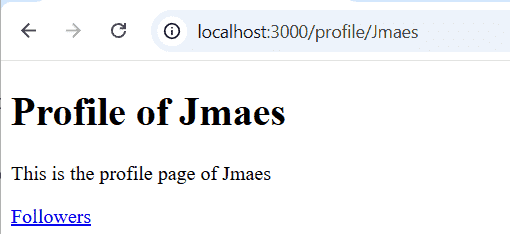
If you click the follower's link, you will be redirected to the "/profile/John/followers" page, and as the entire URL path "profile/John/followers" does not match the given Route path i.e. "profile/;userName", so the div element inside the Route component gets rendered.
useParams() gets the userName from the URL (/profile/:userName).
useMatch() checks if the current URL matches /profile/:userName.
If matched, it shows the profile page with the user’s name and a "Followers" link.
Clicking the link navigates to /profile/{userName}/followers, displaying the followers section.
Reason to use React Router Hooks
React Router Hooks (like useNavigate, useParams, useLocation, etc.) were introduced to give developers a simpler, cleaner, and more powerful way to handle routing inside functional components.
Enabling Navigation in Functional Components: Hooks like useNavigate allow routing directly inside functional components without needing class-based components.
Cleaner Code: They reduce the need for extra code like higher-order components (e.g., withRouter), making your code more readable and concise.
Easy Access to URL Data: Hooks like useParams and useLocation allow easy access to dynamic URL parameters and current location info, improving flexibility.
Programmatic Navigation: useNavigate enables navigation based on conditions, such as after form submissions, improving user experience.
Better Integration with React: They work seamlessly with React's functional programming style, making the code more consistent and modern