|
VOOZH | about |
|
VOOZH | about |
In this article, we shall see how to deal with characters and Strings in MATLAB. A data type is an attribute/keyword that specifies the type of data that the object can hold: numeric data or text data. By default, MATLAB stores all numeric variables as double-precision floating-point values. Additional data types store text, integer or single-precision values, or a combination of related data in a single variable.
The text data is stored in a character array and String array. We shall the use case of both character and string in MATLAB:
Just like in C/C++/Java, a character is a data type that stores single character data within single quotes. In Matlab, you store the entire text within single quotes and it will be treated as a character.
Example 1:
Output:
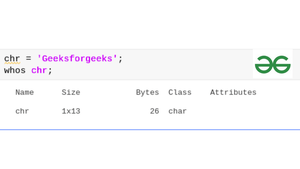
The text 'Geeksforgeeks' is 13 characters long, and chr stores it as a 1-by-13 character vector. As in the above image you can notice that the chr variable belongs to the Char class i.e., character.
If the text includes single quotes, use two single quotes within the definition.
Example 2:
Output:
chr = 'Geeksforgeeks is hosting, ''Geeks Premier League'' for all its writers.'
Example 3:
Output:
ans='Geeks'
Example 4:
Output:
ans='G'
Example 5:
Output:
contest = 'GeeksPremier League 2022'
Example 6:
Output:
contest = 'GeeksPremier League'
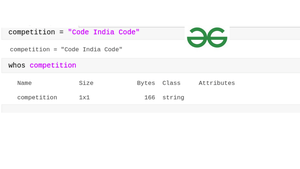
String arrays provide a set of functions for working with text as data, i.e., it is a sequence of characters that is enclosed within double-quotes.
Example 7:
Output:
Example 8:
Output:
num=20
Example 9:
Output:
str = 0
0 because it is false, the entered value is in Character(enclosed within single quotes).
Example 10:
Output:
1
Example 11:
Output:
"Before: Coding is tough"
"After:Coding is easy"
Output:
Example 12:
Output:
str= "nuf si baltaM"
Note: Comparing is case-sensitive.
Example 13:
Output:
0
Example 14:
Output:
1