Create Excel files in Xamarin
GemBox.Spreadsheet is a standalone .NET component with cross-platform support. You can use it on non-Windows platforms like Xamarin and Mono, enabling you to run it on Android and iOS mobile devices.
With GemBox.Spreadsheet you can process your workbooks (read, write, convert, and edit Excel files) from the native mobile apps.
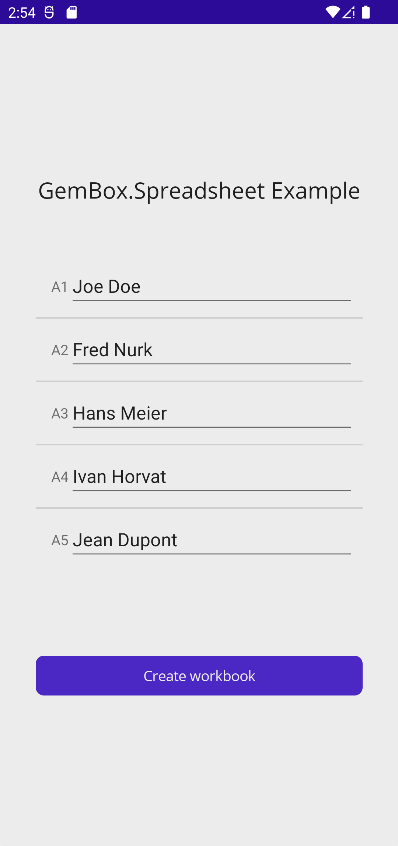
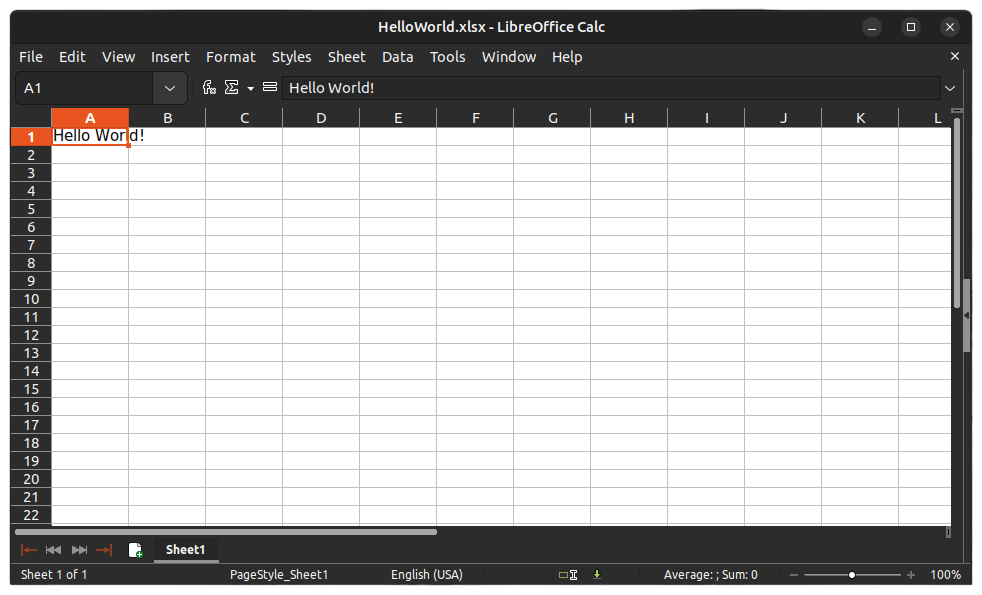
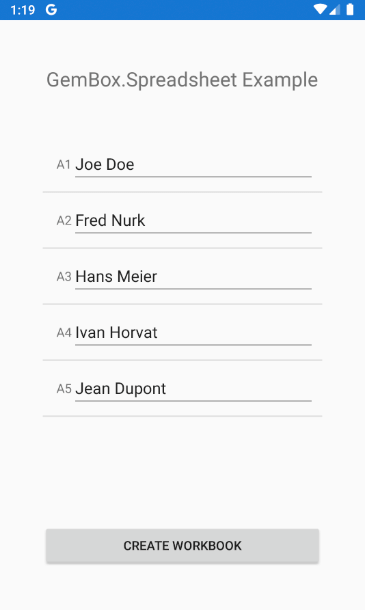
The following example shows how you can create an Excel file in Xamarin.Forms mobile application using GemBox.Spreadsheet.
<ContentPage xmlns="http://xamarin.com/schemas/2014/forms"
 xmlns:x="http://schemas.microsoft.com/winfx/2009/xaml"
 xmlns:d="http://xamarin.com/schemas/2014/forms/design"
 xmlns:mc="http://schemas.openxmlformats.org/markup-compatibility/2006"
 mc:Ignorable="d"
 x:Class="MainPage">

 <StackLayout Padding="50"
 Spacing="20" >

 <Label Text="GemBox.Spreadsheet Example"
 HorizontalOptions="Center"
 FontSize="Large"
 Margin="0,0,0,30" />

 <TableView x:Name="table"
 Intent="Data" >
 <TableRoot>
 <TableSection>
 <EntryCell Label="A1"
 Text="Joe Doe" />

 <EntryCell Label="A2"
 Text="Fred Nurk" />

 <EntryCell Label="A3"
 Text="Hans Meier" />

 <EntryCell Label="A4"
 Text="Ivan Horvat" />

 <EntryCell Label="A5"
 Text="Jean Dupont" />
 </TableSection>
 </TableRoot>
 </TableView>

 <ActivityIndicator x:Name="activity" />

 <Button x:Name="button"
 Text="Create workbook"
 Clicked="Button_Clicked"/>

 </StackLayout>
</ContentPage>
using GemBox.Spreadsheet;
using System;
using System.ComponentModel;
using System.IO;
using System.Linq;
using System.Threading.Tasks;
using Xamarin.Essentials;
using Xamarin.Forms;
public partial class MainPage : ContentPage
{
public MainPage()
{
SpreadsheetInfo.SetLicense("FREE-LIMITED-KEY");
InitializeComponent();
}
private string CreateWorkbook()
{
var workbook = new ExcelFile();
var worksheet = workbook.Worksheets.Add("Sheet1");
foreach (var cell in table.Root[0].Cast<EntryCell>())
worksheet.Cells[cell.Label].Value = cell.Text;
var filePath = Path.Combine(Environment.GetFolderPath(Environment.SpecialFolder.MyDocuments), "Example.xlsx");
workbook.Save(filePath);
return filePath;
}
private async void Button_Clicked(object sender, EventArgs e)
{
button.IsEnabled = false;
activity.IsRunning = true;
try
{
var filePath = await Task.Run(() => CreateWorkbook());
await Launcher.OpenAsync(new OpenFileRequest(Path.GetFileName(filePath), new ReadOnlyFile(filePath)));
}
catch (Exception ex)
{
await DisplayAlert("Error", ex.Message, "Close");
}
activity.IsRunning = false;
button.IsEnabled = true;
}
}
Imports GemBox.Spreadsheet
Imports System
Imports System.Linq
Imports System.Threading.Tasks
Imports Xamarin.Essentials
Imports Xamarin.Forms

Partial Public Class MainPage
 Inherits ContentPage

 Public Sub New()
 SpreadsheetInfo.SetLicense("FREE-LIMITED-KEY")
 InitializeComponent()
 End Sub

 Private Function CreateWorkbook() As String
 Dim workbook = New ExcelFile()
 Dim worksheet = workbook.Worksheets.Add("Sheet1")

 For Each cell In table.Root(0).Cast(Of EntryCell)()
 worksheet.Cells(cell.Label).Value = cell.Text
 Next

 Dim filePath = Path.Combine(Environment.GetFolderPath(Environment.SpecialFolder.MyDocuments), "Example.xlsx")

 workbook.Save(filePath)

 Return filePath
 End Function

 Private Async Sub Button_Clicked(sender As Object, e As EventArgs)
 button.IsEnabled = False
 activity.IsRunning = True

 Try
 Dim filePath = Await Task.Run(Function() CreateWorkbook())
 Await Launcher.OpenAsync(New OpenFileRequest(Path.GetFileName(filePath), New ReadOnlyFile(filePath)))
 Catch ex As Exception
 Await DisplayAlert("Error", ex.Message, "Close")
 End Try

 activity.IsRunning = False
 button.IsEnabled = True
 End Sub
End Class
Using full functionality of GemBox.Spreadsheet in Xamarin application requires adjustments explained in detail on Supported Platforms help page.