
The Slide Local integrationIntegrations connect and integrate Home Assistant with your devices, services, and more. [Learn more] allows you to integrate your Slide devices in Home Assistant using the local API.
Supported devices
The integration should work with all Slide covers (API version 1 and 2).
Prerequisites
Before you can use the integration, you have to make sure the slide is configured for the local API. By default, the Slide connects to the cloud API, but it is possible to use the local API, too (only one of them can be active). To switch between the cloud and local API, do the following:
Press the reset button 2x
LED flashes 5x fast: cloud API disabled, local API enabled LED flashes 2x slow: local API disabled, cloud API enabled

Configuration
To add the Slide Local device to your Home Assistant instance, use this My button:

Slide Local can be auto-discovered by Home Assistant. If an instance was found, it will be shown as Discovered. You can then set it up right away.
To set up the integration you need the following information:
Hostname or IP of the slide device.
The device code of your Slide (inside of your Slide or in the box, 8 characters). Only required for API 1, with API 2 you can fill in anything here.
Options
To define options for Slide Local, follow these steps:
-
In Home Assistant, go to Settings > Devices & services.
-
If multiple instances of Slide Local are configured, choose the instance you want to configure.
-
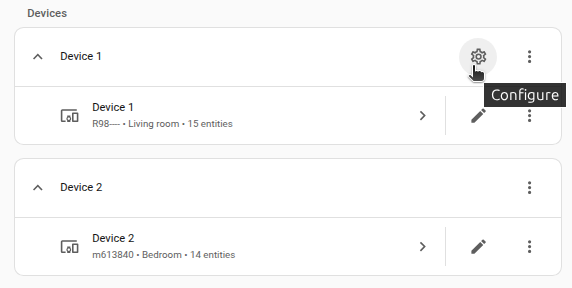
On the card, select the cogwheel .
- If the card does not have a cogwheel, the integration does not support options for this device.
-
Edit the options, then select Submit to save the changes.
Check the box, if your cover uses inverted positions for open and closed.
Supported functionality
Cover
Your slide device will appear as cover.
Button
You can start the calibration sequence for your slide by pushing on the Calibration button.
Switch
You can enable/disable the Touch&Go functionality (open/close cover by a short pull on the cover) by using the TouchGo switch.
Data updates
The integration fetches data from the device every 15 seconds.
Known limitations
The integration only provides connection with Slide devices via the local API. The cloud API is no longer available.
Removing the integration
This integration can be removed by following these steps:
To remove an integration instance from Home Assistant
- Go to Settings > Devices & services and select the integration card.
- From the list of devices, select the integration instance you want to remove.
- Next to the entry, select the three dots menu. Then, select Delete.