
How To
Summary
This document provides instructions to update the HMC Version 9 Release 2 with the latest fixes.
Environment
Steps
Troubleshooting
Resolving The Problem
This document provides instructions for updating HMC Version 9.2.950 with the latest fixes for 9.2.950.
________________________________________________________________________________________________________________________
HMC V9R2M950 Fix Support ended April 30, 2023
For upgrade options see IBM support document Recommended Fixes - HMC Code Upgrades at: https://www.ibm.com/support/pages/node/667847
________________________________________________________________________________________________________________________
1. Verify the HMC is at Version 9 Release 2.950
If the HMC is not at 9.2.950, you must first upgrade to 9.2.950. To upgrade the HMC to Version 9.2.950, refer to document - Model 7063 and vHMC for PowerVM: Upgrading the HMC from Version V9R1 to V9R2M950
https://www.ibm.com/support/pages/model-7063-and-vhmc-powervm-upgrading-hmc-version-v9r1-v9r2m950
Or vHMC on x86: Upgrading the HMC from Version V9R1 to V9R2M950
https://www.ibm.com/support/pages/node/6372280
Or HMC Model 7042-CR9 "ONLY": Upgrading the HMC from V9R1M942 or Later to V9R2M950
https://www.ibm.com/support/pages/node/6437029
2. Determine the type of HMC (x86 versus ppc)
Determine which PTF download is needed based on the HMC model or vHMC component.
x86 This term is used to reference HMCs running on vHMC hosted by x86, Intel, AMD hardware and hypervisors (KVM, VMWare, Xen) and the 7042-CR9 Machine type.
ppc Term is used to reference HMCs running on 7063 type or vHMC hosted by Power servers.
| * 7063 Firmware updates can be found in fix central at |
If the HMC has not been restarted recently, restart before you begin the updates. To check the last reboot use the command who -b. To restart the HMC, click HMC Management > Console Management > Shut Down or restart the Management Console > restart HMC then click OK
.iso images: Instructions for downloading the fixes and installing them from USB media
Network: Instructions for installing the fixes directly from the IBM FTP site (or alternately a local FTP server).
Tab navigation
- .iso images - selected tab,
- Network
.iso images
|
Instructions for downloading the fixes and installing them from USB media
Download Service Pack- Fix Central :7063 or vHMC on ppc (MH01934 HMC V9 R2.953.0 Service Pack): HMC_Update_V9R2M953_ppc.iso Download iFix- (This fix is under service pack V9R2M953, +Show Patched By) Fix Central :7042-CR9 or vHMC on x86 (MH01958 HMC V9 R2.953.5 iFix): MH01958_x86.iso Fix Central :7063 or vHMC on ppc (MH01959 HMC V9 R2.953.5 iFix): MH01959_ppc.iso Step 2: Copy the fixes to USB media. a) Copy one or more iso files to media. (USB 8GB or larger)
|

Network
|
The HMC can no longer be updated directly from public.dhe.ibm.com. HMC network update is supported from Fix Central using SFTP option or by staging the updates on a local server.
|
||
| Instructions for installing Corrective Service fixes from the IBM SFTP site or a local network server This section describes installing the fixes from a network server or direct from the IBM SFTP site.
|

| 2. | Install iFix To install iFix MH01958_x86.iso/MH01959_ppc.iso from command line and perform the required reboot, use one of the following commands: 7042-CR9 or vHMC on x86: updhmc -t sftp -h delivery04.dhe.ibm.com -u {User given} -p {Password given} -r -f MH01958_x86.iso 7063 or vHMC on ppc: updhmc -t sftp -h delivery04.dhe.ibm.com -u {User given} -p {Password given} -r -f MH01959_ppc.iso To install by using the GUI, do the following: a. In the navigation bar area, click HMC Management > Console Management b. In the Console Management panel, click the Update the Hardware Management Console button. The "HMC Install Corrective Service Wizard" panel is displayed. c. On the Current HMC Driver Information panel, click Next. d. On the Select Service Repository panel, click Remote Server, then click Next. e. On the Installation and Configuration Options panel: (If using a local FTP server, modify the entries for your local FTP server) Remote server type: SFTP Remote Server: delivery04.dhe.ibm.com
User ID: {User given}
Password: {Password given}
Remote directory:
Click Next.
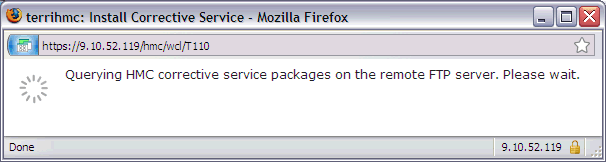
f. Wait while a list of available updates is retrieved. 👁 Wait while a list of available updates is retrieved g. On the Select Service Package panel, scroll down to MH01958_x86.iso or MH01959_ppc.iso, click to select, and click Next.
Tip: You can use your browser's find feature (Ctrl+f on the HMC) to search for the package. h. On the Confirm Service Installation panel, click Finish. The HMC interface retrieves the update package from the FTP site and begins the installation process. Note: The file is placed temporarily in the directory /dump/efix. To monitor progress of the download portion of the update, open a restricted shell session and type the following command: while true; do ls -l /dump/efix ; sleep 30; done (Use ctl+c to end it). This command displays file size every 30 seconds to monitor download progress. The total size is available in the readme file. i. The HMC Install Corrective Service Progress panel indicates "Corrective Service installation was successful". Click OK. j. Restart the HMC after the installation of the update completes. The restart ensures all changes are available immediately. To restart immediately, click Yes. It is mandatory that you restart the HMC after each update. Note: The HMC reboot can take several minutes longer than normal as some parts of the fix are applied during the reboot. k. At the Hardware Management Console log-in prompt, log in using your user ID and password.
|
Verifying a Successful Update
After the HMC was restarted, do the following to verify that the HMC upgrade was successful:
| 1. |
In the top right of the page, click the menu Help > About...
|
| 2. | Point your mouse over the Version link on the Content panel to display the Version information. You see the following: |
|
Backup of HMC Data, and Requirements for Recovery of HMC
It is recommended that you perform a backup of the HMC. Record the current HMC version and fix information in the backup description field. Instructions for the HMC backup are provided at the following link:
https://www.ibm.com/docs/en/power9?topic=tasks-backup-management-console-data
Document Location
Worldwide
Was this topic helpful?
Document Information
Modified date:
26 May 2023
UID
ibm16378414