
Introduction
Git is distributed version control system and now-a-days, it is de facto version control system for number of open source and closed source software projects, including Eclipse. Git is amazing tool to use and has lot of flexibility.
Talking about flexibility, i was amazed by an interesting feature of git, that it allows you to edit and change previous commit messages.
There are basically two ways do it such as-
- Using amend switch
- Using rebase
Lets have a look at each of these.
Using amend switch
This is simple way to change commit message for your most recent commit. In this we make use of git commit with amend switch. Usage is shown as follows,
git commit –amend -m “new message”
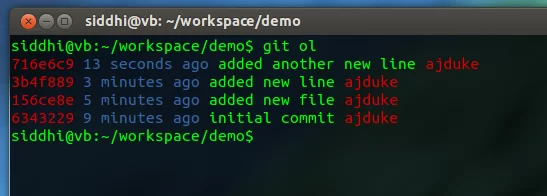
Note: i am using some of git aliases, such git ol displays the git commit log in proper format , you can browse for some aliases in my .gitconfig in my github repo
Consider the following commits in my repo.

It is same same commiting but with added amend switch, following shows actual usage:

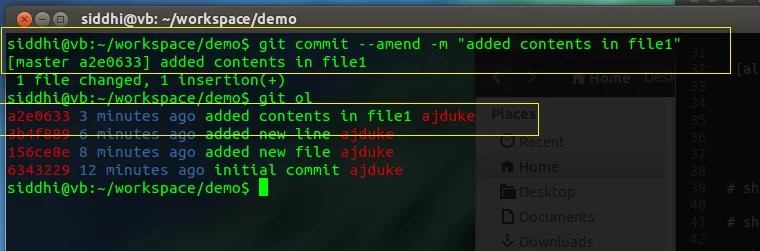
This is quick and nice way for editing your most recent commit message.
Using rebase
Whenever you want to change the multiple or more than one commit messages or one other than recent commit then this is a nice way of doing it. Although rebase is very powerful that can do lot of things. But for this article let’s focus on only editing the commit message.
We use following command for our purpose,
git rebase -i <sha1 of previous commit msg> or <relative-HEAD-pointer>
Consider git repo with few commits shown as follows

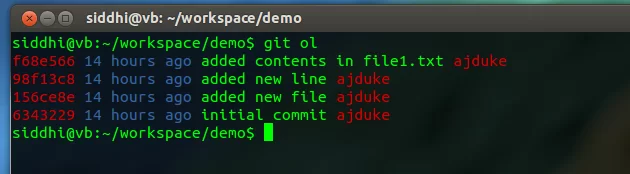
Above commit logs are shown in descending order in date-time order when it was committed, hence latest commit is top and least recent is below that and so on.
Suppose, you want to change the 2nd commit message (from bottom) then do it as follows-
As you want to change 2nd (156ce8e) commit log then we specify SHA1 of one prior to that , in our case 1st (6343229) commit log, for rebase command.

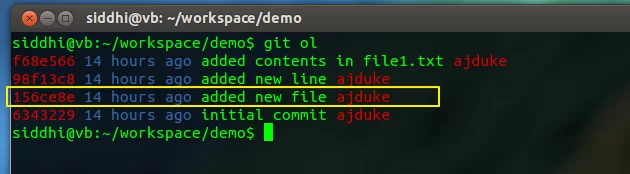
Following is command for doing it – Note, SHA1 hash

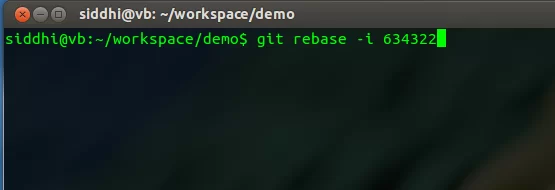
After you hit enter, you will see following rebase file for editing-

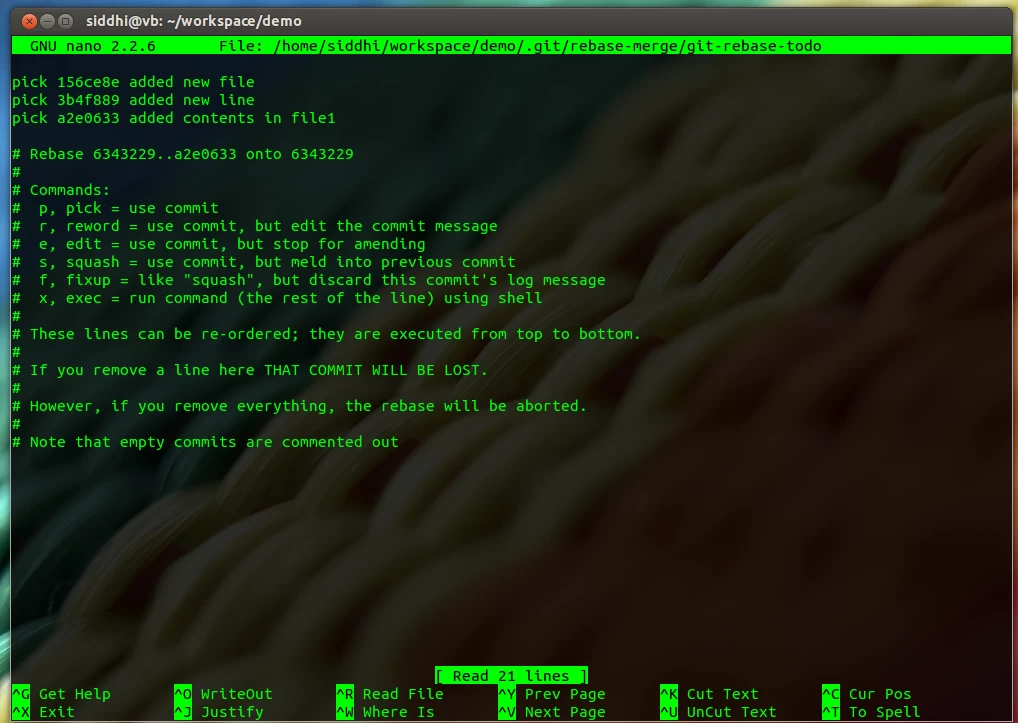
In above, focus on top of file which is important to us. It shows commits with some commands /markers at start.
Those are rebase command/markers for several purpose, but for our case we use ‘reword’ which solves our purpose.
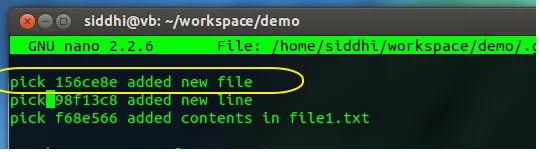
Go ahead and change marker of first line (which is our 2nd commit), ‘pick’ to either ‘r’ or ‘reword’ and retain others as it as shown in following


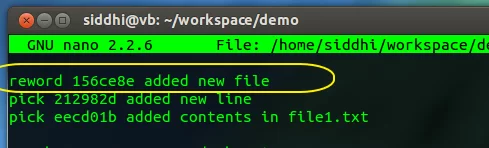
After this exit file editing by pressing Ctrl+X, (some other way depend on editor ) then immediately after you will see commit dialog box for new commit message. Enter new commit message and then exit.

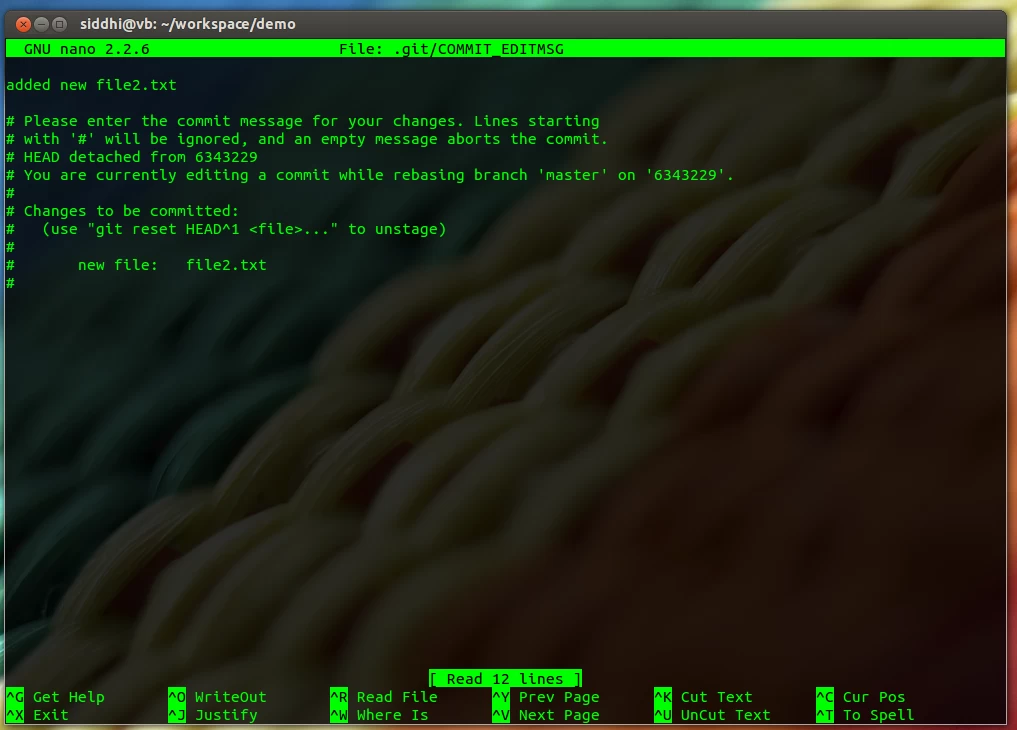
then we are done. after that you should see following

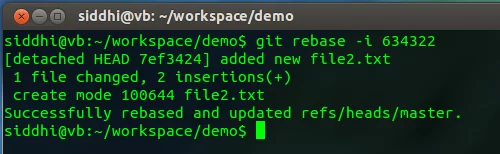
Check commit logs for new commit message

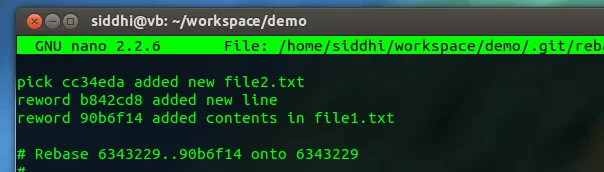
Above steps are for changing only one commit message but for editing, changing multiple, you can change marker of the other commits to ‘reword’ as per requirement and accordingly after that git will ask for entering new commit message box for each marked commit message and you are done
Thats all folks for this article.
Thank you!
We will contact you soon.
Abhijeet SutarFebruary 24th, 2014Last Updated: February 24th, 2014
This site uses Akismet to reduce spam. Learn how your comment data is processed.