
Active Directory Federation Services (ADFS)
Use ADFS as SAML identity provider for Kimai
Go back to general SAML configuration for Kimai.
SAML authentication with Microsoft ADFS has proven to work with the following configuration.
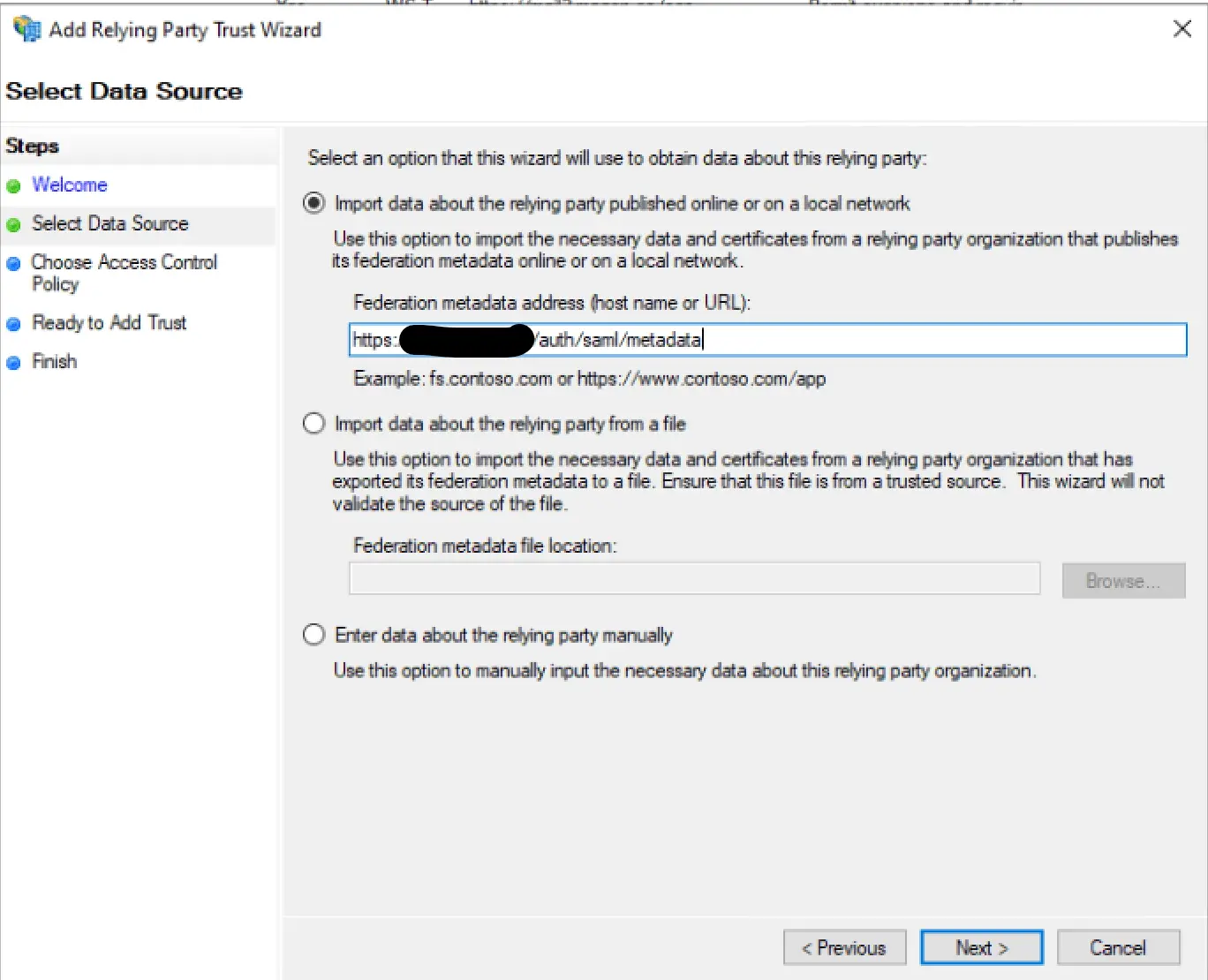
Setup the Kimai Config first and reload cache, once SAML is enabled the metadata.xml that’s autogenerated is used to configure the ADFS side.
Configure local.yaml
kimai:
 saml:
 provider: microsoft
 activate: true
 title: Login with ADFS
 mapping:
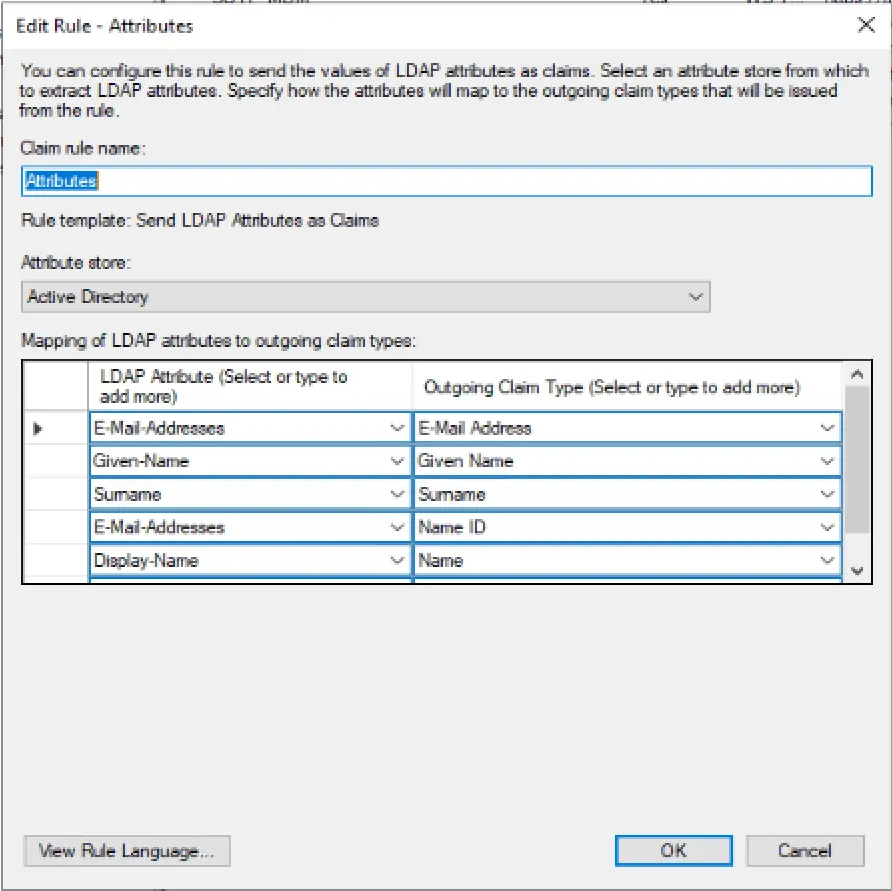
 - { saml: $http://schemas.xmlsoap.org/ws/2005/05/identity/claims/emailaddress, kimai: email }
 - { saml: $http://schemas.xmlsoap.org/ws/2005/05/identity/claims/givenname $http://schemas.xmlsoap.org/ws/2005/05/identity/claims/surname, kimai: alias }
 - { saml: $http://schemas.xmlsoap.org/ws/2005/05/identity/claims/name, kimai: title }
 roles:
 resetOnLogin: true
 attribute: $http://schemas.xmlsoap.org/claims/Group
 mapping:
 # Insert your role-mapping here (ROLE_USER is added automatically)
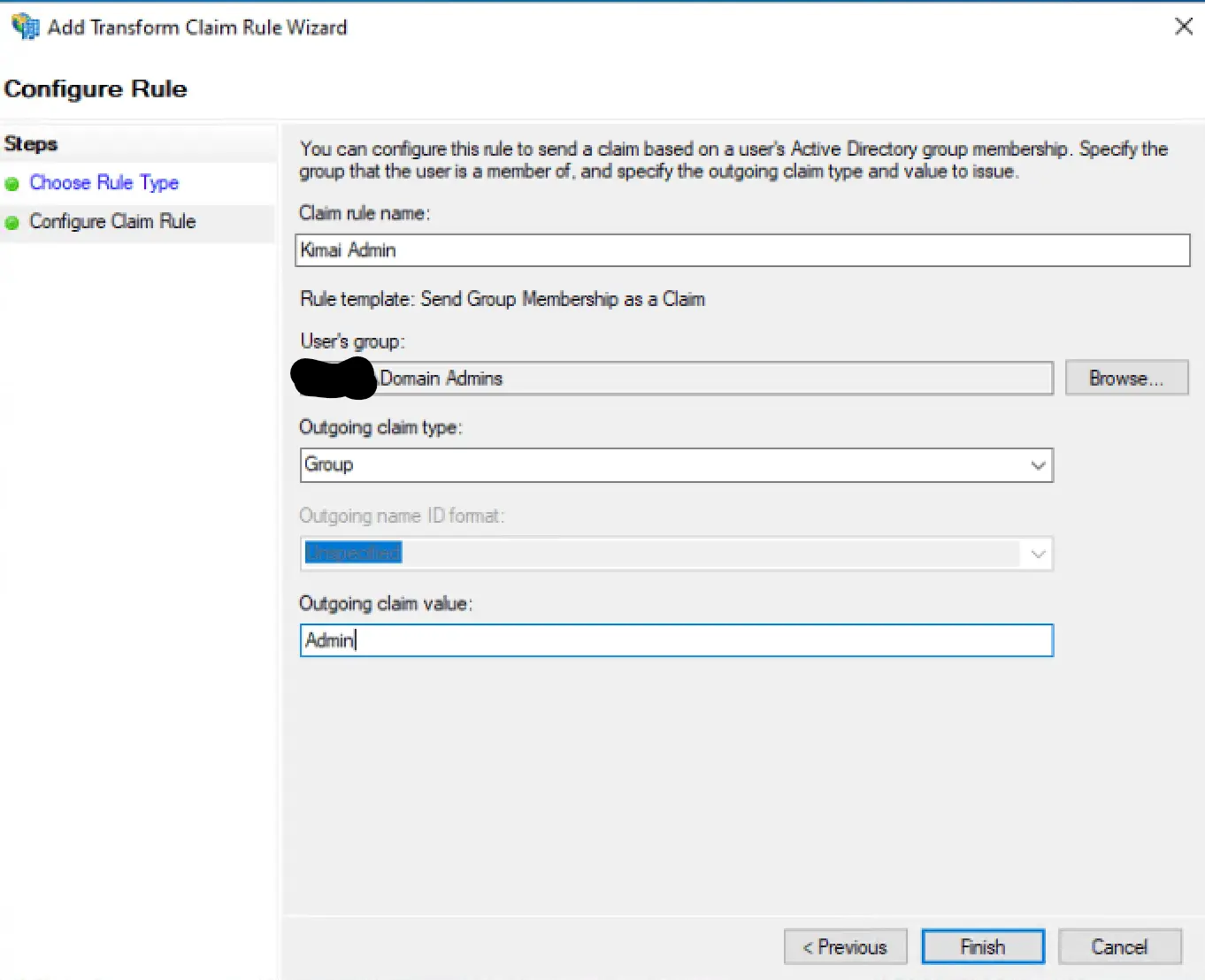
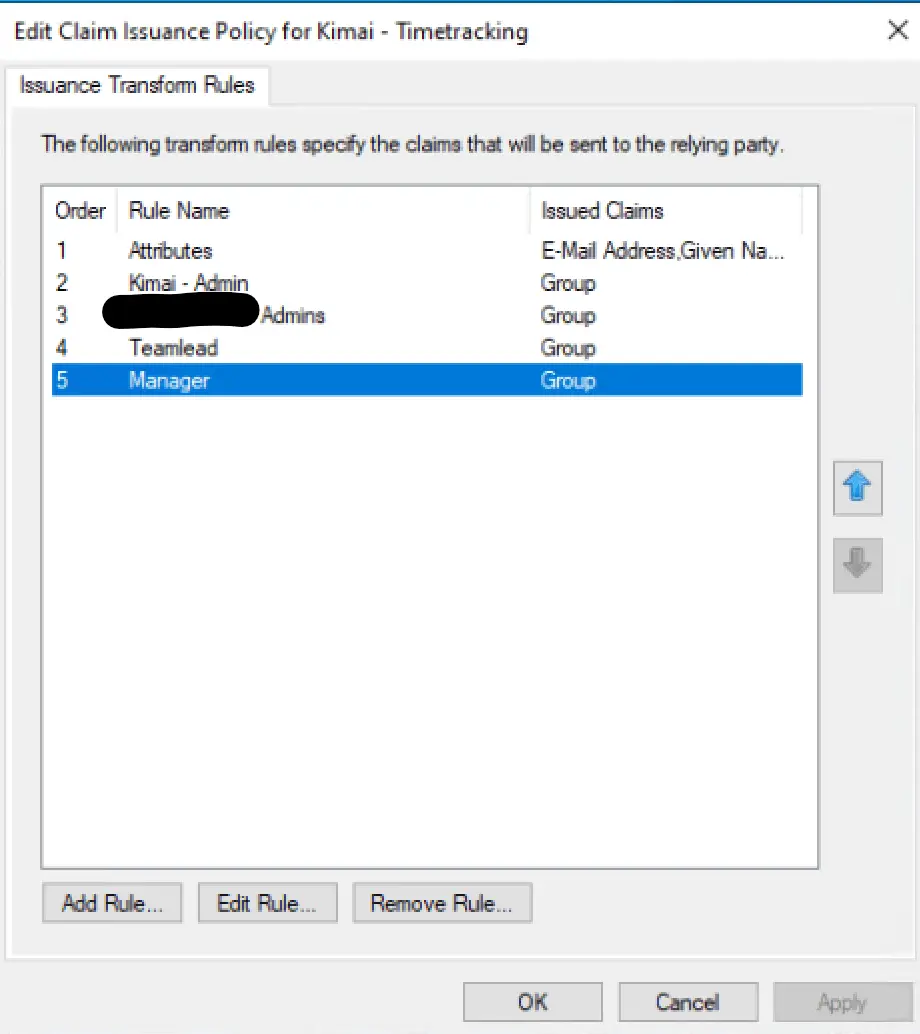
 - { saml: Admin, kimai: ROLE_SUPER_ADMIN }
 - { saml: Manager, kimai: ROLE_ADMIN }
 - { saml: Teamlead, kimai: ROLE_TEAMLEAD }
 connection:
 idp:
 entityId: 'https://adfs.com/adfs/services/trust'
 singleSignOnService:
 # binding: 'urn:oasis:names:tc:SAML:2.0:bindings:HTTP-Redirect'
 url: 'https://adfs.com/adfs/ls/'
 singleLogoutService:
 url: 'https://adfs.com/adfs/ls/?wa=wsignout1.0'
 # binding: 'urn:oasis:names:tc:SAML:2.0:bindings:HTTP-Redirect'
 x509cert: 'CERT'
 # Your Kimai: replace https://www.example.com with your base URL
 sp:
 entityId: 'https://timetracking.example.com/auth/saml/metadata'
 assertionConsumerService:
 url: 'https://timetracking.example.com/auth/saml/acs'
 # binding: 'urn:oasis:names:tc:SAML:2.0:bindings:HTTP-POST'
 singleLogoutService:
 url: 'https://timetracking.example.com/auth/saml/logout'
 # binding: 'urn:oasis:names:tc:SAML:2.0:bindings:HTTP-Redirect'
 privateKey: ''
 # only set baseurl, if auto-detection doesn't work
 baseurl: 'https://timetracking.example.com/auth/saml/'
 strict: false
 debug: true
 security:
 nameIdEncrypted: true
 authnRequestsSigned: false
 logoutRequestSigned: false
 logoutResponseSigned: false
 wantMessagesSigned: false
 wantAssertionsSigned: false
 wantNameIdEncrypted: false
 requestedAuthnContext: true
 signMetadata: false
 wantXMLValidation: true
 #signatureAlgorithm: 'http://www.w3.org/2001/04/xmldsig-more#rsa-sha256'
 #digestAlgorithm: 'http://www.w3.org/2001/04/xmlenc#sha256'
 #ADFS URL-Encodes SAML data as lowercase, and the toolkit by default uses
 #uppercase. Turn it True for ADFS compatibility on signature verification
 #https://github.com/SAML-Toolkits/php-saml#how-it-works
 lowercaseUrlencoding: true
 contactPerson:
 technical:
 givenName: 'Name'
 emailAddress: 'support@example.com'
 organization:
 en:
 name: 'Company'
 displayname: 'Name'
 url: 'https://example.com'
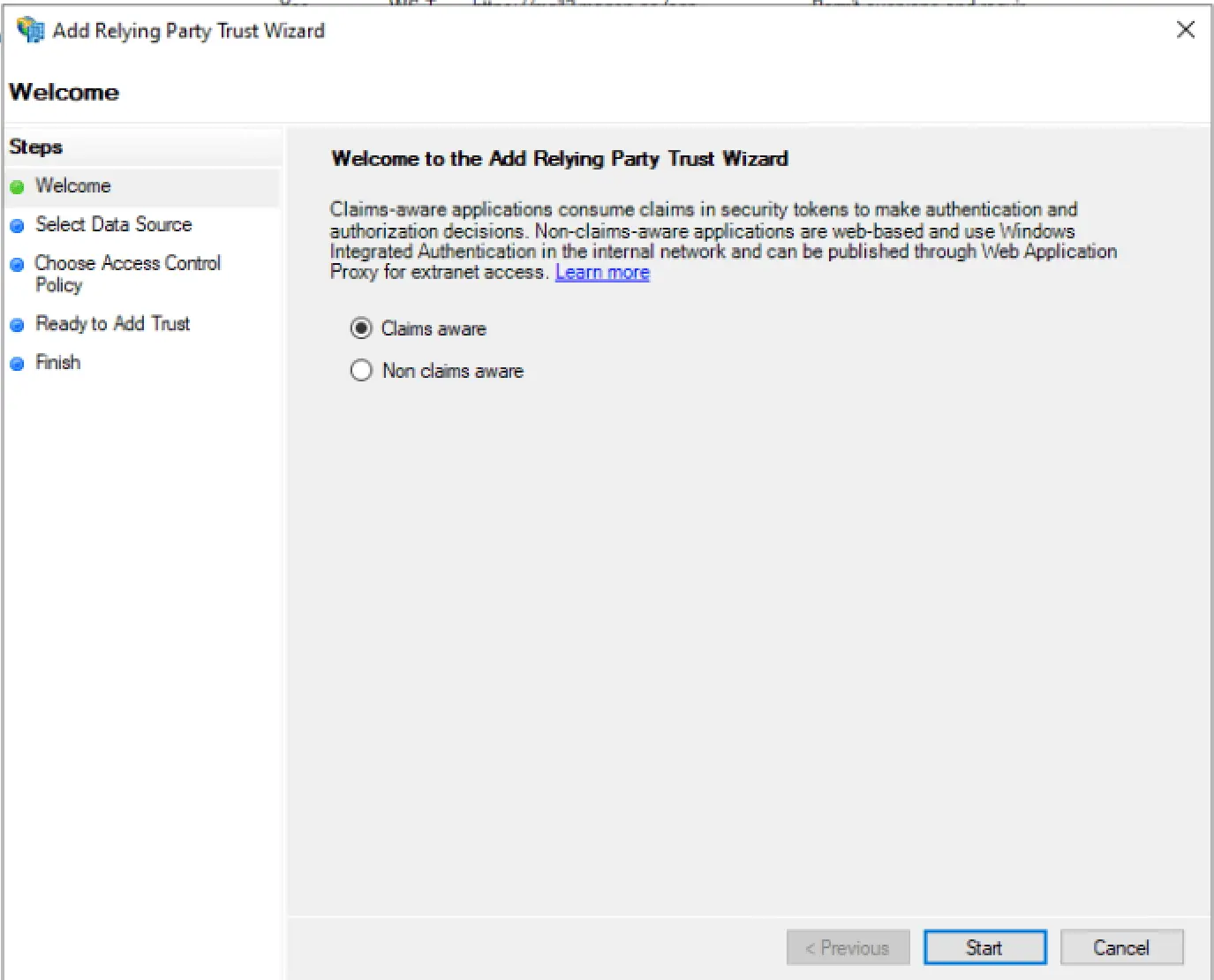
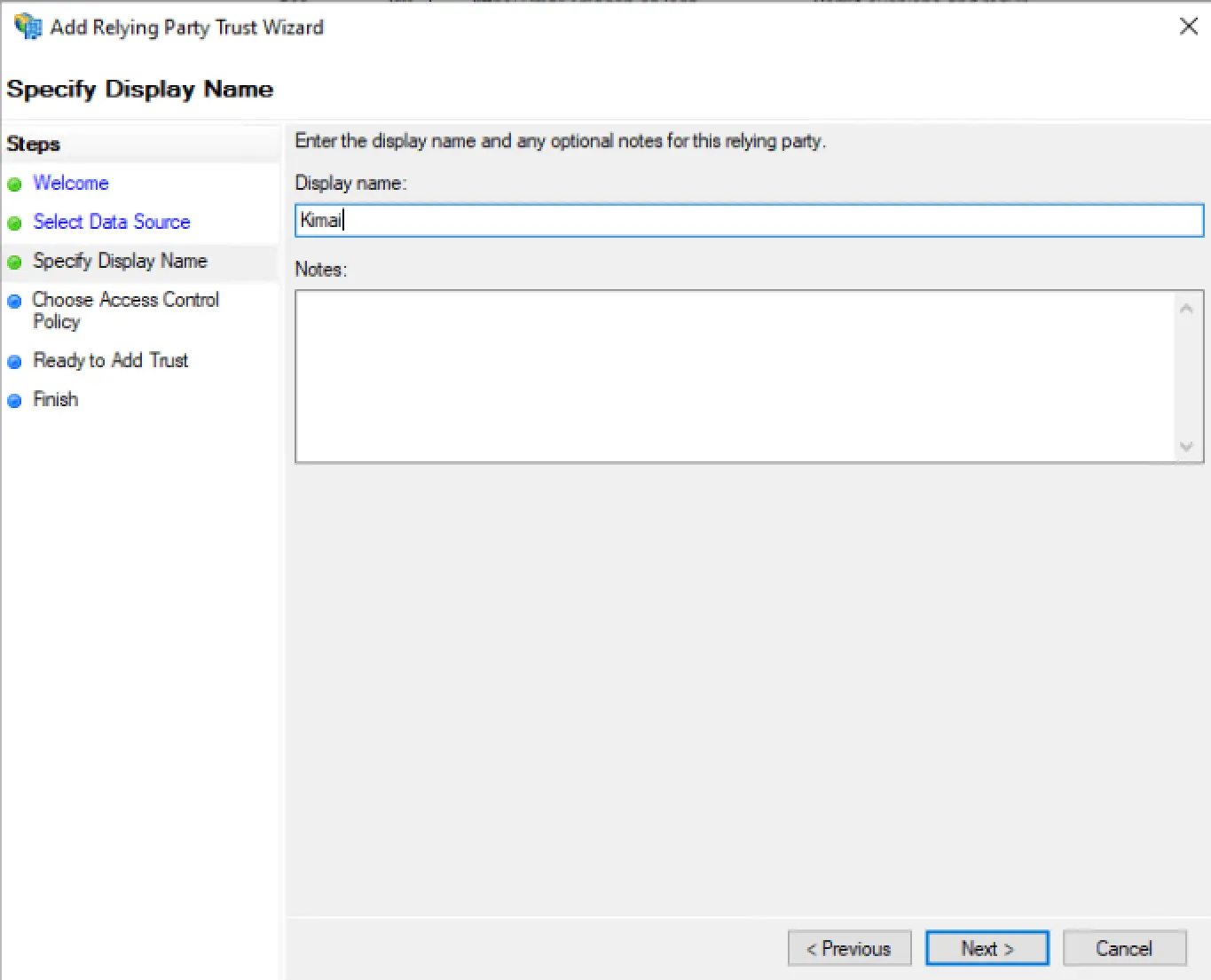
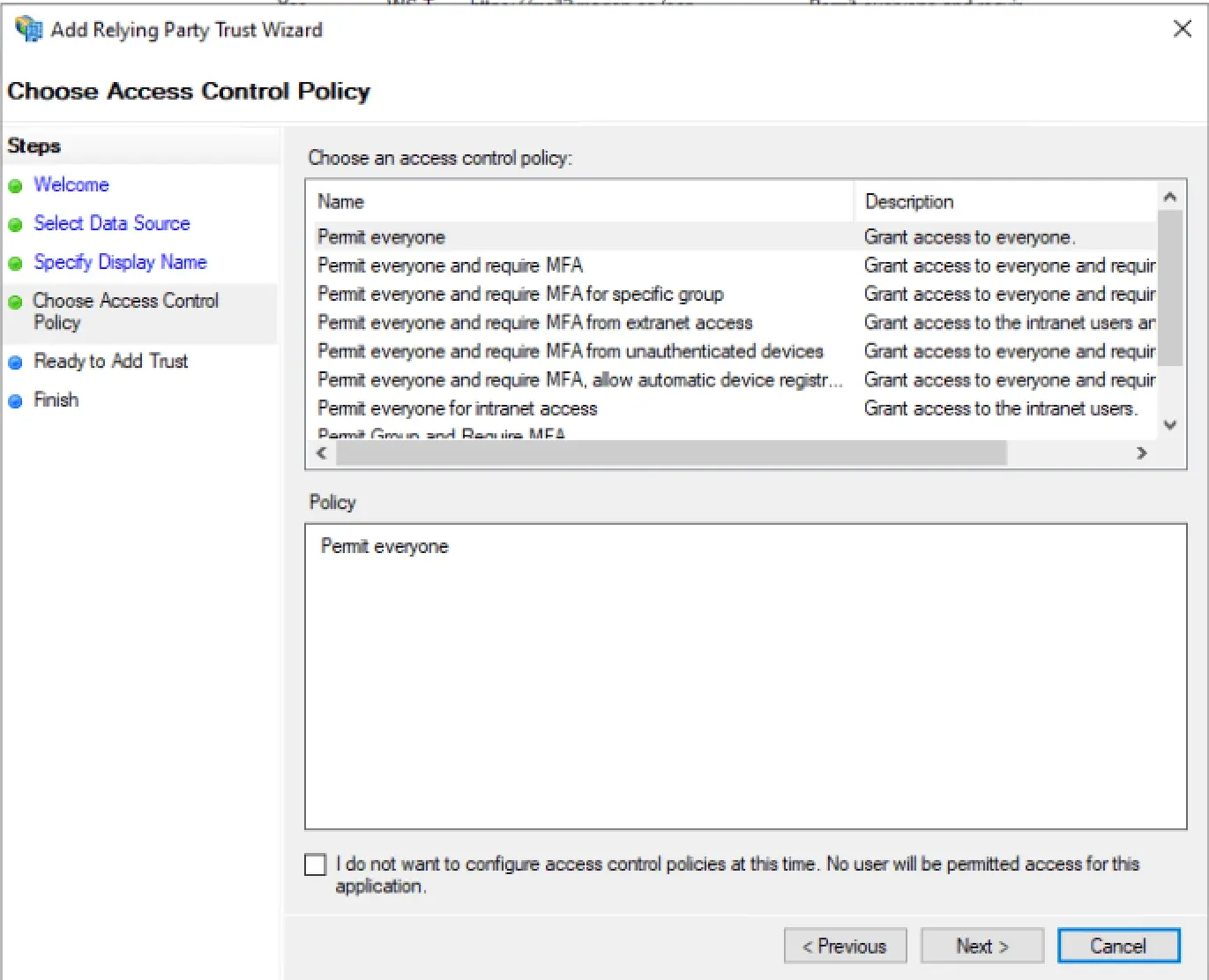
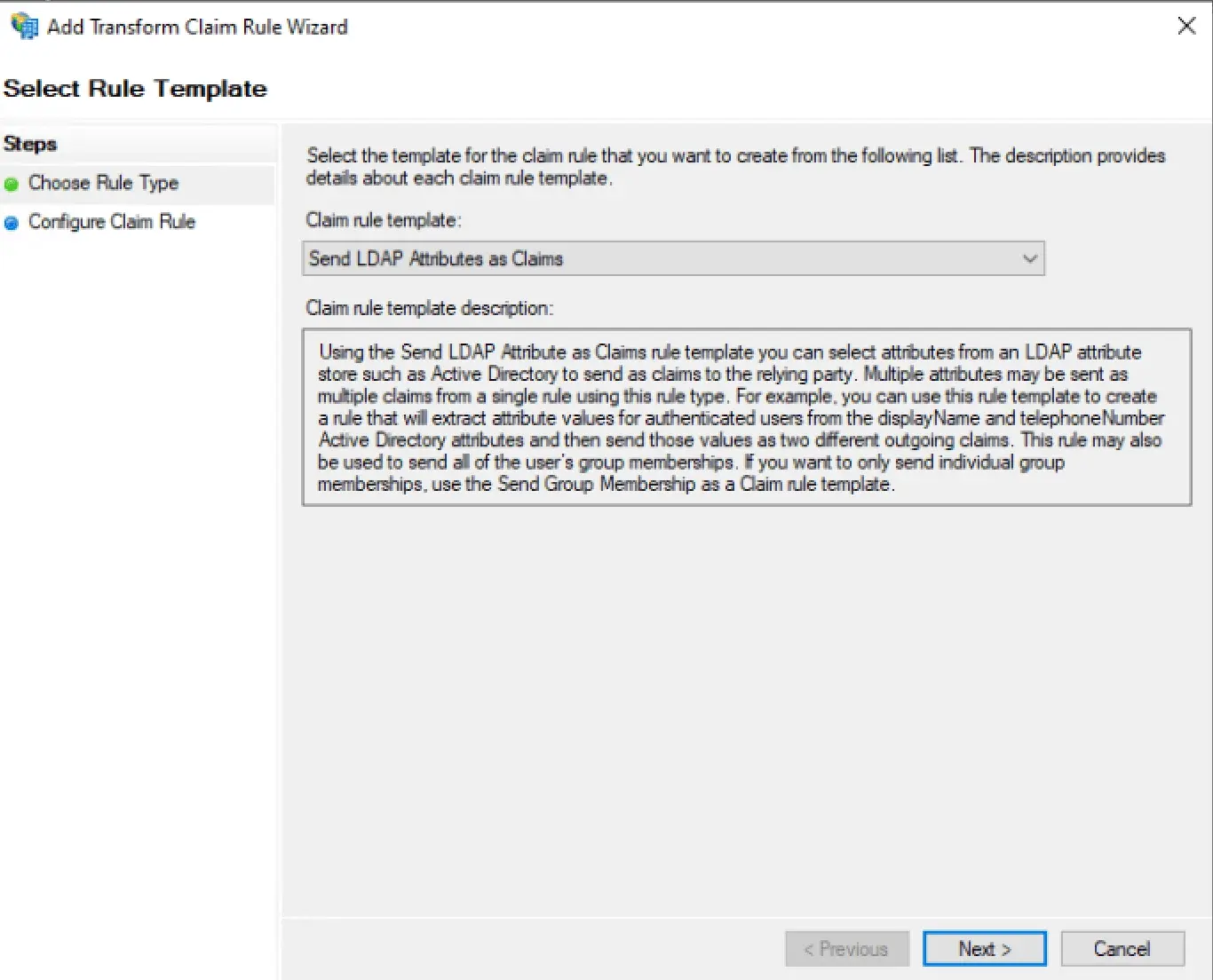
ADFS Setup
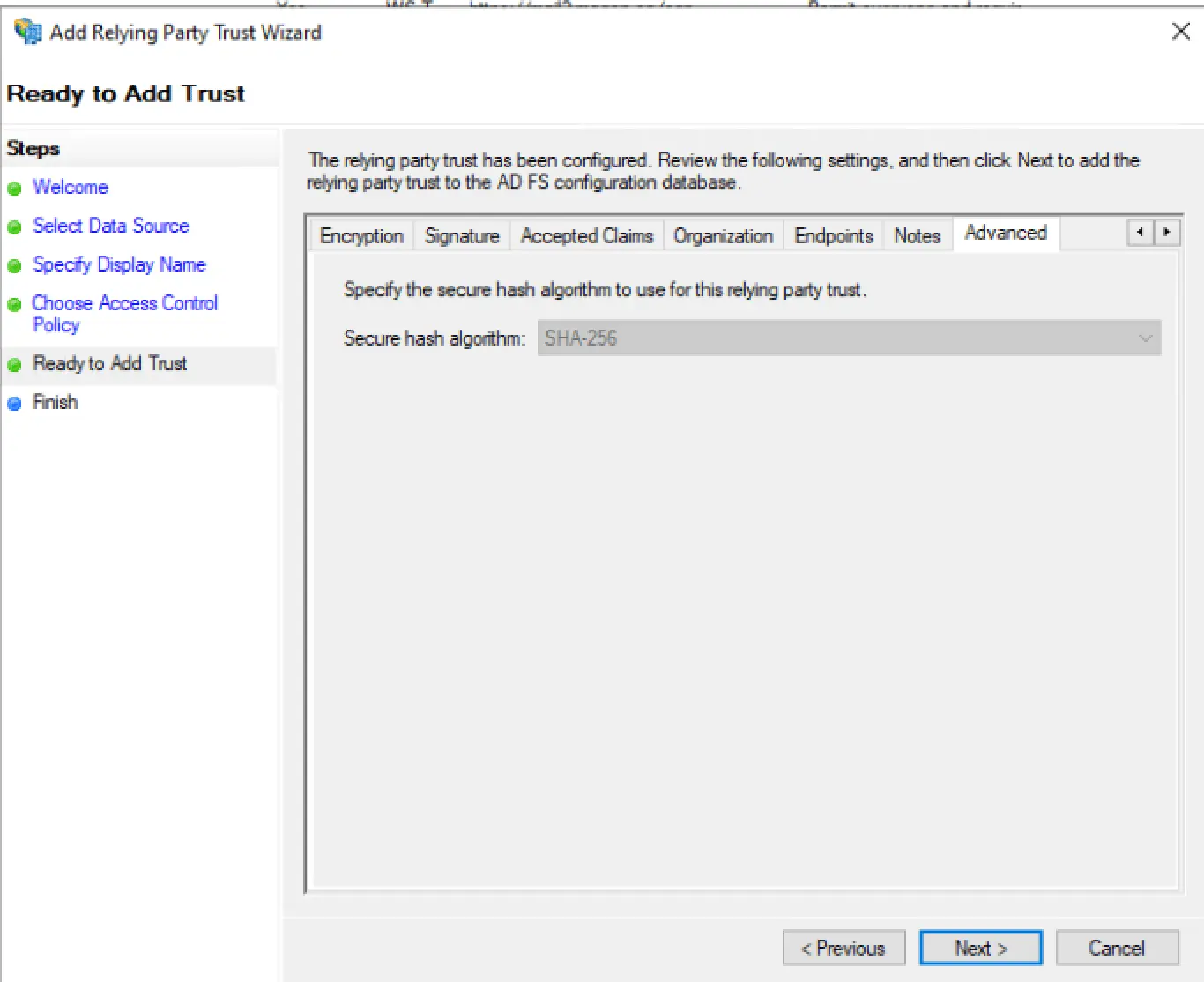
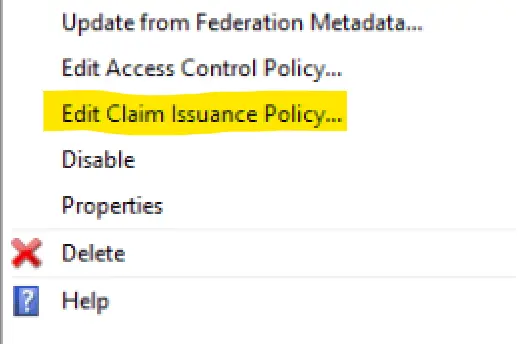
Rule Template for Attributes
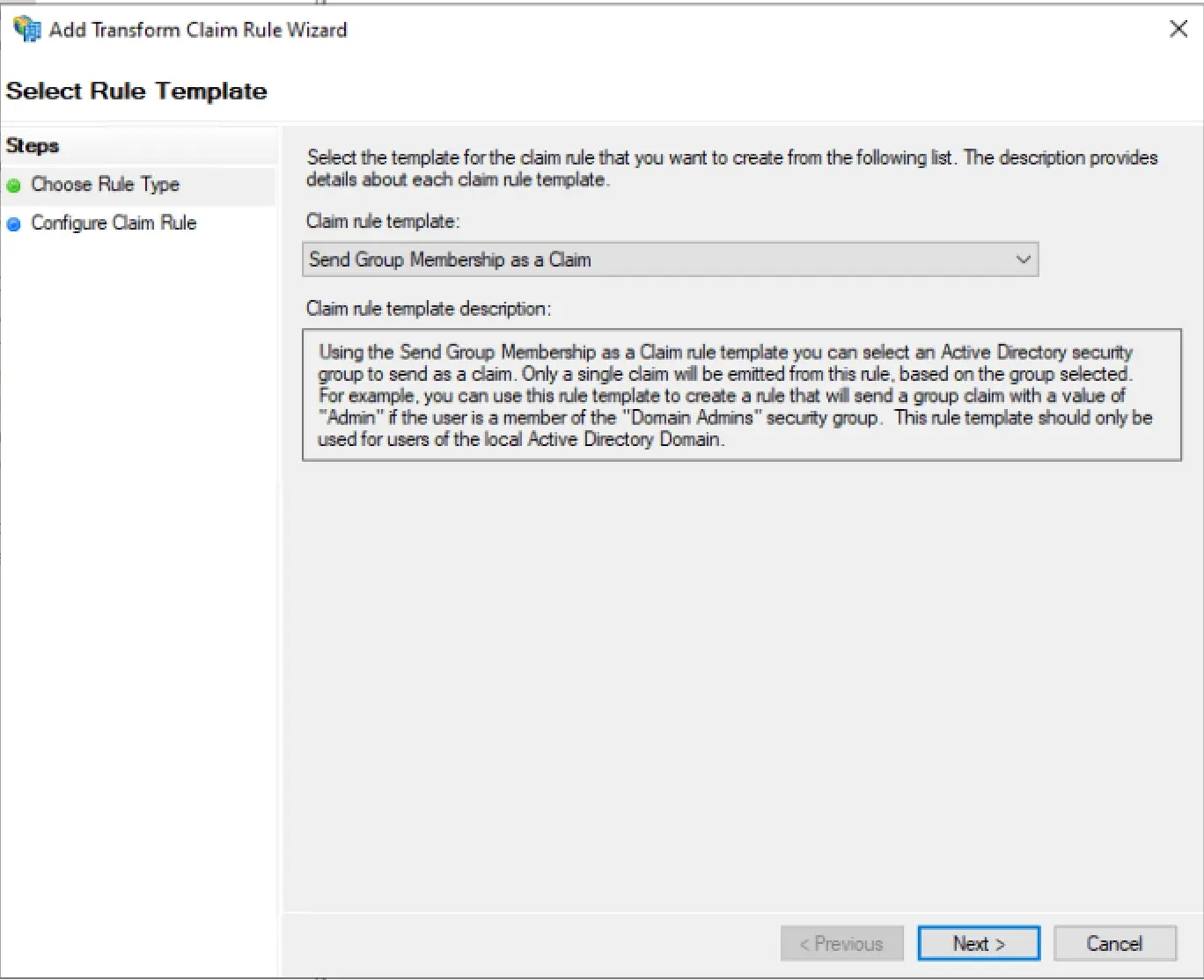
Rule Template for Groups
Apply Claim Issuance Policy
Test
You should now be able to test the Login by visiting https://timetracking.example.com/ and clicking on the Login With ADFS title of the SAML method, you defined earlier.