|
VOOZH | about |
|
VOOZH | about |
11 min
read
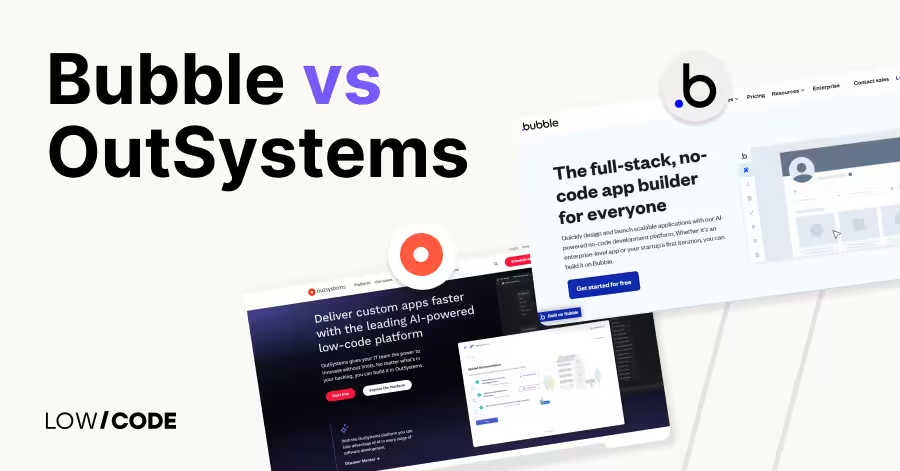
Compare Bubble vs OutSystems for web and mobile app development. Find out which no-code or low-code tool fits your team’s goals in 2025
By
Jesus Vargas
Updated on
May 29, 2026
.
Reviewed by
Real-World Experience with No-Code Tools: With over 320 apps built, we know firsthand what works—and what doesn't—when using no-code platforms like Glide, Bubble, FlutterFlow and Webflow.
Expert Team with 40+ Years of Combined Experience: Our team has deep technical knowledge, with experts who use no-code tools to solve real-world problems for clients every day, ensuring our advice is actionable and reliable.
Detailed Guides Based on Actual Projects: We don’t just talk about no-code; we use it daily to solve real business problems for our clients, from MVPs to complex automations.
Take a deeper look at our editorial guidelines
Bubble is ideal for non-technical users and startups building full-featured web or mobile apps without writing code. It powers over 3 million users and helps founders launch fast.
OutSystems, used by large companies like Toyota and Logitech, blends visual tools with code for enterprise-scale apps. It’s low-code, powerful, and built for professional IT teams.
This guide compares both platforms across design, backend, performance, and integrations to help you choose the best one for your project.
| Feature | Bubble | OutSystems |
|---|---|---|
| Best For | Startups, solo founders, SaaS, MVPs | Enterprise teams, large-scale internal apps |
| Ease of Use | Visual, no-code, beginner-friendly | Low-code, developer-friendly |
| UI Design | Full control, pixel-perfect, responsive | Visual builder + code-level control |
| Backend Logic | Visual workflows, API calls, database | Full backend logic, jobs, API orchestration |
| Hosting | Bubble-managed cloud hosting | Cloud, on-premise, or hybrid |
| Security | SSL, privacy rules, basic auth | SOC 2, HIPAA, RBAC, audit logs |
| Integrations | REST APIs, plugins, Zapier, Stripe | Enterprise DBs, legacy systems, SAP, Salesforce |
| Mobile Support | Now supports native mobile apps | Full cross-platform mobile + web |
| Learning Curve | Easy for beginners | Best for trained dev teams |
| Support & Training | Community forum, guides, templates | Structured academy, onboarding, certifications |
The core difference between Bubble and OutSystems is their target audience and level of complexity.
Bubble is a no-code platform built for solo founders, small teams, and startups. It lets you create fully functional web and native apps without writing code. Bubble is visual, flexible, and great for MVPs, SaaS, and internal tools.
OutSystems is a low-code platform designed for large businesses and enterprise IT teams. It supports full-stack development with visual tools, but also allows code when needed. It’s better suited for complex systems, large apps, or apps that need to connect with enterprise databases and APIs.
If you’re a non-technical founder building a startup, Bubble is easier and faster. If you’re part of a large company needing advanced integration, control, and enterprise-grade deployment, OutSystems is the better fit.
Let’s start with how much control you get over designing the user interface.
Bubble gives full visual control using a drag-and-drop editor. You can place elements anywhere, style them, and set responsive rules for different screen sizes. It’s flexible and allows pixel-perfect design, even if you're not a designer.
Bubble recently added support for native mobile apps, so you can build mobile-friendly layouts too. Unlike many tools, you don’t need templates—you can build your UI from scratch. Responsive design can be tricky at first, but Bubble gives you the tools to make it work. For non-technical founders or startups wanting custom UI without code, Bubble is a strong option.
Yes. OutSystems combines a visual UI builder with full code access when needed. You can design pages visually, drag in components, and then fine-tune them with CSS or JavaScript. It supports reusable UI elements and design systems, making it ideal for enterprise-grade apps. OutSystems also lets teams define complex responsive layouts across web and mobile apps.
While the platform is more complex than Bubble, it gives professional developers everything they need to deliver polished UIs with control over styling and behavior. It’s best suited for teams that want both visual speed and technical depth.
Read more about:
Now let’s explore what each tool offers behind the scenes.
Bubble lets you build the backend without writing code. You can create custom databases, set user permissions, and design workflows for data processing, API calls, or triggers. Workflows can be based on user actions, scheduled times, or backend events.
Bubble also has built-in support for sending emails, handling payments, or connecting to third-party tools. While it’s not as advanced as code-based platforms, it’s strong enough for most startup or small business apps. You can also build and manage backend logic visually using a simple editor.
OutSystems offers powerful backend features that work for both simple and enterprise-level needs. You can build logic visually using flowcharts and diagrams, or you can write custom code for more control. It supports background jobs, APIs, scheduled tasks, and complex data rules.
It also allows integration with external databases and legacy systems, which is important for large organizations. OutSystems is used by developers who need to create backend logic that connects across systems and follows security standards. It offers more backend control than Bubble but also has a higher learning curve.
Let’s see how your apps are deployed and how they grow with users.
Bubble hosts all apps on its cloud servers. You don’t need to manage servers, and deployment is just a click away. It automatically handles updates, SSL, backups, and scaling. Bubble apps can grow with your user base, but speed depends on how well your workflows and database are built.
Higher-tier plans give better performance and more capacity. For small to medium projects, Bubble’s hosting is fast and reliable. You can’t self-host, but you do get a secure and simple deployment process managed by Bubble.
Yes. OutSystems offers flexible hosting options. You can host apps on public cloud (like AWS or Azure), private cloud, or even on-premise servers. This is a big advantage for enterprises with strict data policies. OutSystems also supports container-based deployment using Docker and Kubernetes.
You get full control over your infrastructure and scaling setup. The platform ensures uptime, load balancing, and enterprise-grade monitoring. For teams needing custom hosting or advanced deployment workflows, OutSystems is a better fit than fully-managed tools like Bubble.
Security matters for any app—let’s see how each tool handles it.
Yes. Bubble includes standard security features like SSL encryption, user authentication, and privacy rules for database access. You can define who sees or edits what data. It’s secure enough for most web apps and small businesses. Bubble also lets you manage cookies, session timeouts, and password policies.
However, it doesn’t offer compliance certificates like HIPAA or SOC 2 yet, which may be needed for regulated industries. If you’re building public apps like marketplaces, SaaS, or internal dashboards, Bubble is secure enough for launch and early growth.
OutSystems is built for enterprise security. It includes full compliance with standards like SOC 2, HIPAA, ISO 27001, GDPR, and OWASP. You also get detailed role-based access control (RBAC), audit logs, identity providers (like SSO), and secure deployment workflows.
It’s trusted by banks, healthcare providers, and government agencies. Security is built into every layer—code, hosting, and data access. For large companies that need legal compliance or advanced protection, OutSystems offers a much higher level of control and certification than Bubble.
Read more about:
Now let’s look at how each platform connects with other tools and services.
Bubble supports external integrations using its API Connector and plugin marketplace. You can connect to REST APIs, set up webhooks, or use third-party tools like Stripe, SendGrid, Twilio, Zapier, and Make. It also allows database connections using plugins.
While some advanced setups may require workarounds, Bubble handles most startup needs well. You can also build your own plugins if you need custom functionality. For most small to mid-size apps, Bubble’s integration features are more than enough, especially for SaaS tools, client portals, or marketplaces.
Yes. OutSystems is designed for deep integrations. It can connect with Oracle, SQL Server, SAP, Salesforce, Active Directory, and more. You can integrate with REST, SOAP, and GraphQL APIs easily, and even use connectors from its Forge marketplace. Developers can also build custom extensions using .NET or Java.
OutSystems handles large data models, complex workflows, and real-time data sync. It’s ideal for businesses needing connections to legacy systems, ERPs, or enterprise tools. If your team needs secure, scalable, and powerful integrations, OutSystems is a better fit.
Let’s compare how each platform performs with real users and live traffic.
Yes. Bubble hosts your app on cloud infrastructure and handles uptime, SSL, and backups. Its apps are stable and reliable for public users. Bubble automatically scales your app as traffic grows, depending on your plan level. Performance depends on how you structure your database and workflows—bad logic can slow things down.
For better speed, you can use backend triggers, optimize pages, or upgrade to a dedicated server. Bubble works well for MVPs, SaaS tools, and dashboards. It’s fast enough for most user-facing apps when built carefully.
OutSystems is built to handle large-scale applications. It uses containerized deployment, load balancing, and enterprise-level monitoring. Apps can handle high traffic, complex data, and multiple user roles with ease. You can fine-tune performance using custom code, caching, and background processing. It also supports CI/CD pipelines and performance testing.
OutSystems is trusted by banks, telecom companies, and large teams that need high-speed and uptime. It’s much more suited for mission-critical or large enterprise apps than Bubble, which focuses more on flexibility for smaller teams.
Now let’s talk about who each platform is made for—non-coders or developers.
Yes. Bubble was made for non-coders and startup founders. You don’t need to write code to build a working web or mobile app. The visual editor lets you design pages, create workflows, and manage data all in one place.
It may take a few weeks to learn fully, but Bubble offers tutorials, templates, and a large community. Once you understand how workflows and conditions work, you can build advanced apps like CRMs or SaaS tools. It’s perfect for solo founders, small teams, or anyone who wants to launch quickly.
Yes. OutSystems is designed for professional developers and IT teams. It uses a low-code approach, which means you can build apps visually but still add code when needed. It’s best for teams that understand databases, backend logic, and system architecture.
Non-technical users may find it complex. OutSystems also supports agile development, version control, and DevOps tools. If your organization has tech staff and needs to build complex or secure apps across departments, OutSystems gives the flexibility and power that a visual-only tool like Bubble can’t offer.
Read more about:
Lastly, let’s see how each platform helps users learn and grow.
Bubble has an active and helpful community forum where users share tips, templates, and solutions. You also get access to free tutorials, video guides, and documentation. Paid support options are available for higher plans. Bubble’s plugin marketplace lets you extend features, and many agencies now specialize in Bubble development.
The learning curve is manageable with the help of community courses and real-world examples. Bubble’s ecosystem is growing fast, especially for no-code founders and startups who want quick results without a tech team.
OutSystems offers enterprise-level support, including dedicated onboarding, training programs, and certifications. Teams can learn through OutSystems Academy, which offers structured courses for developers and architects. You also get access to documentation, forums, and the Forge marketplace for reusable components.
Support is available through chat, ticketing, and account managers, especially for enterprise clients. OutSystems focuses heavily on professional training to help companies build scalable solutions faster. It’s a full ecosystem built for long-term use in enterprise environments.
Here’s how to choose the right platform for your next project.
Choose Bubble if you’re a startup founder, small business, or non-technical team looking to launch a full web or mobile app without code. Bubble is ideal for building SaaS apps, client portals, dashboards, or MVPs.
You can design custom UIs, manage your backend, and integrate with external tools—all without writing a single line of code. It’s also much more affordable and faster to learn than enterprise tools. If you want flexibility, ease of use, and visual development for public-facing apps, Bubble is a solid choice.
Choose OutSystems if you're part of an IT team or enterprise that needs to build complex, scalable, and secure apps. OutSystems combines speed with developer control. It supports large databases, complex workflows, and enterprise-grade integrations.
You can host apps on-premise, connect with legacy systems, and follow compliance requirements like HIPAA or SOC 2. OutSystems is best for companies that want full-stack development with visual tools but also need code-level control. It’s perfect for internal systems, portals, or mission-critical apps across large teams.
Last updated on
May 29, 2026
.
Jesus Vargas
-
Founder
Jesus is a visionary entrepreneur and tech expert. After nearly a decade working in web development, he founded LowCode Agency to help businesses optimize their operations through custom software solutions.
Custom Automation Solutions
Save Hours Every Week
We automate your daily operations, save you 100+ hours a month, and position your business to scale effortlessly.
Our AI — trained on 300+ shipped products — tells you what to build, what to skip, and what it'll actually cost. No fluff.
Assess My Idea"Working with LowCode Agency was the best decision I made in 2025"
Franklin Frith
CEO at HRM
Yes. Bubble now supports native mobile apps with its new mobile editor and native export options. While it's still improving, you can build and publish iOS and Android apps without code. It's a strong option for founders who want to launch both web and mobile apps on one platform.
Not always. OutSystems is low-code, so you can build a lot with visual tools. But for custom logic, integrations, or advanced UI, you’ll need coding knowledge. It’s ideal for IT teams or developers who want speed with flexibility. Non-tech users may find it too complex to use alone.
Bubble is better for startups. It’s affordable, easy to learn, and built for launching MVPs, SaaS tools, or internal platforms fast. You don’t need a developer to get started. OutSystems is more suited for large teams or companies that need full control, hosting options, and enterprise compliance.
Yes. OutSystems lets you build cross-platform apps from one codebase. You can create responsive web apps and publish mobile apps on iOS and Android. It supports native device features and offline use. This makes it a good fit for enterprise teams targeting users across devices.
Yes. Bubble has an API Connector to connect with any REST API, and a large plugin marketplace for tools like Stripe, Mailchimp, or Google Maps. You can also create your own plugins. It’s great for integrating third-party services into your no-code app without needing to write backend code.
OutSystems offers stronger long-term support, especially for enterprises. It includes official certifications, developer training, and live onboarding. Bubble has a growing community, forum, and third-party courses, but less structured training. For solo builders, Bubble’s resources are enough. For big teams, OutSystems provides more formal learning paths.
Bubble
How to Build a Parent Portal App with Bubble
Build a parent portal app with Bubble no coding needed. Share grades, messages, and school updates with families using this step-by-step no-code guide.
Comparison
Webflow
Bubble
Bubble vs Webflow | 11 Factors to Decide the Best One
Compare Bubble vs Webflow across 11 key factors, including use cases, flexibility, backend needs, scalability, pricing, and which platform suits your project.
Bubble
How to Build an Affiliate Marketing Platform With Bubble
Build an affiliate marketing platform with Bubble. Track referrals, automate commissions, and manage partners — no backend code required.
Bubble
How to Build a Franchise Management Food App with Bubble
Build a food waste tracking app with Bubble and cut costs today. No-code setup, real-time insights, and step-by-step guidance included.
Bubble
How to Build a Property Portfolio Management App with Bubble
Manage your property portfolio with a Bubble app no coding required. Track performance, vacancies, and ROI step-by-step with this no-code guide.
Comparison
Webflow
WP Engine vs WordPress: why migrating to Webflow is the solution
Compare WP Engine and WordPress, and see why switching to Webflow offers better speed, control, and an all-in-one website solution