|
VOOZH | about |
|
VOOZH | about |
11 min
read
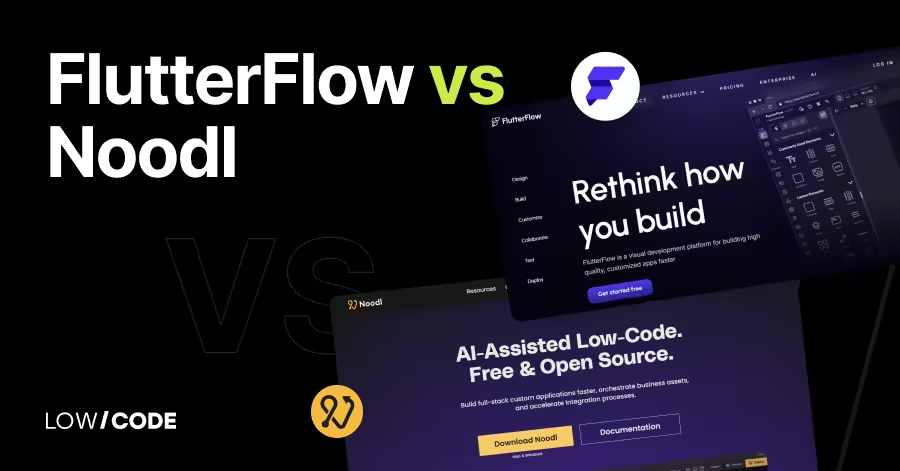
Compare FlutterFlow vs Noodl across 10 key factors like performance, pricing, customization & more to find the best no/low-code platform for your app
By
Jesus Vargas
Updated on
May 29, 2026
.
Reviewed by
Real-World Experience with No-Code Tools: With over 320 apps built, we know firsthand what works—and what doesn't—when using no-code platforms like Glide, Bubble, FlutterFlow and Webflow.
Expert Team with 40+ Years of Combined Experience: Our team has deep technical knowledge, with experts who use no-code tools to solve real-world problems for clients every day, ensuring our advice is actionable and reliable.
Detailed Guides Based on Actual Projects: We don’t just talk about no-code; we use it daily to solve real business problems for our clients, from MVPs to complex automations.
Take a deeper look at our editorial guidelines
No-code app development is booming. Gartner predicts that over 65% of apps will be built using low-code or no-code tools by 2027. With so many platforms to choose from, it’s easy to feel stuck.
FlutterFlow and Noodl are two strong options, but they solve very different problems. In this guide, we’ll help you compare them quickly and clearly.
We’ve built over 330 apps across multiple platforms, so we know what works best for different goals. If you’re unsure which tool fits your idea, this comparison will help you make the right choice.
| Feature | FlutterFlow | Noodl |
|---|---|---|
| Supported Platforms | Native Android and iOS apps | Web apps only (runs in browsers) |
| Development Style | Drag-and-drop builder with simple action flows | Visual node-based logic system |
| Customization & Control | High UI customization, limited complex logic | Full customization in design and advanced logic |
| Backend & API Integration | Firebase support, REST API integration | Advanced REST API setup with full control |
| Code Export & Ownership | Yes, export full Flutter code anytime | No full code export, hosted within Noodl’s platform |
| App Performance | Native performance on mobile devices | Good for web apps, but not as fast as native apps |
| Learning Curve | Beginner-friendly, great for no-code starters | Steeper learning curve, better for tech-savvy users |
| Community & Resources | Large, active community with tutorials and support | Smaller community, but strong official documentation |
| Best For | Mobile-first apps, MVPs, production apps | Logic-heavy web apps, internal tools, dashboards |
The core difference between FlutterFlow and Noodl lies in their target users and how they build apps.
FlutterFlow is a visual builder for mobile apps that uses Flutter. It’s made for fast development of Android and iOS apps, even by people with no coding skills. You can drag and drop UI, connect databases, and export clean Flutter code.
Noodl, on the other hand, focuses more on front-end logic and real-time app building. It uses a visual node-based system, making it flexible for building complex logic and web apps. Noodl also supports real-time collaboration and is ideal for teams working on web-based tools or internal dashboards.
In short: FlutterFlow is best for mobile apps with smooth UI. Noodl is better for web apps with heavy logic. Both are no-code tools but solve different problems for different users.
Both FlutterFlow and Noodl help you build apps visually, but the types of platforms they support are quite different.
Yes, FlutterFlow is built for native mobile app development. It uses Google’s Flutter framework to create apps for both Android and iOS. You can build your app with drag-and-drop tools and export clean Flutter code. This means your app runs fast and feels smooth on phones.
FlutterFlow also lets you preview apps in real-time, test them easily, and even publish directly to the app stores. It’s one of the best no-code tools if your main goal is building polished mobile apps without needing to write code.
Noodl mainly supports web app development. It lets you build fully responsive web applications with complex logic using its visual node-based system. Noodl doesn’t support native mobile builds like FlutterFlow does, but your web apps can run on mobile browsers.
It’s perfect for internal tools, dashboards, or apps that need real-time collaboration and logic. If you're looking to build mobile-first apps that get published in app stores, Noodl may not be the best fit. But for smart, interactive web apps, it's very powerful.
Read more about:
The way you build and control app behavior is very different in FlutterFlow and Noodl.
FlutterFlow makes app building very easy with its drag-and-drop interface. You can create screens, add buttons, forms, images, and more without writing code. It’s great for beginners because everything is visual. You also get pre-built widgets and templates to save time.
For logic, FlutterFlow uses simple action flows—like “When button is clicked, go to next page.” This makes it easy to add features like login, API calls, or database updates. It’s not as flexible as custom coding, but it’s perfect for building working apps fast.
Yes, Noodl is made for advanced logic. It uses a visual programming system based on nodes and connections. You can build custom logic flows that control how your app reacts to user input, data changes, or API responses.
This makes Noodl great for complex web apps that need a lot of control over behavior. Even though it’s visual, it works like real code under the hood. You don’t need to write JavaScript, but you can if needed. If your app needs deep logic, Noodl gives you that flexibility.
Read more about:
When it comes to how much control you get over the app’s design and logic, FlutterFlow and Noodl take different paths.
FlutterFlow gives you a lot of control over design, especially for mobile apps. You can adjust layouts, colors, fonts, animations, and more using its visual editor. It also allows custom functions using Dart code if you want extra features.
However, logic building is more limited compared to full coding or node-based tools. It’s great for standard app flows—like sign-ins, forms, and lists—but may feel restrictive for complex tasks. Still, for most mobile apps, FlutterFlow offers enough flexibility to build a clean, custom experience without coding.
Yes, Noodl is made for full customization. It gives you deep control over both the frontend design and backend logic. You can build everything from layout to detailed workflows using visual nodes. It also allows real-time updates, dynamic data, and custom APIs.
If you’re a designer or developer who wants total freedom without starting from scratch, Noodl fits well. It may take time to learn, but once you get it, you can build apps that behave exactly how you want—no templates or limits.
Connecting your app to databases and external services is key. FlutterFlow and Noodl offer different ways to handle backend and API connections.
FlutterFlow supports Firebase as its main backend. You can use it for authentication, Firestore database, cloud functions, and storage. It also allows REST API integration, so you can connect to other services like Airtable, Supabase, or your own custom backend.
While it’s beginner-friendly, the API setup is basic. You define calls, set parameters, and map responses visually. It works well for most mobile apps but might feel limited if you need complex backend logic or multi-step workflows. Still, for many use cases, it offers a simple and effective way to connect your data.
Noodl gives you full control when it comes to APIs. You can connect any REST API and set up custom headers, authentication, and logic for handling responses. It’s designed for complex apps, so you can chain multiple API calls, manage real-time updates, and even handle errors visually.
This makes it a great tool for apps that need a strong backend connection or work with third-party services. You’re not tied to one backend, and you don’t need external plugins. Everything happens inside Noodl’s visual logic system, giving you a lot of flexibility.
If you care about owning your app’s code or moving it outside the platform, this is where FlutterFlow and Noodl take very different paths.
Yes, FlutterFlow lets you export clean Flutter code anytime. This means you can take the code and continue working on it in tools like Android Studio or share it with developers. It gives you full ownership of your app, which is rare in most no-code tools.
The exported code is well-structured and production-ready, making it easy to scale or customize later with actual Flutter development. If you want the freedom to start no-code and move to full-code later, FlutterFlow supports that path well.
No, Noodl doesn’t provide full source code export like FlutterFlow. It runs apps through its own engine, so your project stays within the Noodl environment. While you can connect APIs and add logic, you won’t be able to take the full codebase and host it elsewhere.
This setup works fine for teams that want fast delivery and real-time updates, but not for those who need full code control. If code ownership and portability are important to you, Noodl might not be the best long-term fit.
Read more about:
Performance matters when users expect fast, smooth experiences. Let’s look at how FlutterFlow and Noodl handle this.
Yes, FlutterFlow apps deliver native performance because they are built using Flutter, a framework by Google. The final app runs just like a fully coded mobile app, with fast load times and smooth animations. Since it compiles to native code, it works well even with complex UI or offline features.
FlutterFlow also supports background tasks, custom animations, and native device access, making it ideal for polished, responsive mobile apps. If you're building apps for Android or iOS and want native-like speed, FlutterFlow is a reliable choice.
Noodl apps are web-based, so performance depends on browser speed and internet connection. For most use cases like dashboards, tools, or forms, the performance is good and fast. Noodl is optimized for real-time updates and can handle dynamic content well.
But compared to native apps, it might lag in animations or offline use. Since Noodl apps don’t run as native mobile apps, you won’t get the same level of device performance. Still, for web-first apps with strong logic and live data, Noodl performs reliably.
Both platforms are no-code, but the learning experience feels different depending on how comfortable you are with logic, design, or code.
Yes, FlutterFlow is beginner-friendly. Its drag-and-drop builder lets you design screens, connect data, and create user flows with no coding. You can build working apps quickly, even if you're new to app development.
Still, if your app needs advanced features or custom logic, learning everything alone might be tough. We’ve built over 330 apps using platforms like FlutterFlow. If you want a faster path with expert support, reach out to us to discuss how we can help bring your idea to life.
Noodl doesn’t require code, but it’s more advanced than typical no-code tools. You need to understand logic, data flows, and how APIs work. The interface uses a visual programming style, which can feel like coding without typing.
It’s best for builders with some technical skills or teams who want full control of their app logic. We recommend Noodl if you’re comfortable with structured logic or building internal tools that go beyond simple workflows.
When using a no-code tool, having access to helpful tutorials and an active community can make a big difference.
Yes, FlutterFlow has a growing and active community. You’ll find many tutorials, video guides, and help articles on their official site and YouTube channel. There’s also a community forum and a large user group on Discord where you can ask questions and share ideas.
Whether you're just starting out or working on a complex app, it’s easy to find help. We’ve also used FlutterFlow in many of our projects and can support you through learning or building if you need expert help.
Noodl has a smaller community, but it offers strong learning support. You’ll find official documentation, how-to guides, and example projects to help you get started. Their team also shares tutorials and use cases that walk through real app logic.
Since Noodl is more advanced, the learning curve can be steep without a technical background. However, if you're willing to explore and learn visually, it becomes very powerful. We can help you make the most of Noodl’s features and speed up your build process with expert guidance.
Read more about:
Both FlutterFlow and Noodl are powerful, but they shine in different situations. Here’s when each tool makes the most sense.
FlutterFlow is the best pick when you're building a mobile-first app for iOS or Android. It’s great for MVPs, startups, and client apps that need to look and feel native. If you want to launch fast, connect Firebase, and have the option to export your code later, FlutterFlow gives you that flexibility.
You can also scale your app with expert help. We’ve built 330+ apps on platforms like FlutterFlow, so feel free to reach out if you want to explore what’s possible for your idea.
Noodl is a smart choice when you need full control over logic, data, and real-time user actions. It works best for building powerful web apps, dashboards, or internal tools where customization matters more than mobile performance.
If your team is tech-savvy and wants a no-code tool that feels close to real coding, Noodl fits well. It’s also ideal for projects that rely heavily on APIs or dynamic data. We can help you get started with Noodl and build custom solutions that match your exact workflow needs.
Last updated on
May 29, 2026
.
Jesus Vargas
-
Founder
Jesus is a visionary entrepreneur and tech expert. After nearly a decade working in web development, he founded LowCode Agency to help businesses optimize their operations through custom software solutions.
Custom Automation Solutions
Save Hours Every Week
We automate your daily operations, save you 100+ hours a month, and position your business to scale effortlessly.
Our AI — trained on 300+ shipped products — tells you what to build, what to skip, and what it'll actually cost. No fluff.
Assess My Idea"Working with LowCode Agency was the best decision I made in 2025"
Franklin Frith
CEO at HRM
Yes, FlutterFlow is reliable for building production-ready apps, especially for Android and iOS. It compiles to native code using Google’s Flutter framework, which ensures smooth performance. You can also export clean code, integrate Firebase, and connect external APIs. Many startups and businesses use it to launch real mobile apps without hiring full development teams, making it a strong option for MVPs and polished products.
No, Noodl doesn’t support native mobile app builds. It focuses on building powerful web apps that run in browsers. While the apps are responsive and mobile-friendly, they aren’t the same as native apps found in app stores. If your goal is to build internal tools, dashboards, or browser-based applications, Noodl works well, but it's not the right fit for publishing to iOS or Android natively.
Yes, both FlutterFlow and Noodl support API integration, but the level of control differs. FlutterFlow offers an easy-to-use visual interface to set up REST APIs, perfect for standard use cases. Noodl, however, gives you more flexibility to manage headers, errors, and multi-step calls. If you need detailed logic handling, Noodl offers a deeper, more customizable API experience.
FlutterFlow is better suited for beginners. Its drag-and-drop interface, pre-built components, and simple logic flows make it easy to learn and use. It also has a large library of tutorials and community support. Noodl is more complex and better for users who understand app logic or have some technical background. It requires more time to learn but offers more control.
Yes, both tools support team collaboration. FlutterFlow allows you to share projects and work with others on app design and logic. Noodl takes it further with real-time collaboration, which is great for product teams or developers building together. If you're building apps as a team, both platforms offer useful features to manage shared work and keep projects organized.
Not always, but hiring an expert helps when building complex apps or working with tight deadlines. While both platforms are no-code, some features like custom APIs or advanced logic can be tricky. We’ve built over 330 apps and can guide you through the entire process, from idea to launch, so you don’t waste time figuring things out alone.
FlutterFlow
How to Build a Tenant Portal with FlutterFlow
Learn how to create a tenant portal using FlutterFlow with easy steps, features, and best practices for property management apps.
FlutterFlow
How to Build a Procurement Workflow System with FlutterFlow
Learn how to create an efficient procurement workflow system using FlutterFlow with step-by-step guidance and best practices.
FlutterFlow
How to Build Nonprofit Apps with FlutterFlow
Learn how to create nonprofit apps using FlutterFlow with step-by-step guidance and best practices for effective app development.
Airtable
Comparison
Airtable vs Asana | 10 Factors to Decide the Best One
Compare Airtable vs Asana on ease of use, workflows, views, automation, and collaboration to pick the best tool for your team’s project management needs
FlutterFlow
How to Build Onboarding and SOP Apps with FlutterFlow
Learn how to create onboarding and SOP apps using FlutterFlow with step-by-step guidance and best practices for smooth app development.
FlutterFlow
How to Build a Coaching Marketplace Platform with FlutterFlow
Learn how to create a coaching marketplace platform using FlutterFlow with step-by-step guidance and best practices.